User’s Guide
IP Address, then click “Connect” button to refresh WAN IP address ; If it is PPPoE
way, then “Connect” or “Disconnect” button will be shown above. Click “Connect”
button to connect with internet, click “Disconnect” button to disconnect with internet.
*Refresh:Refresh current web page. All of the following web pages will have
this button with the same function.
*Save:Save Broadband Router current configuration. All of the following
web pages will have this button with the same function.
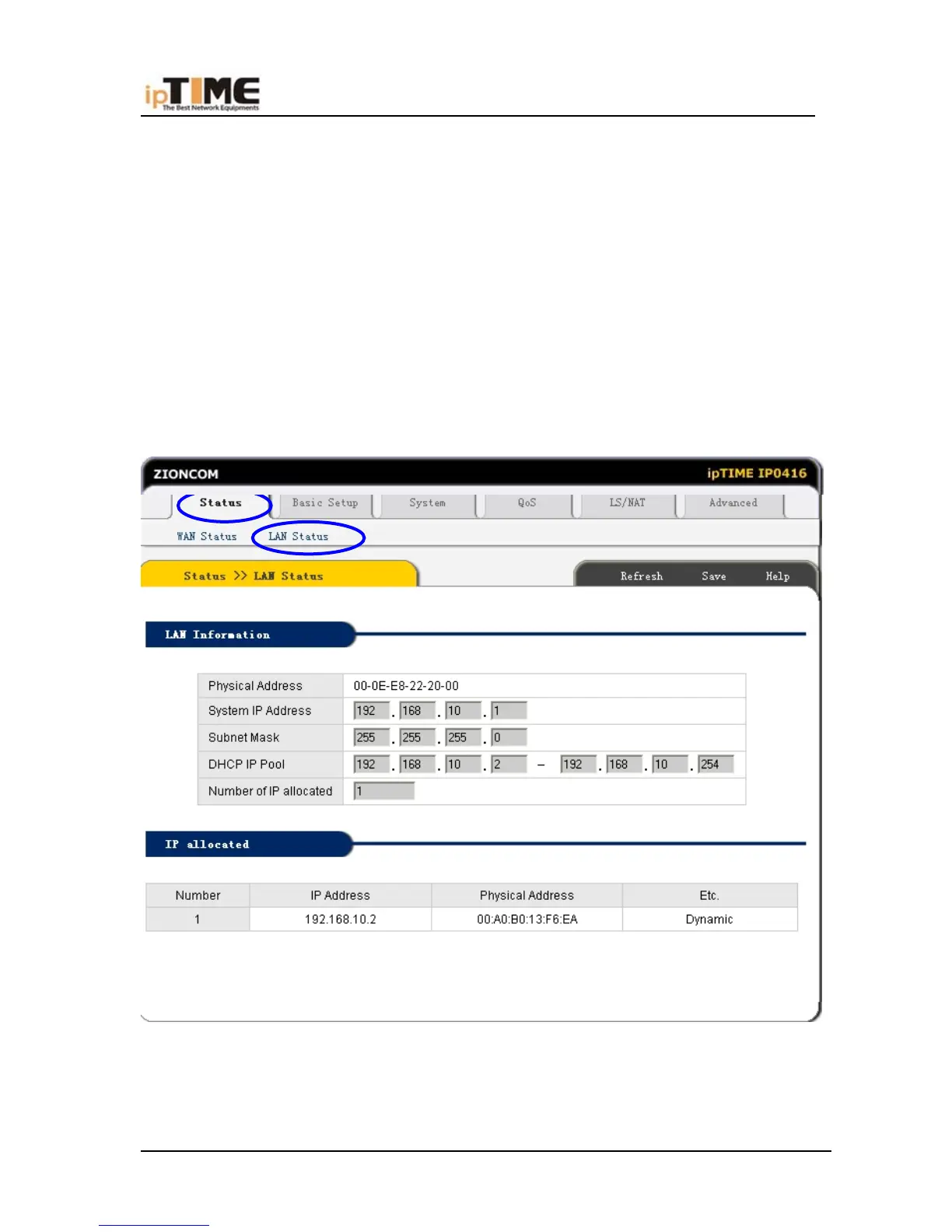
6.5.2 LAN STATUS
Click “Status” –>“LAN Status” as following:
LAN Information : Show user current LAN connecting status (LAN port and
wireless connection ) and DHCP server status, include MAC address of the LAN
port ,and IP rent regions and quantities of IP address shared by Broadband Router
-52- www.zioncom.net



 To Next Page