User’s Guide
After completion please save the configuration, otherwise configuration will be lost
when Broadband Router is power off or restarts.
6.5 STATUS
6.5.1 WAN STATUS
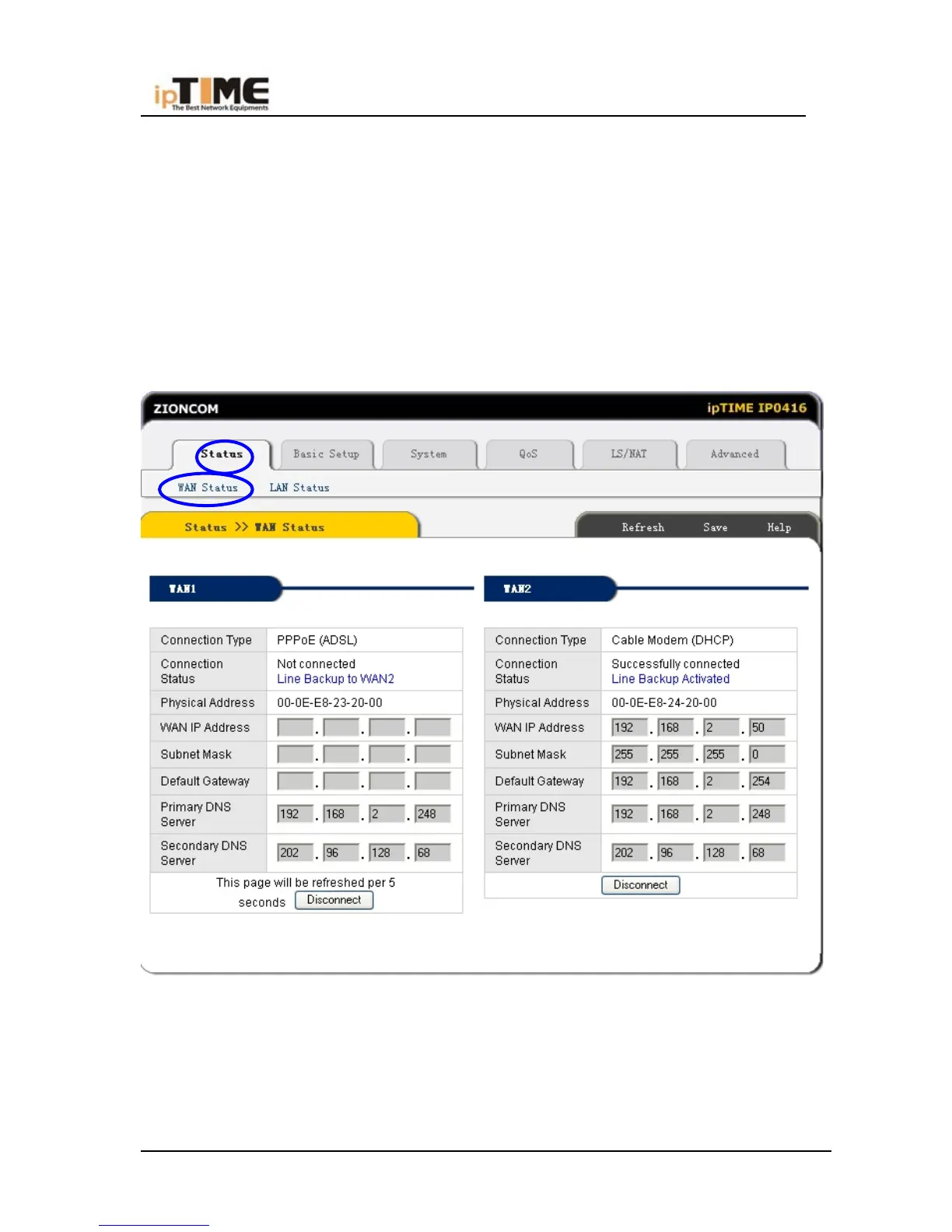
Click “Status”->“WAN Status” as following:
This page shows current Internet connection status (WAN port), including
Connection Type, Connection Status,WAN IP address, Subnet mask, Default
Gateway and DNS server. If it is dynamic IP way, “Disconnect” button or “Connect”
button will be shown above. Click “Disconnect” button to release current WAN Port
-51- www.zioncom.net



 To Next Page