User’s Guide
6.8.2 IP QoS
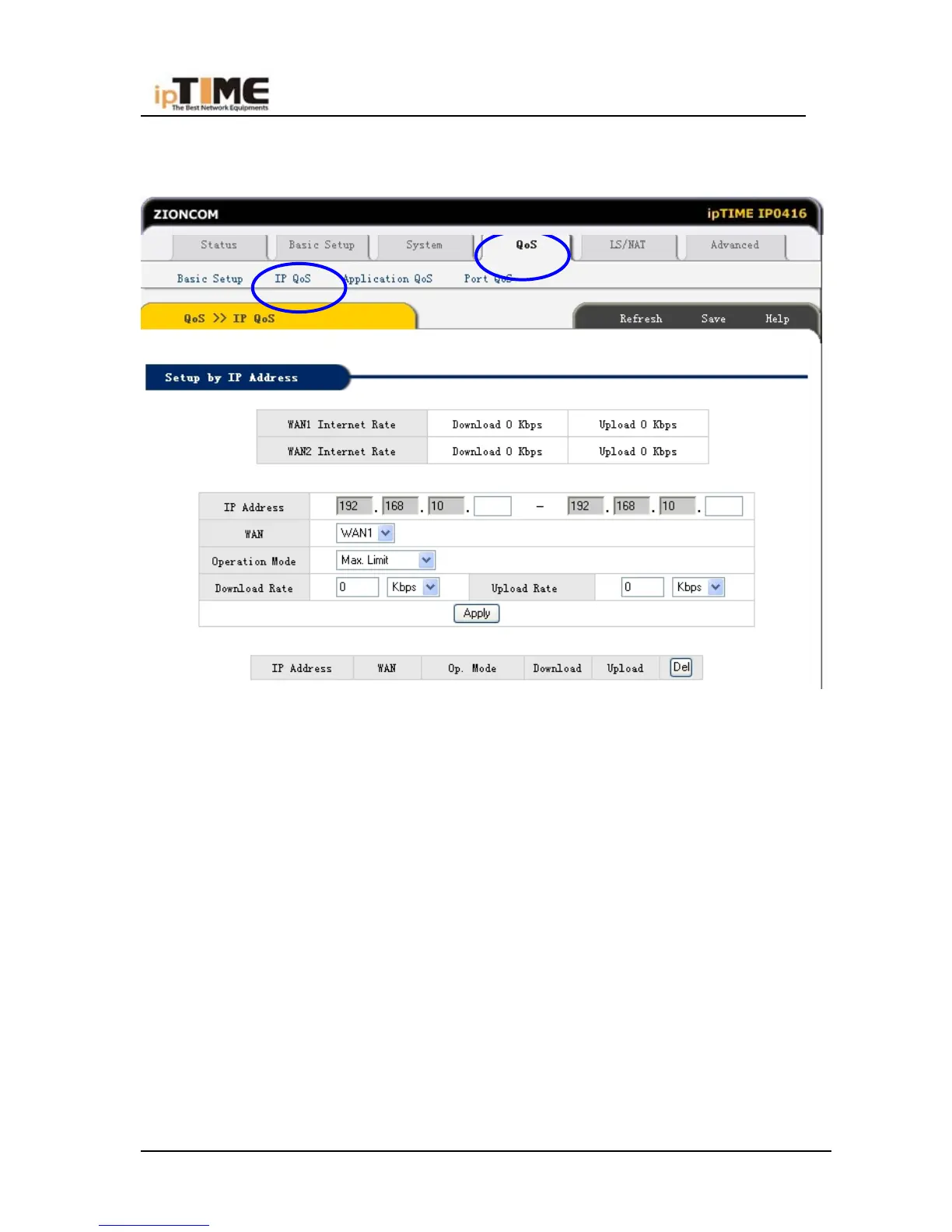
Click Qos –IP Qos , refer to following Sketch-up
QoS Setup by IP Address
With setting QoS by IP address, the upload and download speed of specified IP
address can be limitted at a specified maximum rate or granteed at a specified
minimum rate.
IP Address
Enter the IP address to set QoS.
Operation Mode
Chose 'Max Rate Limit' or 'Min Rate Grantee'.
Download/Upload
Chose the download and upload speed.
-67- www.zioncom.net



 To Next Page