User’s Guide
6.4 SETUP FOR STATIC IP
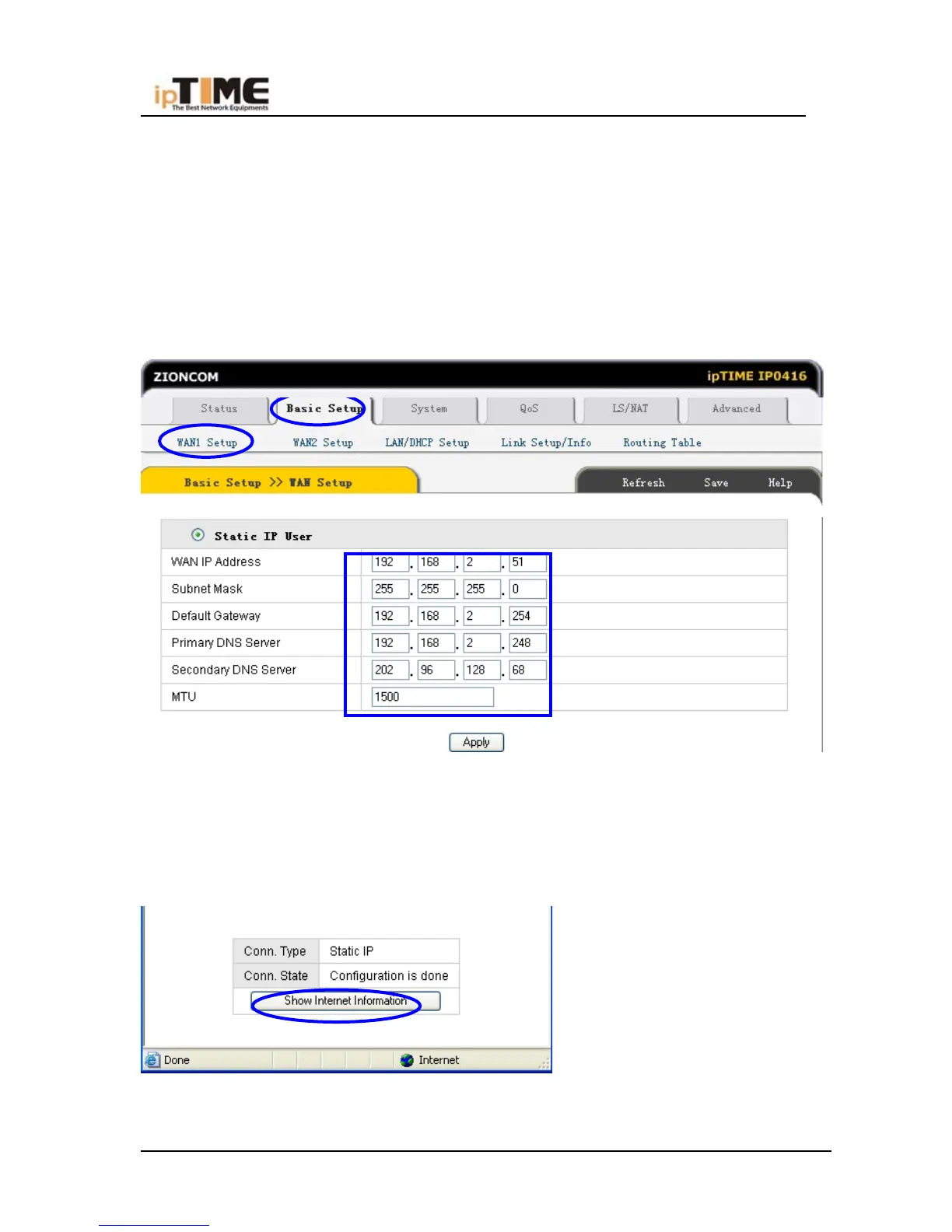
If you have static IP address provided by ISP, you can choose this option.
(1) Turn on the external modem and check the WAN LED of Broadband Router
*If the WAN LED is off, please check the network cable between external
modem and the WAN port.
(2) Click Basic Setup->WAN Setup as following diagram:
(3) Input WAN IP address, Subnet mask, Default Gateway, Primary DNS Server
and Secondary DNS Server provided by ISP.
(4) Click Apply to complete.
(5) You will see the following pop-up window:
(6) Check WAN connection status: If it is “Configuration is done”, click “Show
-49- www.zioncom.net



 To Next Page