User’s Guide
Note:
1.Pleaseclike “save”, when you want to keep the configuration in case power
off or reset on the router .
2.It is better to let IP address binding on or use the static IP address on the
client for user self-defined LS.
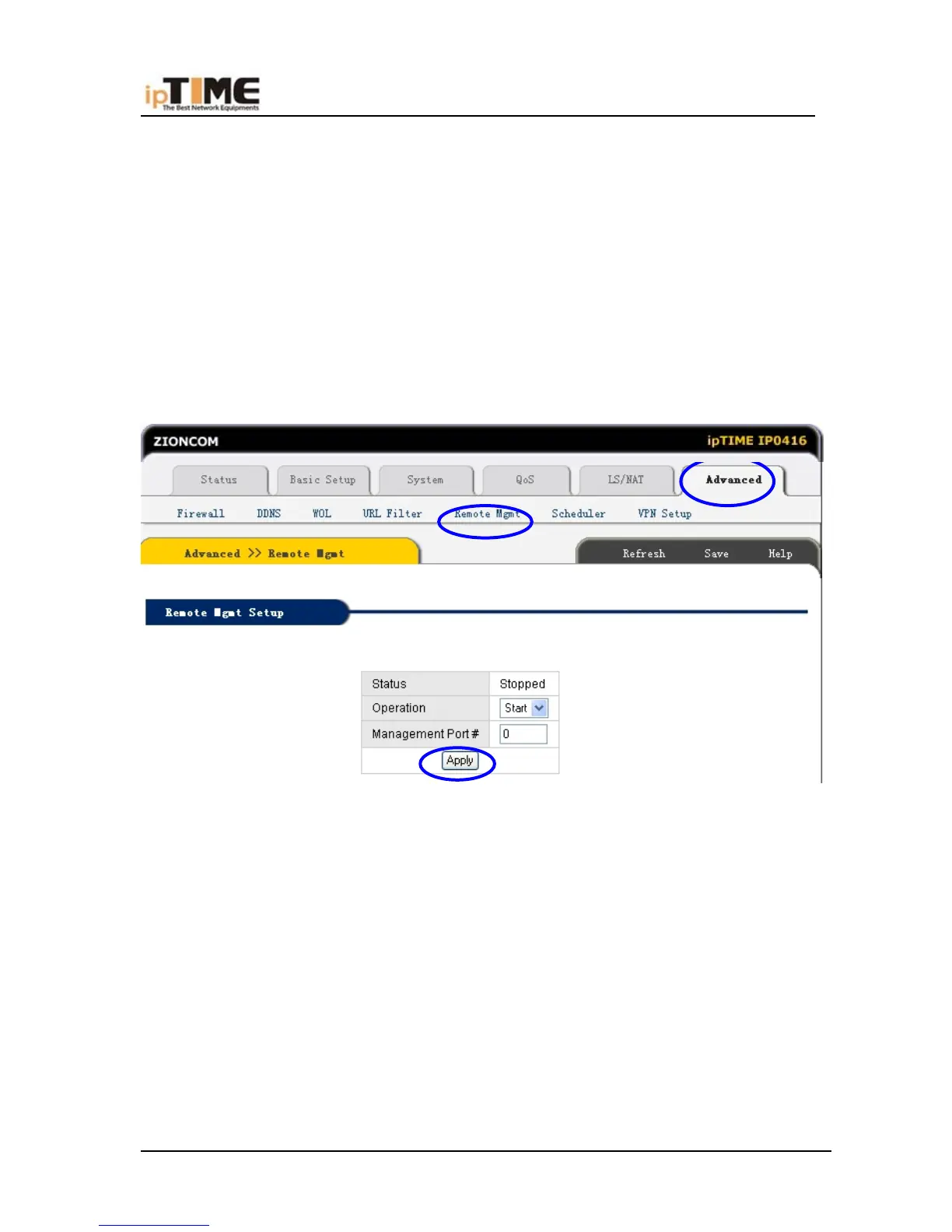
6.10.5 REMOTE MANAGEMENT
Click “Advanced ”- remote management ,refer to following snap,
Remote Management
The web console of router can be accessed with the remote management.
Status/Operation
Remote management status can be showed and Start/Stopped.
Management Port #
Enter the port number for remote access.
Access with URL 'http://xxx.xxx.xxx.xxx:8000' when port 8000 is selected.
In NAT off mode, remote management is not needed.
-86- www.zioncom.net



 To Next Page