3: SyStem CONFIGURAtION
38 Iridium Pilot User Manual
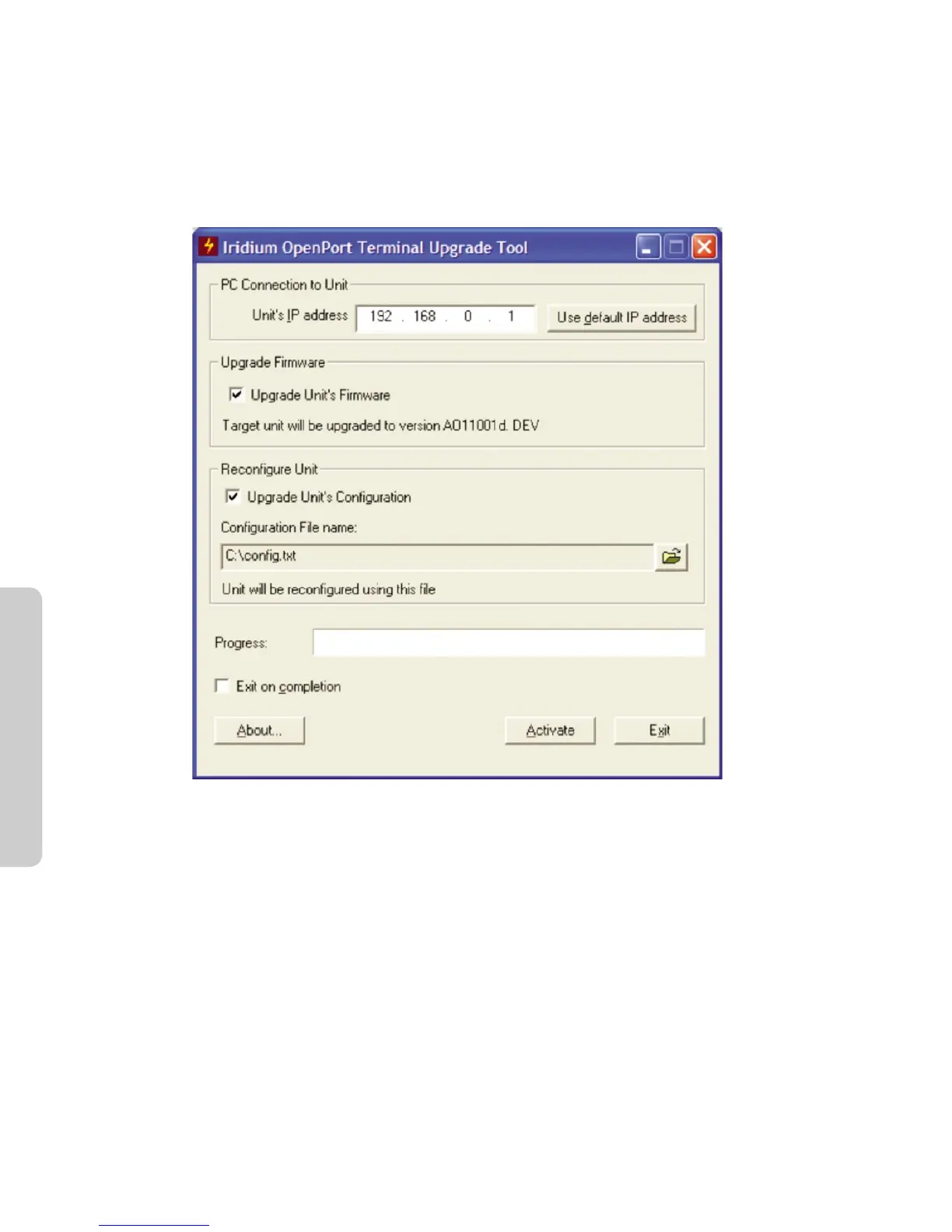
To upload a conguration le from the IBSU rmware upgrade tool:
1. Open the ISU rmware upgrade tool (must be AO11001 or later)
2. Enter the IP address of the ISU to congure
3. Select whether or not to upgrade the ISU’s rmware by selecting or deselecting the Upgrade Unit’s Firmware
check box. Note that if the ISU’s current rmware is older than AO11001 then this must be checked for the
conguration process to work.
4. Check the Upgrade Unit’s Conguration check box.
5. Click on the le browse icon in the Recongure Unit box.
6. Select the conguration le from the dialog box.
7. Click Activate.



 To Next Page