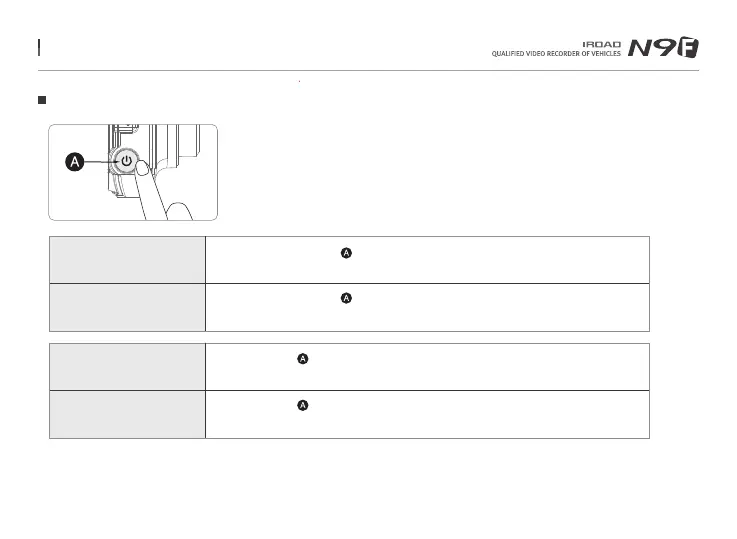
12. BUTTON SCENARIO
Button Scenario 1
Power OFF
- Press and hold the button for 5 seconds long.
- “Shut down the system.” will be signaled, and the device will be powered off.
※ When 'Wi-Fi OFF', the consumption power is reduced by 0.3w and the device operating time is increased by 10%.
※ 'Wi-Fi ON/OFF' function allowing Users to turn Wi-Fi power on/off. Do not confuse it with 'Wi-Fi registration button'.
When connecting to a smartphone, you must press 'Wi-Fi Registration Button'.
※ Smartphones that have already been registered previously, Users do not have to re-registered even if the Wi-Fi on/off function is used.
※ Default settings - Wi-Fi function is ON.
Power ON
- Press and hold the button for 5 seconds long.
- “Start recording.” will be signaled, and the device will be powered on.
Wi-Fi OFF
- Press the button for 1.5 seconds long. “Ding” sound will signal.
- “Wi-Fi power is off.” will be signaled, and Wi-Fi connection will be unavailable.
Wi-Fi ON
- Press the button for 1.5 seconds long. “Ding” sound will signal.
- “Wi-Fi power is on.” will be signaled,and Wi-Fi connection will be available.
Menu and function can be changed without prior notice by sudden firmware upgrade or product enhancement.



 To Next Page