35. LCD
LCD
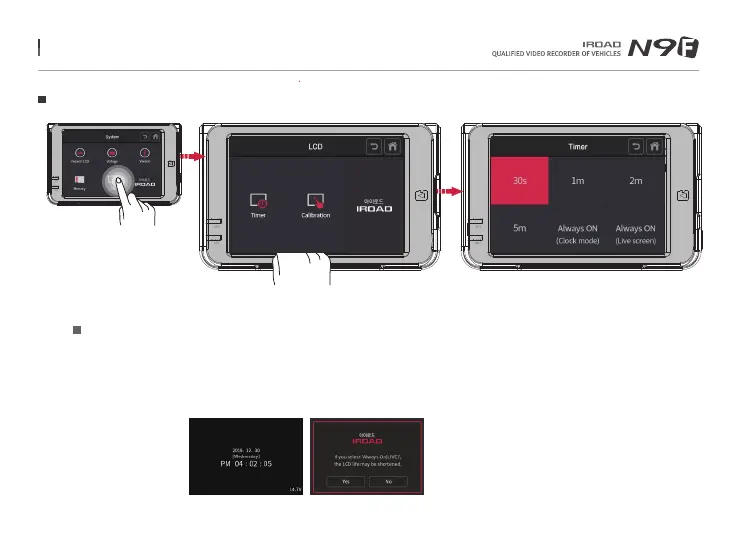
User can select the timer off timing that they wish to set, press the back button to save the configuration.
If the user select “Always ON (Clock) mode”, it will enable the device screen to project the status of the date,
time and voltage instead.
If the user select “Always ON (Live screen) mode, it will enable the device screen to project the live recording instead.
Auto hibernation
Tap on Timer button to LCD timer control, Always on (clock / Live), auto hibernation setting are available
※ If choosing constant on mode, turning off function on the main menu is disabled and LCD lifespan may be shortened.
Menu and function can be changed without prior notice by sudden firmware upgrade or product enhancement.



 To Next Page