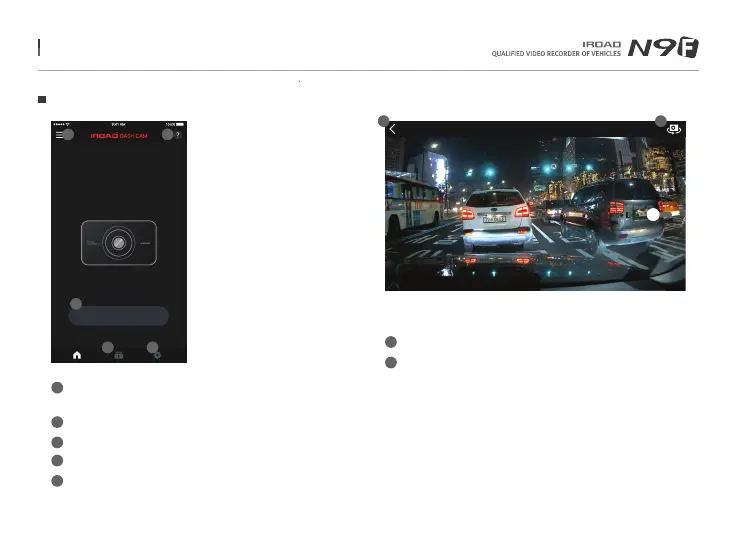
54. MAIN MENU / LIVE VIEW
Liveview
MY DEVICE : IROAD XXX
Ver 2.0.0 18.08.24
1
2
3
4
5
3
1 2
4 5
Menu - Live view recordings, List of playbacks, Setting,
Firmware update, Help
Help - Description of smartphone connection
Live View (horizontal view
)
Shortcut icon for playback
Shortcut icon for product setting
-Once any changes are detected, setting will be changed and rebooting
Main Menu and Live View
LIVE VIEW
View Guide Line
LIVE VIEW [FRONT, REAR]
Back button to the Main Menu
Switch to front view and rear view
1
1
2
2
Menu and function can be changed without prior notice by sudden firmware upgrade or product enhancement.



 To Next Page