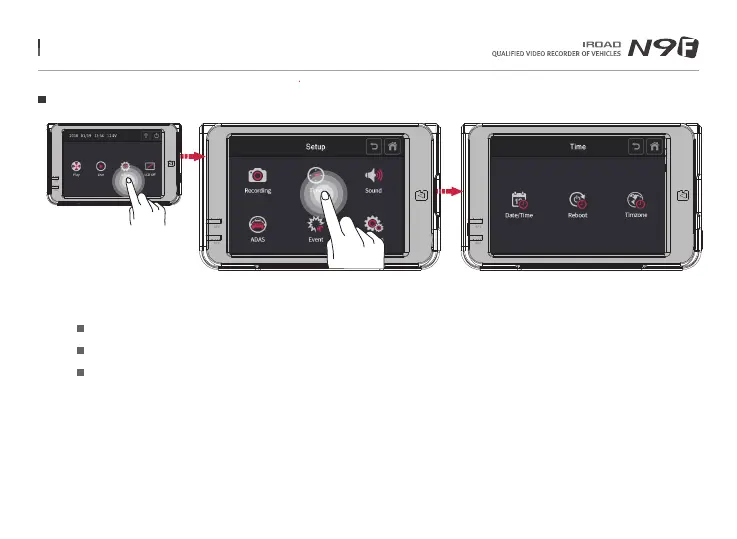
26. TIME SETTING
Time Setting
Tap on time button on the setup screen to adjust date/time, auto rebooting time and timezone setting.
Date/Time setting
Automatic reboot
By selecting the date/time button, it allow user to adjust the date/time.
Activate/deactivate automatic reboot by toggling it and the time for rebooting can be scheduled by keying it in.
Timezone setting By selecting the time zone button, it allows the user to adjust and set the configuration to their preferred
country / region.
Menu and function can be changed without prior notice by sudden firmware upgrade or product enhancement.



 To Next Page