41. DEDICATED PC VIEWER
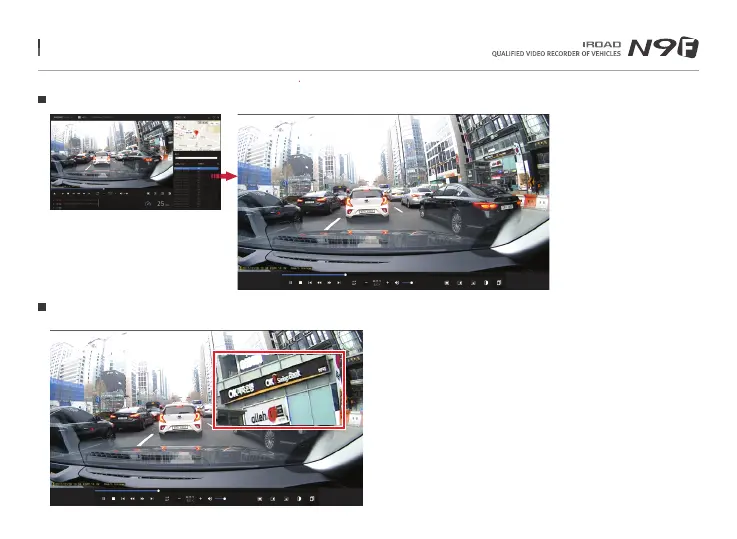
Enlarging a Screen
Partial Enlargement of a Screen
Double left click (mouse) on the
main menu screen to expand to
full screen.
Click the left button (mouse) to
return to previous screen again.
Magnifier will appear, when right click (mouse) in playback screen.
You can move the enlarged screen by holding the left button (mouse)
and drag the screen to view other area of the recording.
The Magnifier will disappear if click the right button (mouse).
Menu and function can be changed without prior notice by sudden firmware upgrade or product enhancement.



 To Next Page