43. DEDICATED PC VIEWER
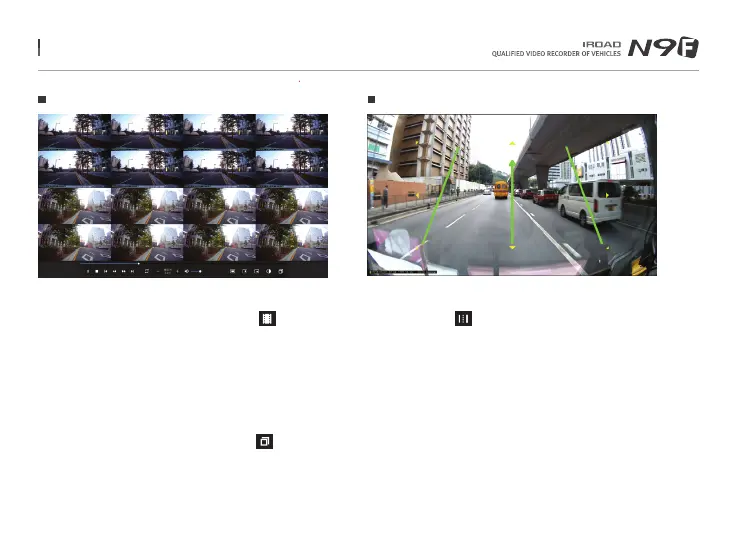
Drawing a Lane
Thumbnail
- Switch to thumbnail function if click the icon
in the main viewer screen.
- This screen is composed of 16 pictures in total
and each of the screen shows one scene.
- It show enlarged full screen
if double-click the specific each of scene.
- Playback, Play backwards also show 1 to 16 pictures sequentially.
- Return back to normal mode if click the icon again.
- Click to the icon to “Drawing a lane” mode.
- User can apply the lane manually.
- Click the icon and choose 'deactivating lane drawing to deactivate it.
Menu and function can be changed without prior notice by sudden firmware upgrade or product enhancement.



 To Next Page