24. CAMERA
Camera1
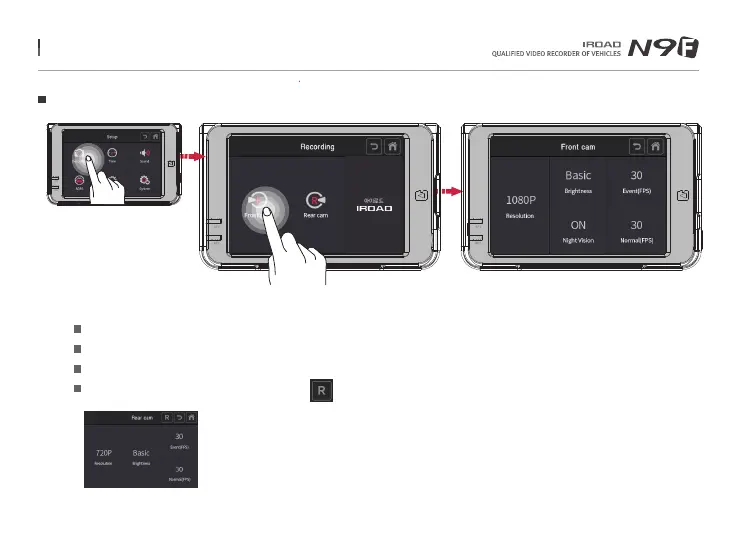
Tap on the settings button on the main screen.
Press 'Front cam' button to adjust the resolution, brightness of the camera, Night Vision and FPS of event and normal mode.
Front camera is configurable with night vision to improve the recording definition during night time.
IROAD N9F has a 'fixed resolution' of 1080P for front , 720P for rear camera.
Rear images are mirroring recorded when press button from the rear set-up
Menu and function can be changed without prior notice by sudden firmware upgrade or product enhancement.



 To Next Page