5. Operation
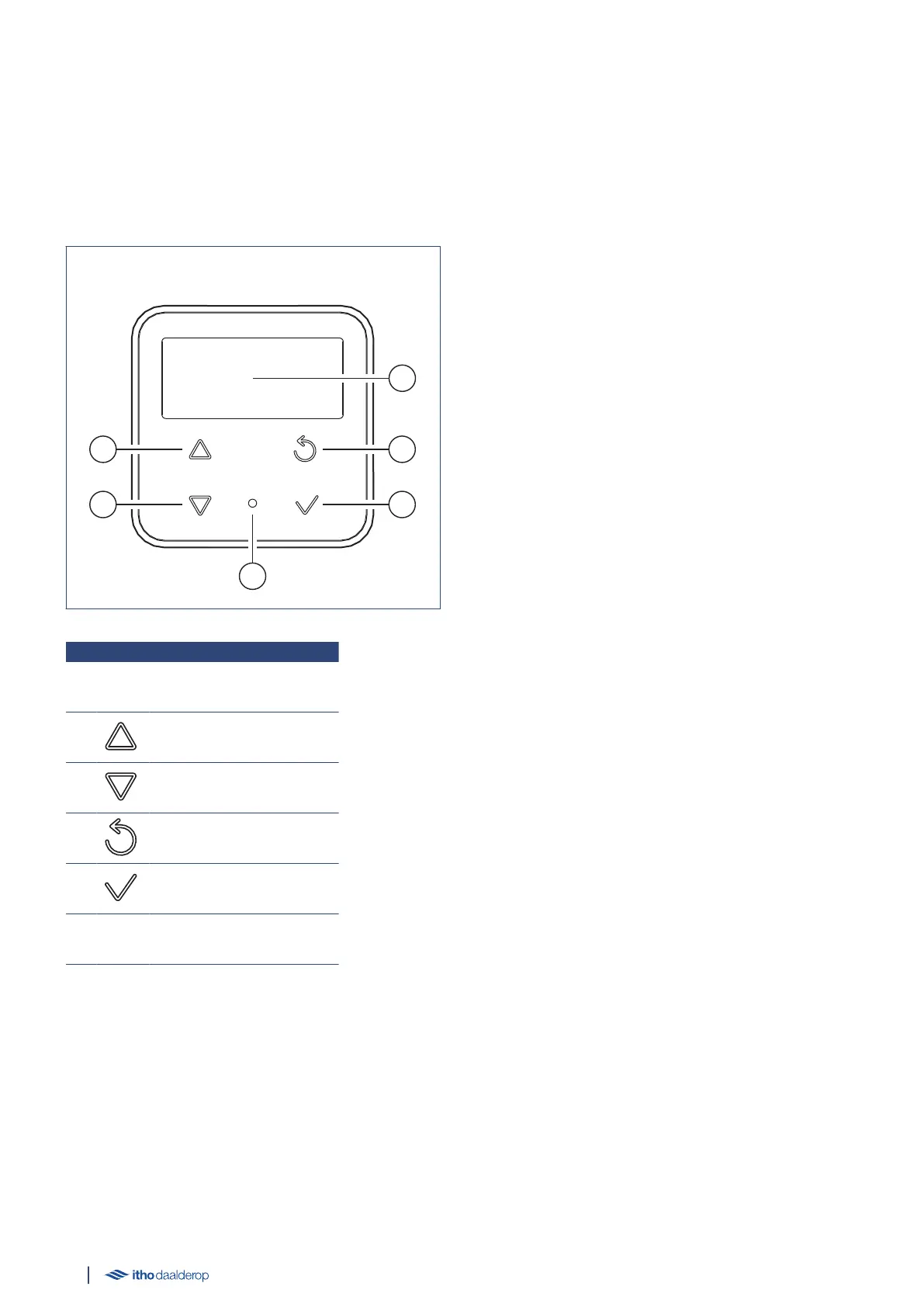
5.1. Appliance control unit
The Smartboiler is equipped with an appliance control unit, also
called an HMI controller.
1 Screen
2 Up/Increase
3 Down/Reduce
4 Back/Cancel
5 Select/OK
6 LED indicator
5.2. Activate appliance control unit
During normal operation, the appliance control unit is in standby
mode. This means that the screen is turned off.
The LED indicator is continuously lit blue.
● Press any button to activate the screen and display the current
operational status.
● The appliance control unit always goes to sleep mode after 30
seconds of non-operation.
● From a menu or parameter, the appliance control unit returns
to operating status and to sleep mode after 30 seconds of non-
operation.
The appliance has various statuses, menus and messages which
can be displayed on the screen, namely:
● Initialising on page 21
● Operational status on page 22
● M1. INFORMATION on page 24
● M2. HARDWARE/SOFTWARE on page 24
● M3. SETTINGS on page 25
- M3.1. CONFIGURATION on page 25
- M3.2. TIME on page 28
- M3.3. SERVICE on page 29
- M3.4. COMMUNICATION on page 31
● M4. BOOST on page 32
● M5. ERROR RESET on page 32
● M6. AP MODE on page 33
● Faults on page 38
- HMI error on page 38
- Blocking on page 38
- Locking on page 39
20



 To Next Page