8.1.3. Locking
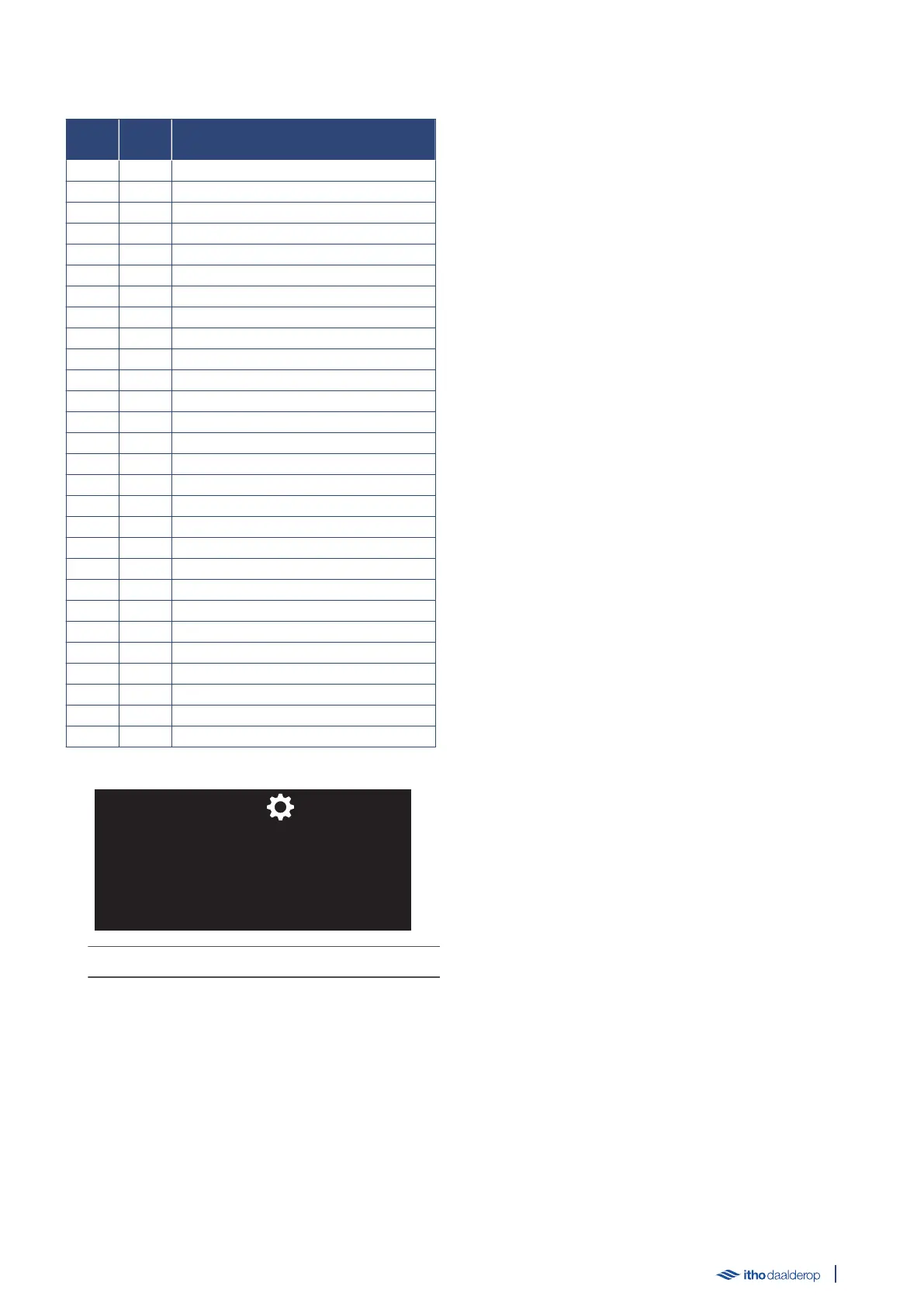
HMI
Code Code Description
E00 0 Hardware error
E01 1 Hardware error
E02 2 Hardware error
E03 3 Hardware error
E04 4 Hardware error
E05 5 Hardware error
E06 6 Hardware error
E07 7 Hardware error
E08 8 Software error
E09 9 Hardware error
E10 10 Safety thermal cut-out
E11 11 Temperature sensor error
E12 12 Hardware error
E13 13 Hardware error
E14 14 Software error
E15 15 Heater selection error
E20 20 Boiling dry
E24 24 Blocking continues for too long
E25 25 Temperature sensor error
E26 26 Temperature sensor error
E27 27 Temperature sensor error
E28 28 Temperature sensor error
E29 29 Temperature sensor error
E30 30 Temperature sensor error
E31 31 Temperature sensor error
E32 32 Temperature sensor error
E37 37 Heating element error
E38 38 Legionella Temperature sensor error
The LED indicator flashes red rapidly.
● The appliance is no longer in operation and all functions are
disabled.
● Locking can only be rectified by resolving the cause.
● When the cause has been resolved, the device must be unlocked
by clearing the fault messages; see M5. ERROR RESET on
page 32.
8.2. Reset error message
Fault messages can be reset in the following two ways.
1. In the operating status.
Press button ↺ for approximately 5 seconds; see M5. ERROR
RESET on page 32.
2. Via the SERVICE setting.
Change the parameter to 1 to enable the ERROR RESET function
once.
Activating the ERROR RESET function clears the fault messages
history.
After the history is cleared, the function is automatically disabled
and the water heater restarts in STANDBY mode.
The heater mode must be changed to ON via the BOIL setting.
39



 To Next Page