5.9. M3. SETTINGS
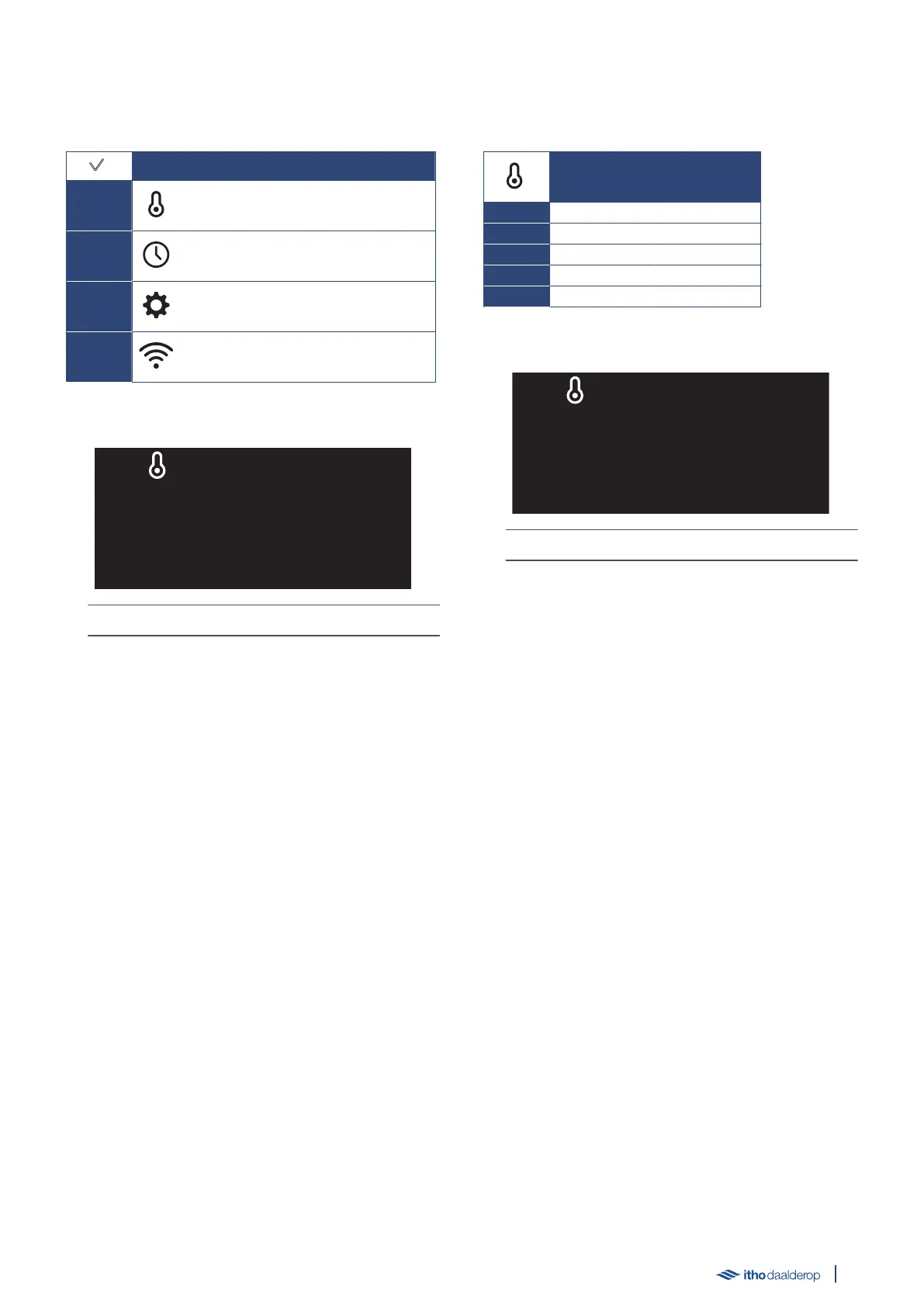
The following submenus are available for selection in the menu:
SETTINGS
M3.1.
CONFIGURATION
Set the water heater parameters.
M3.2.
TIME
Set the time.
M3.3.
SERVICE
Resetting an error.
M3.4.
COMMUNICATION
Registering wireless connection
Example SETTINGS:
The LED indicator flashes yellow slowly.
Select submenu
●
In the operating status, press the ✓ button to activate the
SETTINGS menu.
●
Switch between the displayed icons by pressing the △ and ▽
buttons.
The displayed icon flashes slowly.
●
Pressing the ↺ button returns the screen to the operating
status.
●
Press the ✓ button to open the selected submenu.
5.10. M3.1. CONFIGURATION
The following parameters can be set in the submenu:
CONFIGURATION
M3.1.1. BOIL
M3.1.2. SMART
M3.1.3. TEMP °C
M3.1.4. BOOST
M3.1.5. NIGHT
Example parameter:
The LED indicator lights up continuously in yellow.
Select setting
●
Switch between the displayed settings by pressing the △ or ▽
button.
●
Pressing the ↺ button returns the screen to the previous
menu.
●
Press the ✓ button to open the selected setting.
Edit parameter
●
Change the setting by pressing or holding the △ or ▽ button.
●
Cancel the setting by pressing the ↺ button.
●
Confirm the setting by pressing the ✓ button.
25



 To Next Page