J2 225 System Manual
Version 1.0 May 29, 2012
J2 225 Integrated Touch Screen Computer
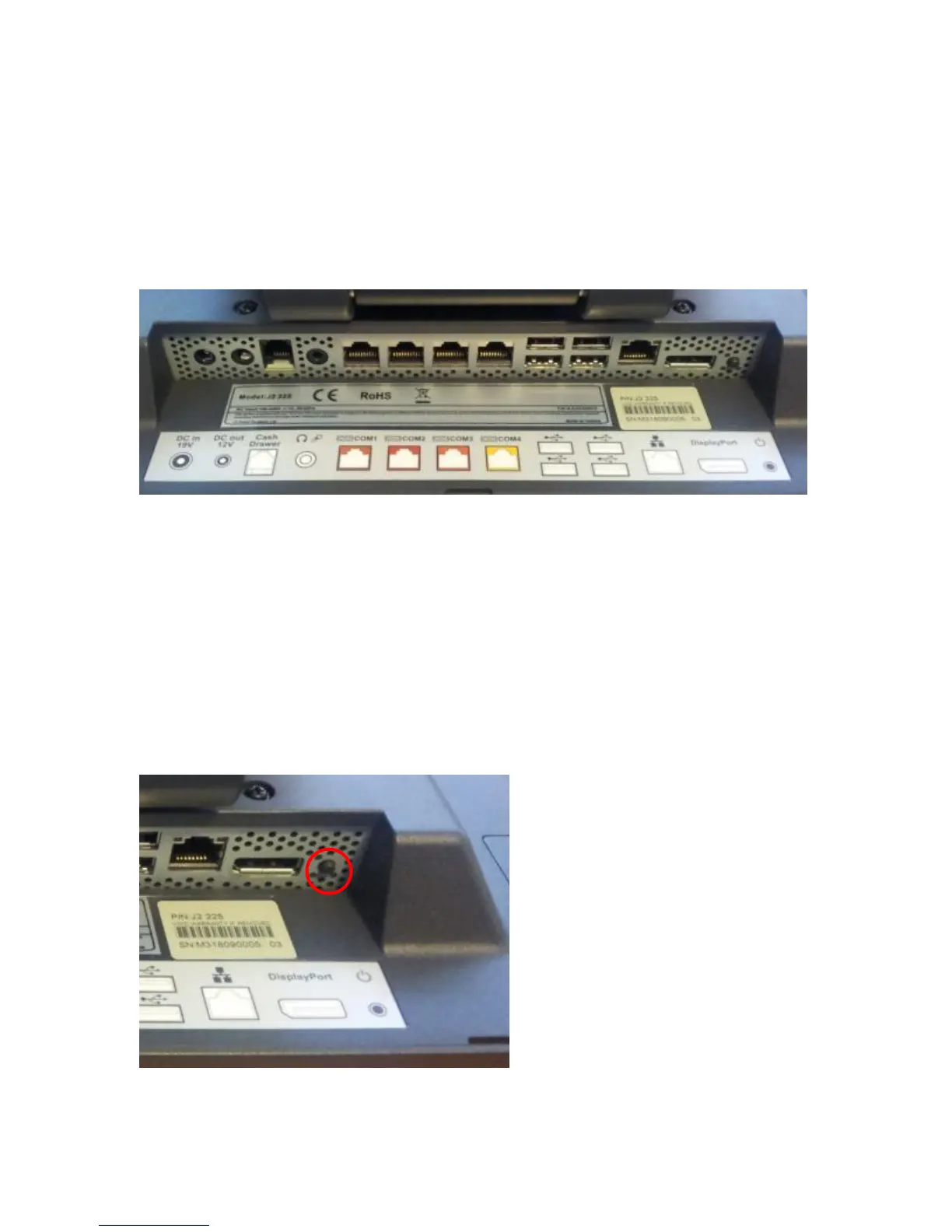
I/O Ports
Most I/O ports are accessible in the cable well at the bottom of the unit. Cables are routed
though the cable channel in the swing arm base. (See Cable Routing)
I/O Panel
Off / On Button
The Off /On button is located in the cable well, as shown below. This button is located
near the side to prevent accidental powering down by the user. The function of the button
can be controlled by the OS. If the J2 225 hangs for some reason it can always be
powered off by holding the Off /On button in for six seconds.
The J2 225 also supports the following: Restore on AC on power loss, Wake On LAN,
and Wake On RTC alarm features to control the system power up. The setting for these
features is controlled from the BIOS.
Off / On Button Location



 To Next Page