J2 225 System Manual
Version 1.0 May 29, 2012
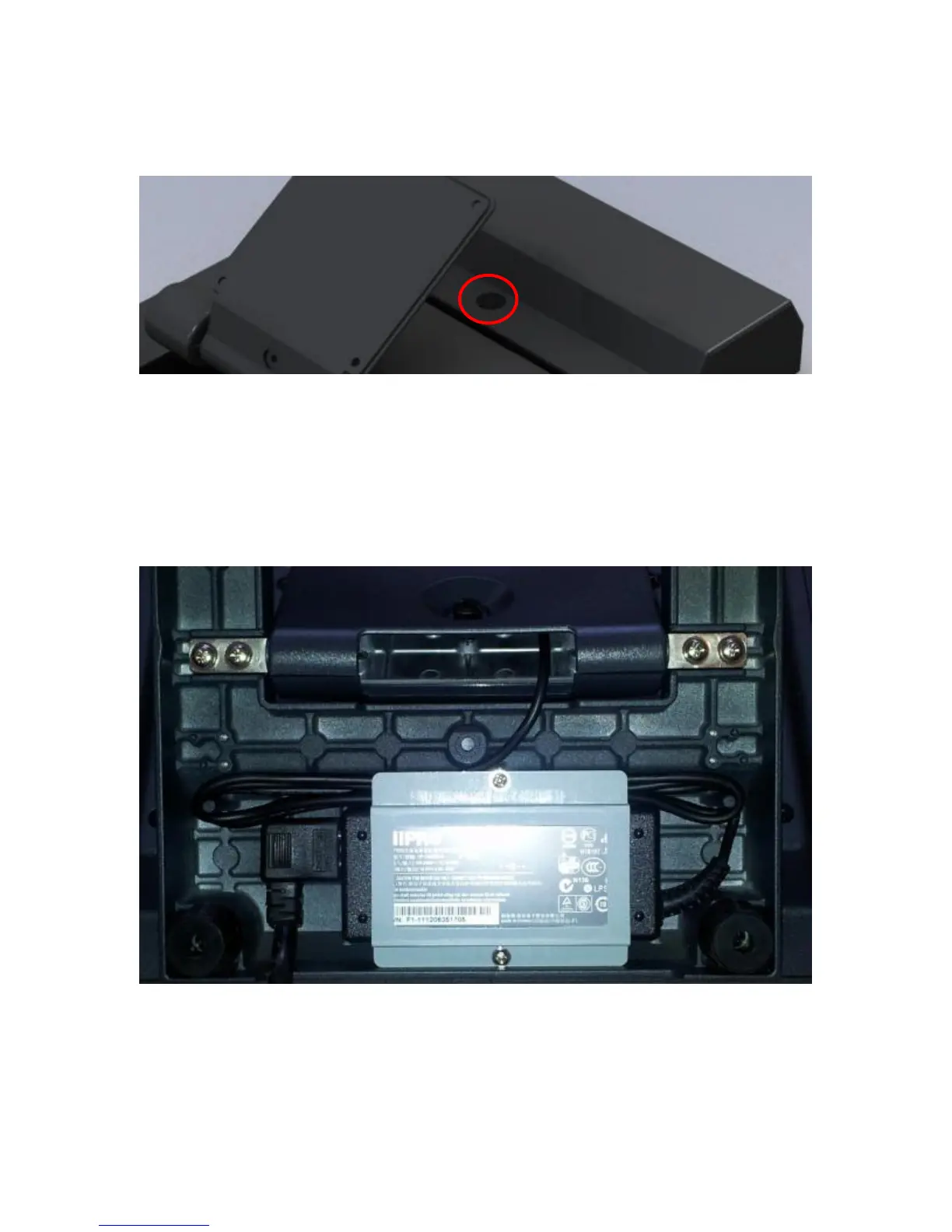
The base has a lock-down screw hole to secure the base to the counter top with just a
screw, or it can be attached using the wall mount bracket.
The swing arm base is only a base for the unit and is not needed for the operation of the
unit. It does act as a holder for the power supply, which can be removed if the base is not
needed. When not using the base, the VESA 75mm mounting points may be used to
mount the J2 225.
The power supply is mounted in the base, and there are two posts to store the extra DC
power cord, shown below.
Removing the Power Supply
The power supply is normally located in the base but it can be removed if desired.
To remove the power supply, two screws need to be removed which hold the power
supply bracket, as can be seen in the above picture.



 To Next Page