J2 225 System Manual
Version 1.0 May 29, 2012
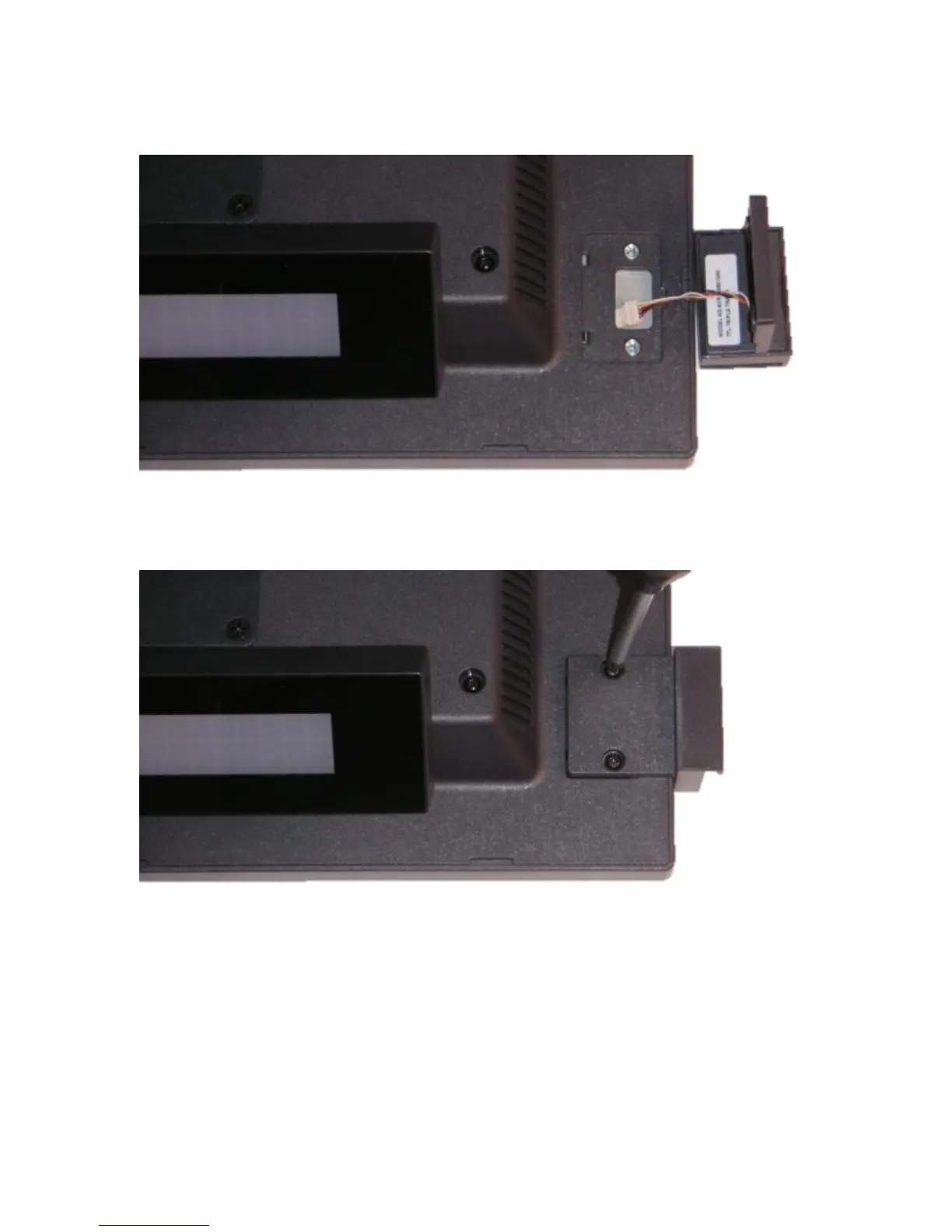
Once the cover is removed, plug in the cable MSR cable.
Once the cable is attached, the MSR may be screwed onto the unit using the 2 screws
provided. Make sure the MSR cable is not being pinched when attaching the MSR.
This completes the installation of the J2 225 optional MSR.
Note that the MSR can be mounted to any one of the J2 225 option mounting points. By
default the internal MSR cable is routed to the upper right hand corner of the unit,
however this cable can be rerouted if need be to use any of the other three option
mounting points.
The software configuration of the MSR is covered under the J2 225 Configuration Utility
section of this manual.



 To Next Page