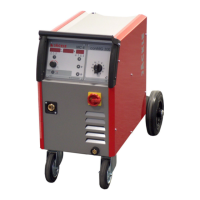
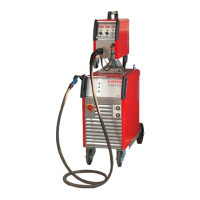
ProPuls 320C
Operating manual Page 43
•
4-step crater-fill program with secondary current I2:
Functions like the 4-step standard welding crater-fill program.
Additionally, the welding power can be swapped between I1 and I2 by pressing the torch trigger for less
than (< 0.5s) whilst welding.
The current slopes from I1 to I2 with the I2 start ramp time, and stays at this level I2. When the torch
trigger is once more pressed for < 0.5s, the power slopes back to the main current I1, with the I2 end
ramp time. This process can be repeated as often as desired.
• Double pulse welding process:
Here, in addition to a pulsed arc, a further pulsing between 2 pre-set power settings can be activated.
The extra parameters are shown the welding crater-fill diagram.
16.4 Fx / parameter description of the welding processes TIG / Electrode:
The parameters can be called up using the Fx button and
changed with both dials.
Function:
Selection with the left
Rotating knob (Pos. 2)
Display text
Basic settings
Range-values
Selection
with the
right
rotating knob
(Pos. 8)
HOTSTART HOT START 50 0 – 100% ●
ARCFORCE ARC FORCE 50 0 – 100% ●
Slope up UP SLOPE 0.0s 0.0 – 2.0s ● ●
Slope down DOWN SLOPE 2.0s 0.0 – 8.0s ● ●
End voltage SWS V. LIMIT 0 -30 - +30 ● ●
Pulse overcurrent PULSE DELTA -50% -100 – 1000% ●
Pulse Balance PULSE BAL. 0% -40 – 40% ●
Pulse Frequency PULSE FREQ. 100Hz 0.1 – 500Hz ●
●
16.5 Welding process / material selection
By repeatedly pressing the button, the desired function can be selected.
Welding process (MODE):
With the left dial (pos. 2), the desired process can be selected (►) and called up with the button ‘ENTER/ OK’
(pos. 12).
The follow welding processes can be selected:
• MIG PULSE
• MIG DOUBLE PULSE
• MIG/MAG SYNERGIC
• MIG/MAG MANUAL
• COLD CSt (option)
• PIPE (option)
• POWER ARC (option)
• FAST ARC (option)
• MMA (electrode)
• TIG LIFT
• TIG PULSED LIFT ARC
• JOB (only available after allocating jobs)
F
X


 To Next Page