V03
JCAII 2
4. Product Introduction
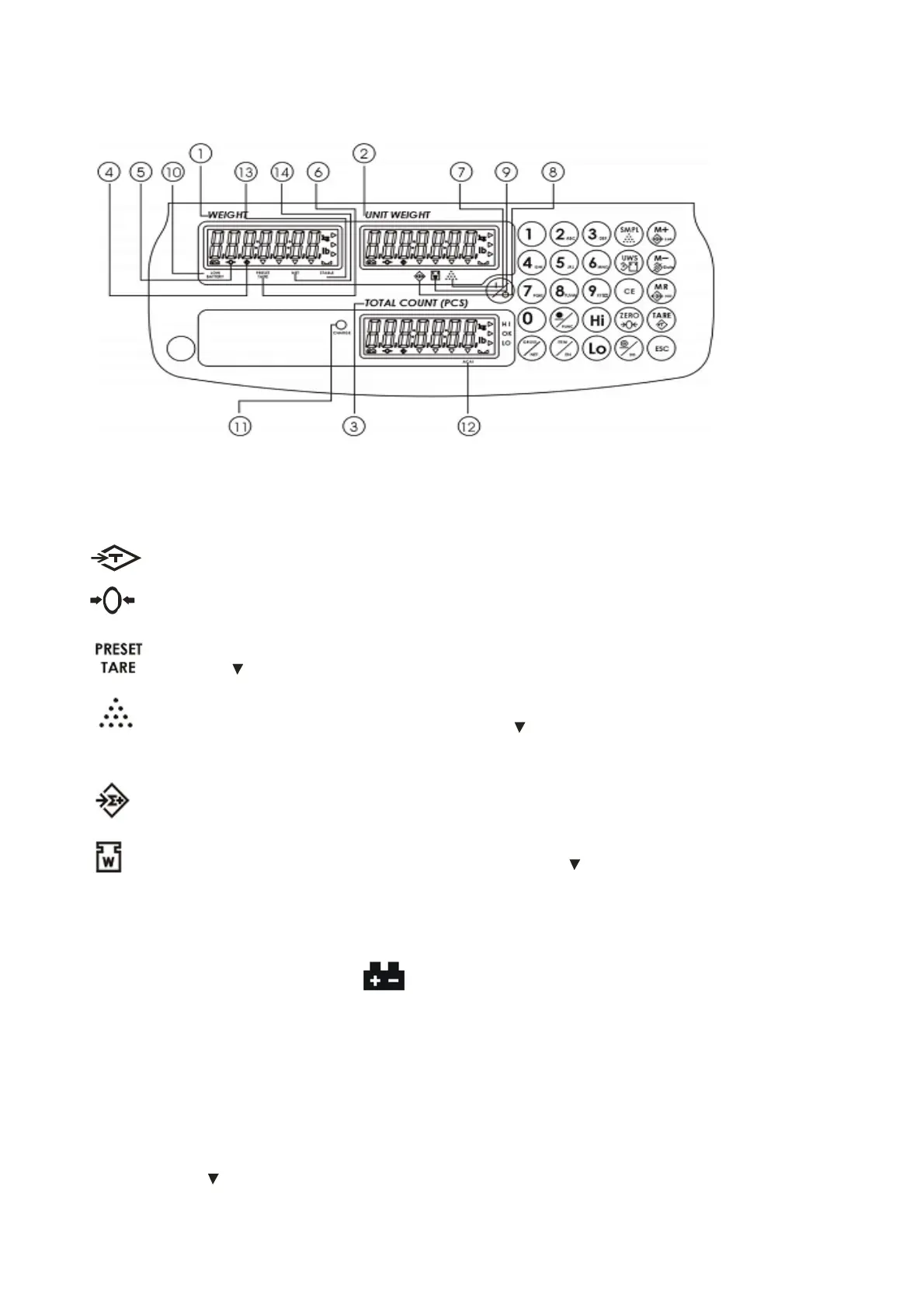
4-1 Display
1) Weight Window: displays weight of object on weighing pan, or accumulated weight value.
2) Unit Weight Window: displays the average piece weight value, or number of weighments .
3) Total Count Window: displays the calculated number of pieces on the weighing pan, or
accumulated piece count value.
4) Tare or Preset Tare indication.
5) Center of Zero Indication, The zeroing range is ±2﹪of weighing capacity.
6) Symbol “ ” points at “PRESET TARE” when Tare value entered via numeric keys.
7) Under the sample counting mode, Symbol “ ” points at “SMPL” when calculated unit
weight is lower than 4/5 of scale division or the quantity of sample is less than 10 pieces.
8) “Accumulation” function is enabled under weighing mode.
9) Under entering a known unit weight mode, Symbol “
” points at “UW” when entered unit
weight is lower than 4/5 of scale division. Unit weight is too small for ensuring accurate quantity
calculations.
10)Low Battery Indicator: When “ ” appears, the battery power requires recharging.
11)CHANGE Charge Lamp
Red--- battery is charging
Green---battery is fully charged
ACAI
Symbol “ ” points at “ACAI” when Automatic counting accuracy improvement is
functioning.


 To Next Page
 Loading...