V03
JCAII 5
4. Press key to save the setting and return to weighing mode.
Parameter description
1. P-00 Power (default: off) Set the period of inactivity before the scale automatically turns off.
Options are Off =non power-off, 10, 20,30,40,50, 60, 70, 80 and 90 (minutes).
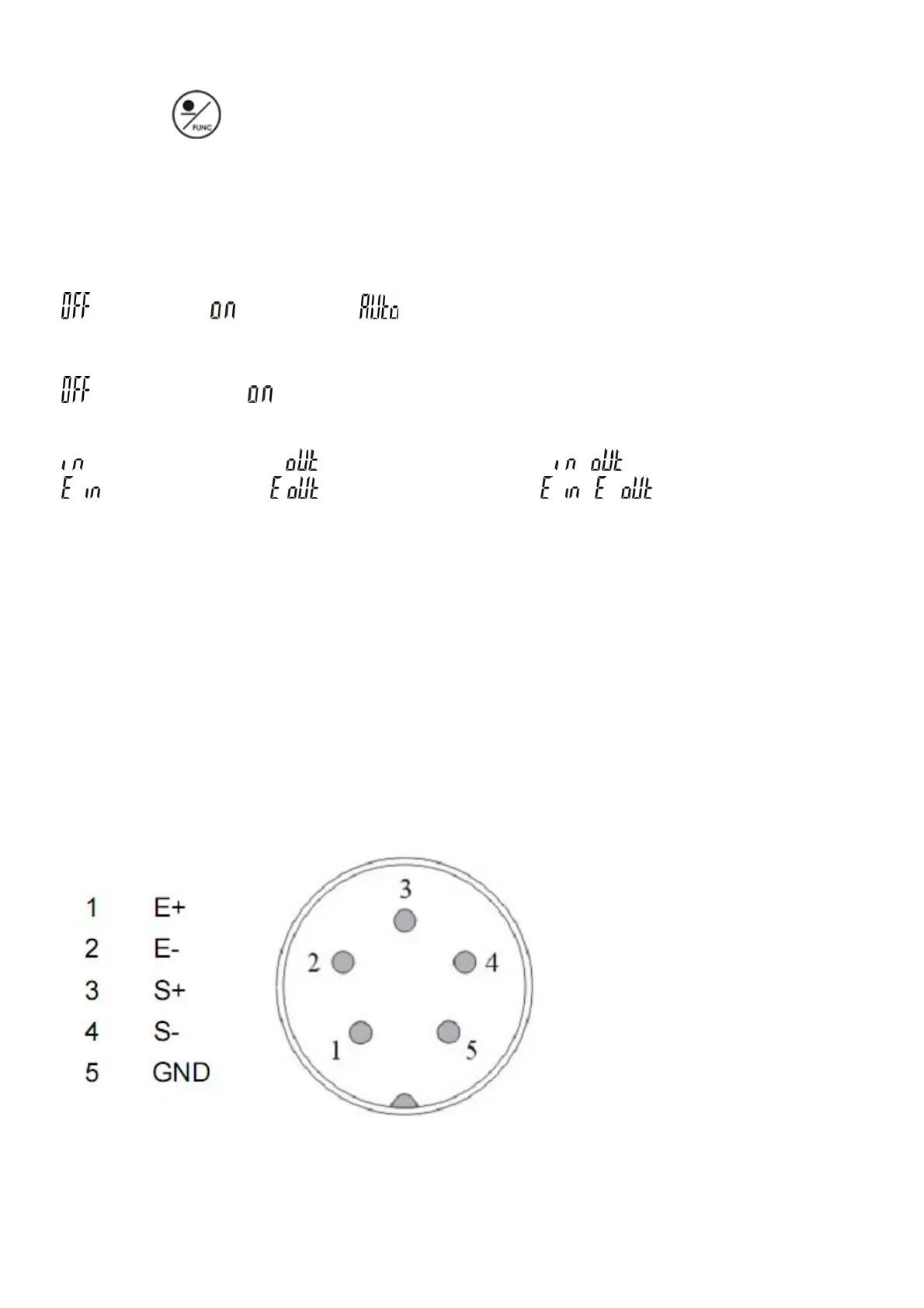
2. P-01 Backlight (default: auto)
=always off =always on =turn on when the weight is over 20e
3. P-02 Serial number display (default: off)
=never display =will display when price is zero
4. P-03 Beep sound (default: in)
= when check is OK = when check is Hi/Lo ( , = using scale’s buzzer)
- =when check is OK - =when check is Hi/Lo ( - , - =using light tower’s
buzzer)
5. P-04 ACAI (default: off)
Options: off/5/10/15/20/25/30/35/40/45
6. P-05 Printer model (default: normal)
Options: normal / EZ/ BP/SH/ZEBRA (normal as compatible printer)
7. P-06 Rs-232 Baud Rate (default: 9600)
Options: 19200 / 9600 / 4800 / 2400
8. P-07 Data (default: n81)
Options: n81 / o81 / e81 / n71 / o71 / e71
7. Dual Channel
7-1 Diagram of sub channel connector
7-2 Installation Process
1. Turn on the main scale
2. Connect the remote platform to JCAII main scale



 To Next Page