www.janitza.de
UMG 604-PRO
36
10. 3 Programming mode
You view and change the most important
settings required to operate the device in
programming mode.
The addresses for the most important
settings are provided in section “17.
Parameter list”.
You can make further settings in the GridVis®
software supplied.
Pressing buttons 1 and 2 simultaneously for
approx. one second takes you to programming
mode after the password prompt.
If a display password has not been
configured, you access the programming
menu directly.
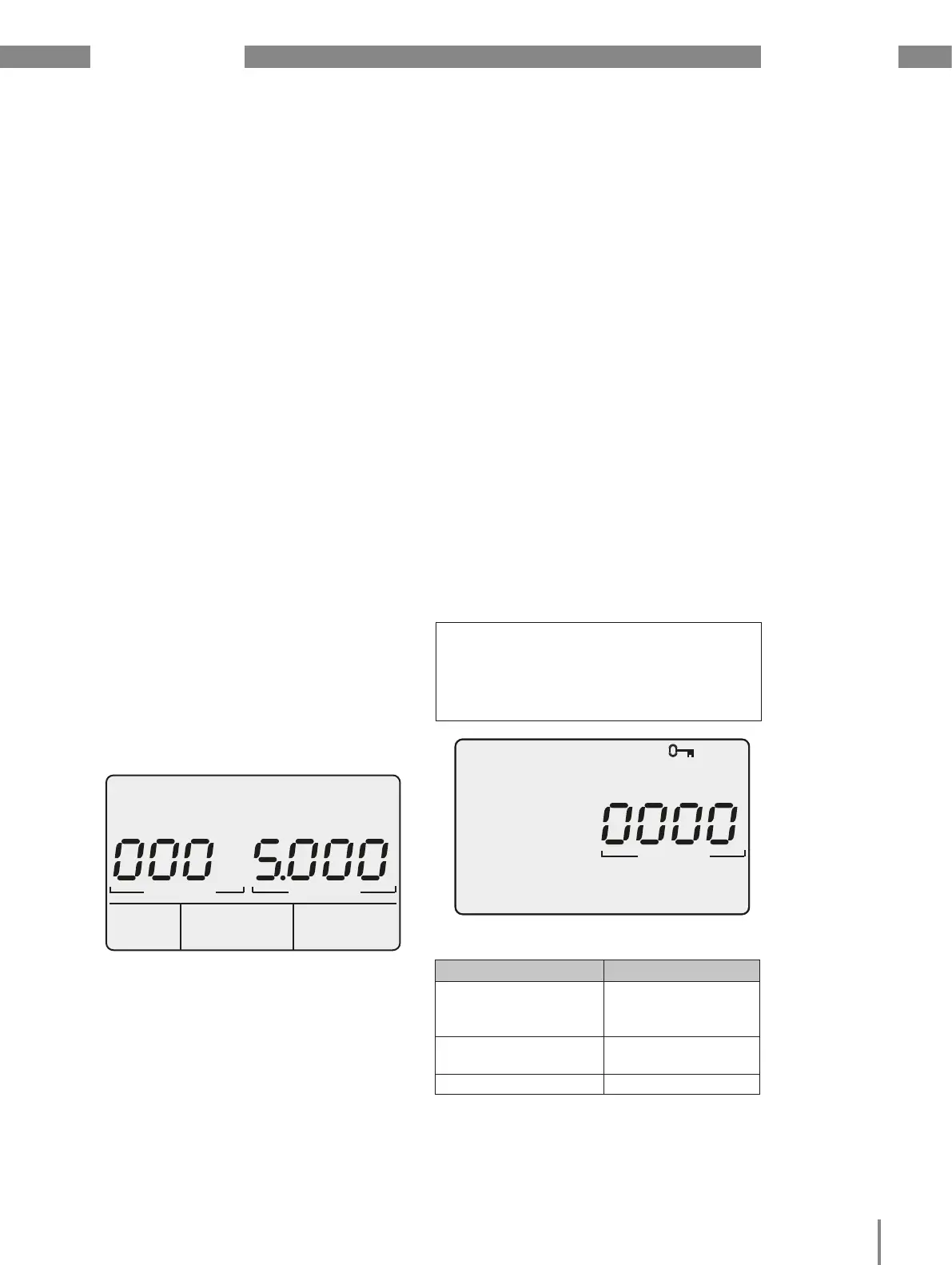
Programming mode is indicated on screen
by the text "PRG". The digit in the address
flashes. If the device is in programming
mode and no button is pressed around
60 seconds or if buttons 1 and 2 are pressed
simultaneously for around one second, the
device returns to display mode.
Fig. Request window for the display password
Fig. Display example for "Programming mode", address
000 with a content of 5,000.
Address Content
PRG
10. 4 Display password
To make it harder to accidentally modify the
programming data on the device, you can
program a 4-character display password.
No display password is requested in the
factory default setting.
10. 5 Homepage password
You can password-protect access to the device’s
homepage. No homepage password is factory-set.
The device differentiates between 3 password
modes for the homepage password:
• 0 = The homepage password is not
requested.
• 2 = Changes to the configuration and
the measured values display require the
password to be entered once.
• 128 = Each change to the configuration
requires the password to be entered again
CC
NOTE!
If you no longer remember your
password, you can only change
it using the GridVis® software.
(see www.janitza.de)
Content
PRG
Addr. Contents
500 Display password
0 = The password is
not requested.
501 Homepage, pass-
word mode
502 Homepage password
Fig. Excerpt from the parameter list.


 To Next Page