13
Chaining Finger Switch Knob Adjustment
(Changing to Standard Serging or Rolled
Hemming)
Standard serging
The chaining finger is located beside the needle plate.
Turn the chaining finger switch knob to “S” for standard
serging.
q Chaining nger
w Chaining nger switch knob
Rolled hemming
Turn the chaining finger switch knob to “R” for rolled for
hemming, picot edging or narrow hemming sewing.
q Chaining nger
w Chaining nger switch knob
CAUTION
Turn the power switch OFF before adjusting the
chaining nger switch knob.
q
q
w
w
q
w
e
The chaining nger switch knob is connected to the
chaining nger.
The chaining nger slides back and forth when you set
the chaining nger switch knob to “S” or “R”.
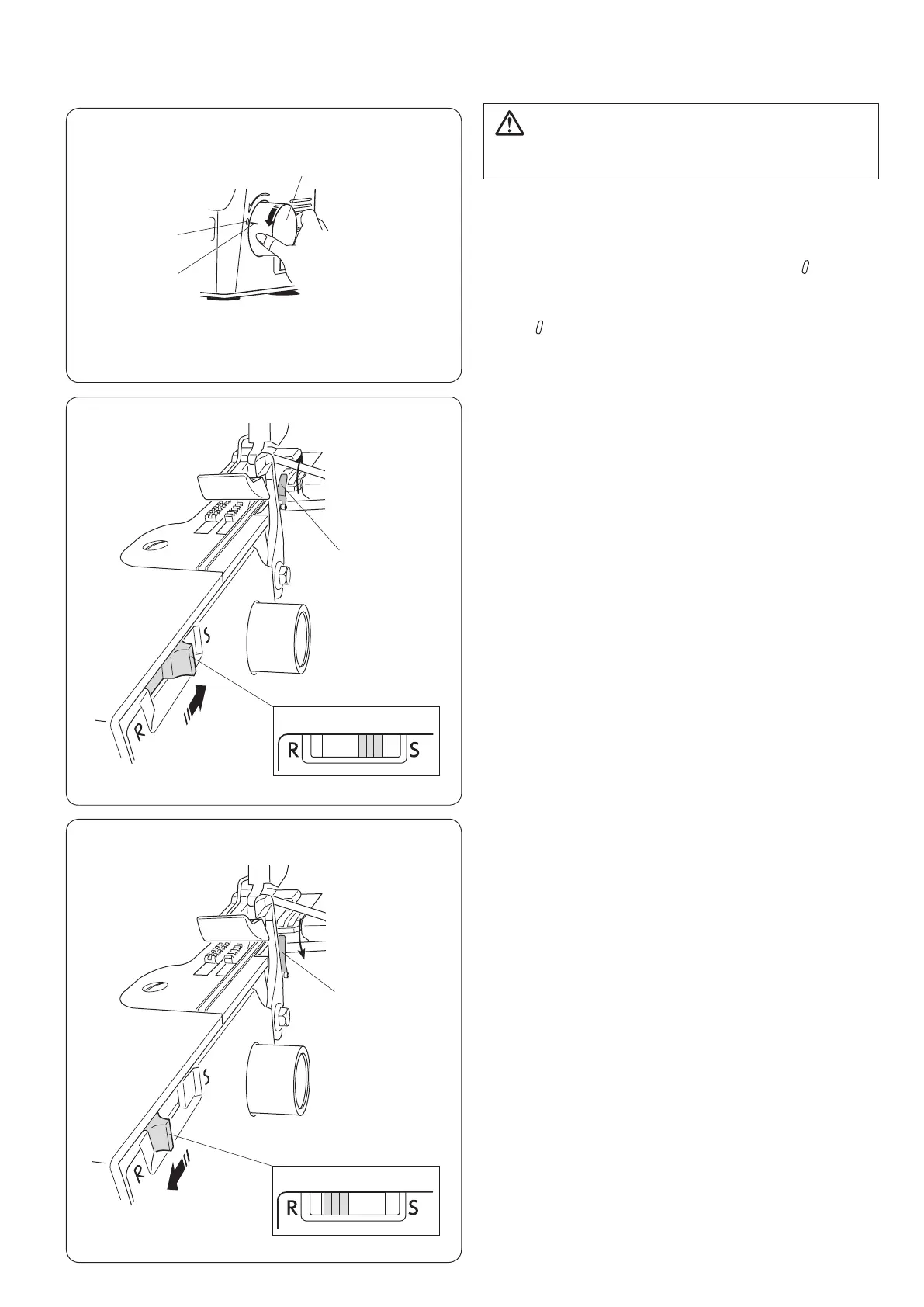
Turn the handwheel toward you to match the “ ” mark on
the belt cover with the “–” mark on the handwheel.
q Handwheel
w “ ” mark
e “–” mark






 To Next Page