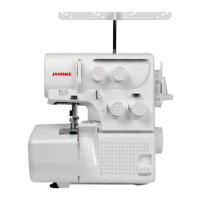
Why is my Janome Sewing Machine running noisy and not smoothly?
- DDebra ThompsonSep 2, 2025
Your Janome sewing machine may not run smoothly and could be noisy if: * Threads have been caught in the hook mechanism. * The feed dog is packed with lint.


Why is my Janome Sewing Machine running noisy and not smoothly?
Your Janome sewing machine may not run smoothly and could be noisy if: * Threads have been caught in the hook mechanism. * The feed dog is packed with lint.
What to do if my Janome does not run?
If your Janome Sewing Machine isn't running, check if: * The AC adapter or foot switch jack is not connected properly. * A thread is caught in the bobbin holder.
What to do if the buttonhole is not sewn well on my Janome ?
A poorly sewn buttonhole on your Janome Sewing Machine can result from: * The stitch density not being suitable for the fabric being sewn. * Not using interfacing with stretch fabrics; use an interfacing.
What causes improper buttonhole sewing on a Janome ?
Improper buttonhole sewing can be caused by: * The stitch density not being suitable for the fabric being sewn. * Suitable interface material has not been used for the stretch or synthetic fabric; if so, use an interfacing.
Why is the needle thread looping on my Janome Sewing Machine?
Needle thread loops can occur on your Janome Sewing Machine if: * The needle thread tension is too loose. * The needle size is not suitable for the thread.
Why is my Janome Sewing Machine making a noisy operation?
If your Janome Sewing Machine is making unusual noises, it might be due to: * Thread caught in the hook race. Remove the caught thread. * Lint buildup in the hook race or bobbin holder. Clean the lint from the hook race or bobbin holder.
Why does my Janome bobbin thread break?
The bobbin thread may break because it is not threaded properly in the bobbin holder, lint has collected in the bobbin holder, or the bobbin is damaged and does not turn smoothly. If the bobbin is damaged, replace it.
Why is there seam puckering on my Janome ?
Seam puckering on your Janome Sewing Machine can occur due to: * The needle thread tension being too tight. Adjust the needle thread tension. * The needle thread not being threaded properly. Thread the needle correctly. * Using a needle that is too heavy for the fabric. Use a suitable needle for the fabric. * The stitch length being too long for the fabric. Make stitch shorter.
What causes seam puckering on my Janome Sewing Machine?
Seam puckering may be caused by: * The needle thread tension being too tight. * The needle thread not being threaded properly. * The needle being too heavy for the fabric being sewn. * The stitch length being too long for the fabric; in this case, make the stitches shorter.
Why my Janome Sewing Machine does not work?
Your machine may not be working because: * It is not plugged in. * A thread is caught in the hook race. * The clutch knob is pulled away for bobbin winding. * The bobbin winder spindle is in the winding position.
Covers intended use, supervision for children, and general electrical appliance safety guidelines.
Details specific hazards like electric shock, burns, fire, and injury, along with required precautions.
Explains the risk of electric shock from improper grounding and proper connection procedures.
Instructions for placing the machine on a stable surface and ensuring adequate surrounding space.
Steps for leveling the machine by adjusting its feet for stability.
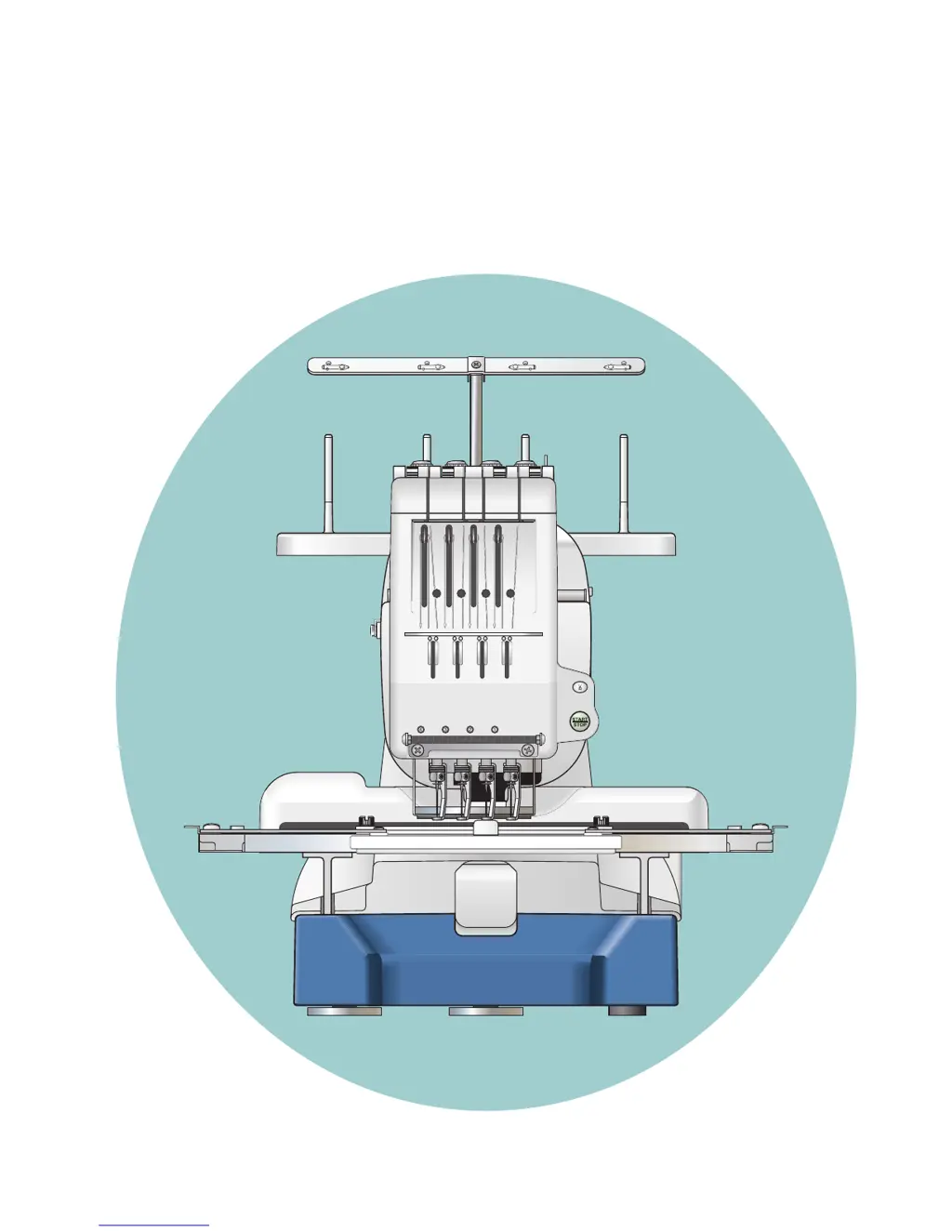
Diagram and list identifying key components of the embroidery machine.
Overview of the Sub Control Panel and the optional RCS Unit.
Lists and illustrates all standard accessories included with the machine.
Step-by-step guide for assembling the spool stand.
Instructions on how to properly place and secure thread spools or cones.
Procedures for installing the hoop supporter and the optional RCS unit.
Guidance on connecting the machine to a power source and a PC.
Information on thread types, needle specifications, and stabilizer usage for embroidery.
Details on machine operating buttons and function keys for basic control.
Explanation of the LCD screen's initial display and Ready to Sew mode information.
How to adjust machine settings and select embroidery patterns.
Steps to begin the embroidery process, including pattern selection and needle drop check.
Procedures for removing the hoop and adjusting needle and bobbin thread tension.
Instructions for checking and replacing the needle.
Overview of machine operating buttons and function keys for the RCS unit.
Using the on-screen help movie and how to disconnect the RCS unit.
Guide to selecting embroidery patterns, including built-in designs and hoop types.
Using circle keys for color options, settings, and assignments.
Procedure for manually assigning thread colors to needle bars.
Introduction to monogramming capabilities and font selection.
Using function keys for font selection, size, orientation, and case.
Steps for entering characters, saving monograms, and correcting text.
Adjusting monogram placement and setting up multi-color monograms.
Overview of editing capabilities, including deleting and saving patterns.
How to move, resize, and rotate embroidery patterns on the editing screen.
Functions for duplicating, flipping, and creating arc shapes for patterns.
Modifying background and pattern colors for better simulation.
How to combine multiple patterns, group them, and utilize color grouping.
Using zoom and scroll functions to navigate the editing screen.
Steps to start the embroidery process using the RCS unit.
Adjusting buzzer sound, eco mode timer, and machine ID number.
Procedures for formatting memory and resetting settings to factory defaults.
Setting maximum sewing speed and selecting thread brand.
Configuring reminder messages, ignoring short stitches, and thread breakage sensor.
Adjusting trim tail length, jump thread trimming, and thread trimming position.
Enabling resume mode and locking stitches for color changes or thread trimming.
Setting mm/inch units and hoop position adjustment.
Adjusting screen brightness, buzzer sound, and inch/mm units on RCS unit.
Configuring resume mode, eco mode, and screen saver for the RCS unit.
Performing touch screen calibration and setting machine ID and name.
Formatting memory and resetting RCS unit settings to defaults.
Adjusting grid size, sewing speed, and hoop selection for monogramming.
Selecting thread brands and customizing screen color options.
Managing reminder messages and reserving thread colors for needle bars.
Configuring short stitch handling and thread trimming parameters.
Instructions for saving embroidery patterns as data files.
Steps for creating new folders and renaming existing ones.
How to open embroidery data files from various memory sources.
Procedures for deleting unnecessary folders and files.
Using the RCS unit with PC Design cards.
Connecting and using USB memory for file transfer.
Connecting and opening patterns from a CD-ROM drive.
Instructions for cleaning the hook, bobbin case, and tension leaves/disks.
Steps for cleaning the auto thread cutter mechanism.
Guide on where and how to oil the machine's internal parts.
List of error codes, their descriptions, and suggested remedies.
Explanation of the different buzzer sounds and their meanings.
Troubleshooting common problems like machine not running, noise, thread breaks, and puckering.
Resolving issues with the LCD screen, touch panel, PC/USB, and communication.
Addressing false thread breakage warnings and DC motor replacement messages.
Covers intended use, supervision for children, and general electrical appliance safety guidelines.
Details specific hazards like electric shock, burns, fire, and injury, along with required precautions.
Explains the risk of electric shock from improper grounding and proper connection procedures.
Instructions for placing the machine on a stable surface and ensuring adequate surrounding space.
Steps for leveling the machine by adjusting its feet for stability.
Diagram and list identifying key components of the embroidery machine.
Overview of the Sub Control Panel and the optional RCS Unit.
Lists and illustrates all standard accessories included with the machine.
Step-by-step guide for assembling the spool stand.
Instructions on how to properly place and secure thread spools or cones.
Procedures for installing the hoop supporter and the optional RCS unit.
Guidance on connecting the machine to a power source and a PC.
Information on thread types, needle specifications, and stabilizer usage for embroidery.
Details on machine operating buttons and function keys for basic control.
Explanation of the LCD screen's initial display and Ready to Sew mode information.
How to adjust machine settings and select embroidery patterns.
Steps to begin the embroidery process, including pattern selection and needle drop check.
Procedures for removing the hoop and adjusting needle and bobbin thread tension.
Instructions for checking and replacing the needle.
Overview of machine operating buttons and function keys for the RCS unit.
Using the on-screen help movie and how to disconnect the RCS unit.
Guide to selecting embroidery patterns, including built-in designs and hoop types.
Using circle keys for color options, settings, and assignments.
Procedure for manually assigning thread colors to needle bars.
Introduction to monogramming capabilities and font selection.
Using function keys for font selection, size, orientation, and case.
Steps for entering characters, saving monograms, and correcting text.
Adjusting monogram placement and setting up multi-color monograms.
Overview of editing capabilities, including deleting and saving patterns.
How to move, resize, and rotate embroidery patterns on the editing screen.
Functions for duplicating, flipping, and creating arc shapes for patterns.
Modifying background and pattern colors for better simulation.
How to combine multiple patterns, group them, and utilize color grouping.
Using zoom and scroll functions to navigate the editing screen.
Steps to start the embroidery process using the RCS unit.
Adjusting buzzer sound, eco mode timer, and machine ID number.
Procedures for formatting memory and resetting settings to factory defaults.
Setting maximum sewing speed and selecting thread brand.
Configuring reminder messages, ignoring short stitches, and thread breakage sensor.
Adjusting trim tail length, jump thread trimming, and thread trimming position.
Enabling resume mode and locking stitches for color changes or thread trimming.
Setting mm/inch units and hoop position adjustment.
Adjusting screen brightness, buzzer sound, and inch/mm units on RCS unit.
Configuring resume mode, eco mode, and screen saver for the RCS unit.
Performing touch screen calibration and setting machine ID and name.
Formatting memory and resetting RCS unit settings to defaults.
Adjusting grid size, sewing speed, and hoop selection for monogramming.
Selecting thread brands and customizing screen color options.
Managing reminder messages and reserving thread colors for needle bars.
Configuring short stitch handling and thread trimming parameters.
Instructions for saving embroidery patterns as data files.
Steps for creating new folders and renaming existing ones.
How to open embroidery data files from various memory sources.
Procedures for deleting unnecessary folders and files.
Using the RCS unit with PC Design cards.
Connecting and using USB memory for file transfer.
Connecting and opening patterns from a CD-ROM drive.
Instructions for cleaning the hook, bobbin case, and tension leaves/disks.
Steps for cleaning the auto thread cutter mechanism.
Guide on where and how to oil the machine's internal parts.
List of error codes, their descriptions, and suggested remedies.
Explanation of the different buzzer sounds and their meanings.
Troubleshooting common problems like machine not running, noise, thread breaks, and puckering.
Resolving issues with the LCD screen, touch panel, PC/USB, and communication.
Addressing false thread breakage warnings and DC motor replacement messages.
| Brand | Janome |
|---|---|
| Model | Sewing Machine |
| Category | Sewing Machine |
| Language | English |