46
1
5
9
2
6
10
3
7
11
4
8
12
Edit
Press Corresponding Function Button.
1
5
9
2
6
10
3
7
11
4
8
12
Edit
Edit
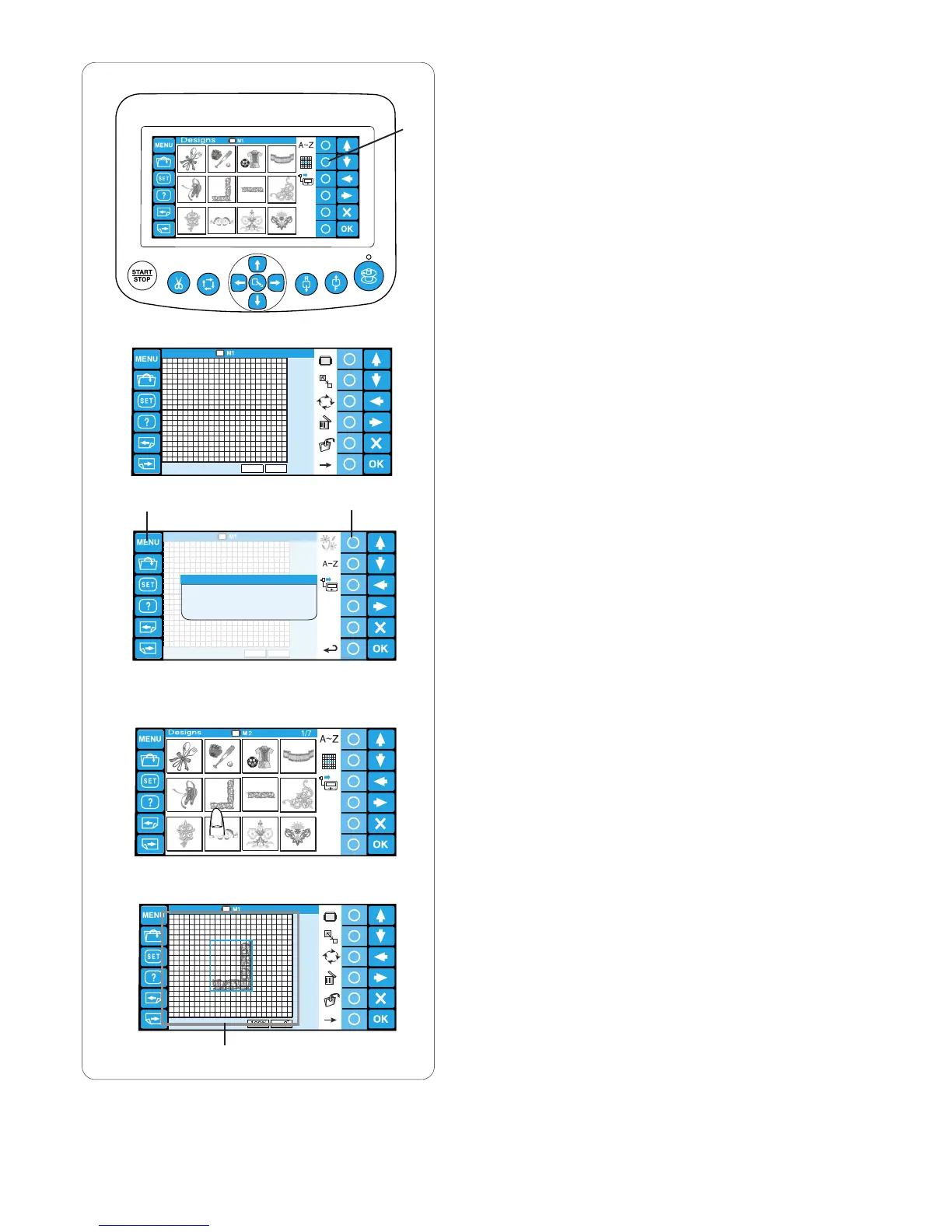
Editing
In the editing mode, you can modify and combine the
embroidery patterns and monograms.
z Press the circle key next to the editing icon.
q Circle key (editing)
x The editing window will open.
c Press the MENU key and press the circle key next
to the built-in icon to import the built-in patterns.
w MENU key
e Circle key (built-in)
You can also import the monogramming and
patterns from other sources such as the ATA PC
card, USB etc.
v Select the desired pattern to import.
b The editing window will open and the imported
pattern will appear in the editing screen.
r Editing screen
q
w
e
r
z
x
c
v
b















 To Next Page