EasyManua.ls Logo

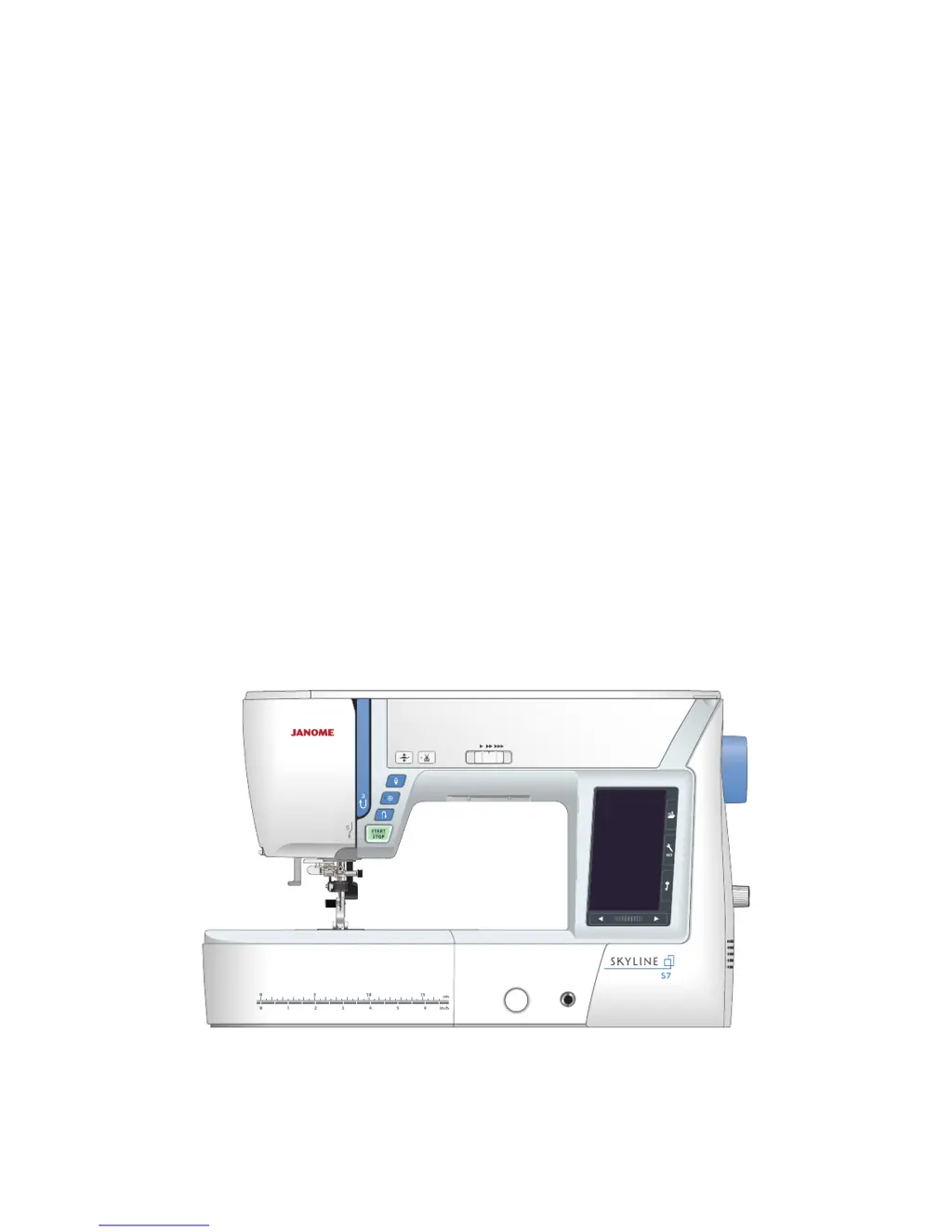
Janome Skyline S7 - User Manual

Janome Skyline S7
104 pages
Print Icon
To Next Page IconTo Next Page
Loading...
Instruction Book

Table of Contents

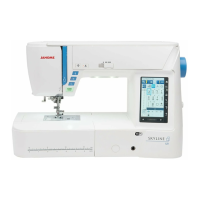
Other manuals for Janome Skyline S7

Questions and Answers

  • M
    Melissa RhodesAug 18, 2025
    Why is my Janome Sewing Machine skipping stitches?
    • S
      sheila04Aug 18, 2025
      You may experience skipped stitches on your Janome Sewing Machine for the following reasons: * The needle may be incorrectly inserted, bent, or blunt; in this case, check the needle. * The needle and/or threads might not be suitable for the material you are sewing; try using the stretch stitch needle. * A blue tip needle is not being used for sewing stretch, very fine fabrics, and synthetics; in this case, change the needle. * The needle thread might not be threaded properly; in this case, change the needle. * A poor quality needle is being used. * A purple tip needle is not being used for sewing thick fabrics, denims, and across the hem.
  • D
    Daniel PetersAug 20, 2025
    Why won't my Janome Skyline S7 Sewing Machine run?
    • J
      Jennifer CastanedaAug 20, 2025
      Your Janome Sewing Machine may not run because: * The machine is not plugged in. * Thread has been caught in the hook race. * The start/stop button is used for ordinary sewing with the foot control plugged in.
  • R
    Robert LaraAug 23, 2025
    Why does the needle thread keep breaking on my Janome Skyline S7 Sewing Machine?
    • R
      rachelkennedyAug 23, 2025
      The needle thread may break in your Janome Sewing Machine due to several reasons: * The needle thread might not be threaded properly. * The needle thread tension could be too tight; in this case, consider changing the needle. * The needle might be bent or blunt. * The needle might be incorrectly inserted. * The needle thread might not be set under the presser foot when you start sewing. * The fabric is moved too fast when you are stitching free motion quilting; try using the spool holder. * The thread is tangled around the spool.
  • L
    lpetersonAug 26, 2025
    Why does the bobbin thread break on my Janome Skyline S7?
    • S
      Seth Harris DDSAug 26, 2025
      The bobbin thread in your Janome Sewing Machine may break because: * The bobbin thread is not threaded properly in the bobbin holder. * Lint has collected in the bobbin holder. * The bobbin is damaged and does not turn smoothly; in this case, change the bobbin.
  • S
    Shelley ClarkAug 28, 2025
    What to do if the fabric is not feeding smoothly in my Janome Skyline S7?
    • K
      Kristen FritzAug 28, 2025
      If the fabric is not feeding smoothly through your Janome Sewing Machine, it could be due to: * The feed dog being packed with lint. * The stitches being too fine; try making the stitch longer. * The feed dog not being raised after ”drop feed” sewing.
  • R
    rosslindaAug 30, 2025
    Why is my Janome Skyline S7 so noisy?
    • S
      Stephanie LopezAug 30, 2025
      A noisy Janome Sewing Machine can be caused by: * Thread caught in the hook race. * Lint build-up in the hook race or bobbin holder.
  • A
    Alison GardnerSep 1, 2025
    What causes the needle thread to appear on the wrong side of the fabric on my Janome Skyline S7?
    • A
      anthonyleeSep 1, 2025
      If the needle thread appears on the wrong side of the fabric when the stitch width value is larger than “7.0” on your Janome Sewing Machine, it indicates that the thread tension is not balanced.
  • H
    hilljaredSep 4, 2025
    How to prevent seam puckering on my Janome Skyline S7?
    • O
      Oscar HarrisSep 4, 2025
      Seam puckering on your Janome Sewing Machine can occur due to: * The needle thread tension being too tight. * The needle thread not being threaded properly. * The needle being too heavy for the fabric you are sewing. * The stitch length being too long for the fabric; try making the stitch shorter. * The foot pressure not being adjusted properly. * A stabilizer not being used when sewing very fine fabrics; try applying a stabilizer.
  • S
    Stephanie LopezSep 6, 2025
    How to fix buttonhole sewing issues on my Janome Skyline S7 Sewing Machine?
    • A
      Alexis MorganSep 7, 2025
      If buttonholes are not sewing properly on your Janome Sewing Machine, check if: * The stitch density is not suitable for the fabric being sewn. * Interfacing has not been used for stretch or synthetic fabric; try applying an interfacing. * The buttonhole lever is not lowered.
  • D
    David ConnerSep 9, 2025
    What to do if the auto thread cutting failed on my Janome Skyline S7 Sewing Machine?
    • C
      Cristina TannerSep 9, 2025
      The auto thread cutting feature on your Janome Sewing Machine may fail if: * The thread is too thick for the auto thread cutting. * Threads have been caught in the thread cutter mechanism.

Summary

IMPORTANT SAFETY INSTRUCTIONS

ESSENTIAL PARTS

Standard Accessories

Lists all included accessories with the sewing machine.

Names of Parts

Lists and identifies all parts of the sewing machine.

Accessory Storage

Explains how to store sewing machine accessories.

Extension Table

Details the attachment and use of the extension table.

Free-arm sewing

Explains how to perform free-arm sewing for tubular items.

GETTING READY TO SEW

Connecting the Power Supply

Instructions on connecting the machine to the power source.

Controlling Sewing Speed

How to adjust sewing speed using the speed control slider.

Foot Control

Details on operating the foot control for variable sewing speed.

Machine Operating Buttons

Explains the function of each button on the machine.

Touch Panel Keys

Describes the functions of various keys on the touch panel.

Winding the Bobbin

Removing the Bobbin

Steps to remove the bobbin from the bobbin holder.

Setting the spool of thread

Instructions for placing the spool of thread correctly.

Extra spool pin

How to use the extra spool pin for twin needle sewing.

Winding the bobbin

Step-by-step guide for winding the bobbin correctly.

Inserting the bobbin

Detailed steps for inserting a bobbin into the bobbin holder.

Threading the Machine

Threading the Machine

Instructions for threading the upper thread correctly.

Built-in Needle Threader

How to use the automatic needle threader.

Drawing up the Bobbin Thread

Steps to bring up the bobbin thread for sewing.

Replacing Needles

Replacing Needles

Guide on how to change the needle safely and correctly.

Fabric and Needle Chart

Recommends needle and thread types for different fabrics.

Replacing the Presser Foot

Replacing the Presser Foot

Steps for safely removing and attaching presser feet.

Removing and Attaching the Foot Holder

Instructions for removing and attaching the foot holder.

Attaching the Dual Feed Foot

How to attach the dual feed foot for even fabric feeding.

Attaching the Darning Foot PD-H

Instructions for attaching the darning foot.

Replacing the Needle Plate

Replacing the Needle Plate

Steps to replace the needle plate, including the straight stitch plate.

Raising and Lowering the Presser Foot

Raising and Lowering the Presser Foot

Methods to raise and lower the presser foot.

Knee Lifter

Explains how to attach, adjust, and use the knee lifter.

Dropping the Feed Dog

Dropping the Feed Dog

How to lower the feed dog for specific sewing tasks.

ORDINARY SEWING MODE

Ordinary Stitch Patterns

Overview of stitch categories: Utility, Decorative, Monogramming, Applications.

Function Keys in Ordinary Sewing Mode

Explains the usage of keys like Foot-up, Twin needle, Dual feed, Startover.

Program Key

How to program pattern combinations.

Mirror Image of Patterns

How to use vertical and horizontal mirror image functions.

UTILITY STITCHES

Straight Stitches

Details on U1-U5 straight stitches for seaming and hemming.

Securing Seams

How to secure seams using the reverse button.

Cutting Threads

Instructions for using the automatic thread cutter.

Needle Plate Guides

Explains seam guides and angle scales on the needle plate.

Variety of Straight Stitches

Details on different straight and stretch stitches.

Sewing with the Dual Feed Device

How to use the dual feed device for various fabrics.

Zigzag Stitches

Explains U8, U9 zigzag stitches and U10 multiple zigzag stitches.

Variety of Overcasting Stitches

Details on overcasting stitches like U10, U13, U14, U15.

Manual Stitch Settings

Manual Stitch Settings

How to adjust stitch width, length, and needle drop position.

Adjusting Thread Tension

How to adjust thread tension manually.

Adjusting Foot Pressure Control

How to adjust presser foot pressure.

Foot up for Pivoting

Explains the foot-up option for easier pivoting.

Favorite Stitch Adjustment

Favorite Stitch Adjustment

How to save and recall custom stitch settings.

U12 Backward Stitch

How to use the backward stitch for easier fabric guidance.

U16 Hemstitch

Instructions for using the hemstitch for fagoting or decorative purposes.

U21 Fagotting

How to use the fagotting stitch to join fabric pieces.

BUTTONHOLES AND SPECIALTY STITCHES

Variety of Buttonholes

Lists and describes different types of buttonholes (B1-B11).

B1 Sensor (Square) Buttonhole

Detailed steps for sewing a sensor square buttonhole.

Manual settings

How to adjust buttonhole opening width, width, and stitch density.

Using the Stabilizer Plate

How to use the stabilizer plate for sewing buttonholes on thick fabric.

B2 Automatic (square) Buttonhole

Steps for sewing an automatic square buttonhole.

Other Buttonholes

Details on round end, fine fabric, keyhole, stretch, antique, and knit buttonholes.

B11 Welted Buttonhole (Bound Buttonhole)

Step-by-step guide for sewing a welted buttonhole.

Corded Buttonhole

How to sew a corded buttonhole using a filler cord.

Speciality Stitches

B13 Darning

Instructions for sewing darning stitches, including length and width adjustments.

B15 Eyelet

How to sew and correct the shape of eyelets.

DECORATIVE STITCHES

Applique stitches (A)

Information about applique stitches.

Heirloom stitches (H)

Details on heirloom and cross stitches for decor.

Quilting stitches (Q)

Stitches for patchwork and quilting.

Satin stitches (S)

Satin stitches that can be elongated.

Bridge stitches (BR)

Stitches for inserting straight stitches after a pattern.

Decorative stitches (D)

Information about 60 attractive decorative patterns.

Long stitches (L)

Stitches for decorating garments and borders.

Pictograph stitches (P)

Information on pictograph stitches.

Play stitches (PL)

Information on cute designs and motifs.

Created stitches (CS)

How to use original stitch patterns created with Stitch Composer.

Quilting(Q)

Using the Quilting Guide Bar

How to use the quilting guide bar for even rows.

Q1-Q3 Patchwork Piecing

Special stitches for seaming patchwork pieces.

Angle Scales on the Needle Plate

Using angle scales for patchwork piecing.

Q48-Q51 Hand-look quilt stitches

Stitches that mimic hand-sewn stitches.

S1-S14 Decorative Satin Stitches

Elongation Ratio

How to elongate satin stitches without changing density.

Created Stitches (CS)

Created Stitches (CS)

How to save and delete original stitch patterns.

Twin Needle Sewing

Twin Needle Sewing

Instructions for sewing with a twin needle.

PROGRAMMING A PATTERN COMBINATION

Mirror Image of Patterns

How to create mirror images of patterns.

Bridge Stitches

How to use bridge stitches to add space between patterns.

Editing a Pattern Combination

Deleting a Pattern

Steps to delete a pattern from a combination.

Inserting a Pattern

How to insert a pattern into an existing combination.

Startover Key

Startover Key

How to restart pattern combinations from current or first pattern.

Checking Pattern Combination Length

Checking Pattern Combination Length

How to check and adjust pattern combination length.

MONOGRAMMING

MONOGRAMMING

How to program letters and symbols for monograms.

Function Keys

Explains keys for cursor, edit box, letter size/case, delete, file save.

Manual Thread Tension

Adjusting thread tension for monograms.

Spacing

How to enter spaces in monograms.

Reducing the Size of Letters

How to reduce character size in monograms.

Programming a Monogram

Programming a Monogram

Step-by-step examples for programming monograms.

Saving a Pattern Combination

Saving a Pattern Combination

How to save pattern combinations to internal memory or USB.

Creating a new folder

How to create new folders for saving files.

Deleting a file or folder

How to delete saved files or folders.

Changing the folder name or file name

How to rename folders and files.

Opening a Pattern Combination

Opening a Pattern Combination

How to open saved pattern combinations from memory or USB.

SEWING APPLICATION

SEWING APPLICATION

Overview of 12 sewing applications like Seaming, Overedge, Zipper.

Seaming

Details 4 types of stitches for seaming woven, knit, curved, and topstitching.

Overedge

Overcasting stitches for woven, knit, and heavy fabrics.

Blind Hem

How to perform blind hemming on woven and knit fabrics.

Shell Tuck

Instructions for sewing small, medium, and large shell tuck stitches.

Rolled Hem

How to attach the rolled hem foot and sew rolled hems.

Zipper Sewing

Instructions for lapped zipper sewing.

Concealed Zipper Sewing (optional)

Steps for sewing concealed zippers.

Gathering

How to gather fabric and ease sleeve tops.

Button Sewing

How to attach buttons using the button sewing foot.

Tacking

How to use auto and manual tacking for reinforcement.

Applique

How to sew applique stitches and pivot at corners.

Patchwork

Instructions for patchwork piecing with specific stitches and seam allowance.

Quilting

Quilting

Overview of 6 quilting stitches including straight, clasp, free motion, sculpture, hand-look.

Straight stitches (with dual feed)

Using straight stitches with dual feed for quilting.

Clasp Stitches

How to use clasp stitches to join quilt layers.

Free Quilting

How to perform free motion quilting with various feet.

One Stitch Off

Feature to stop after one stitch for thread management.

Sculpture Stitches

Stitches for accentuating design outlines.

Hand-look Quilt Stitches

Using transparent nylon thread for hand-look stitches.

Variable Zigzag

Controlling zigzag width with the knee lifter.

Maximum Zigzag Width Adjustment

Limiting the maximum zigzag width.

CUSTOMIZING MACHINE SETTINGS

Machine Setting Mode

How to enter and navigate machine setting modes.

Common setting mode key

Accessing general machine settings and options.

Ordinary sewing setting mode key

Customizing settings for ordinary sewing.

Language selection mode key

Selecting the language for screen messages.

Common Setting Mode

Adjusting screen contrast, sound volume, and units (inch/mm).

Standby Timer

Setting the standby timer to conserve power.

Touch Screen Calibration

Calibrating the touch screen for better responsiveness.

Formatting the memory

Formatting internal memory or USB drive.

Quiet Mode

Enabling quiet mode for reduced sound and speed.

Sewing Light

Turning sewing lights on or off individually.

Background Color

Selecting wallpaper for the touch screen background.

Reset All to Defaults

Resetting all machine settings to factory defaults.

Auto thread tension

Adjusting automatic thread tension levels.

Needle stop position

Setting the needle to stop up or down.

Adjustable Start-Up Speed

Setting the initial sewing speed (slow, normal, high).

Foot height for pivoting

Adjusting foot height for pivoting at corners.

Foot pressure

Manually adjusting presser foot pressure.

Variable zigzag sensitivity

Adjusting needle swing for variable zigzag.

Thread Cut after Auto-Lock

Automatically trimming threads after locking stitches.

Favorite Stitch Adjustment

Saving manual stitch settings.

Resume Mode

Resuming the last pattern sewn before power off.

Language Selection Mode

Language Selection Mode

Selecting the display language for the machine.

Correcting Distorted Stitch Patterns

Correcting Distorted Stitch Patterns

Using the feed balancing dial to fix distorted stitches.

CARE AND MAINTENANCE

Cleaning the Hook Area

Steps for cleaning the hook area and related parts.

Cleaning the Inside of the Thread Guide

How to clean the thread guide plate and pre-tension leaf.

Problems and Warning Signals

Problems and Warning Signals

Troubleshooting common warning signs and their solutions.

Troubleshooting

Troubleshooting

Table of common sewing problems, causes, and solutions.

Stitch Chart

Stitch Chart

Visual reference of all available stitch patterns.

Stitch Chart (Monogram)

Displays available fonts and characters for monograms.

Janome Skyline S7 Specifications

General IconGeneral
Maximum Stitch Length5mm
ScreenLCD Touchscreen
Start/Stop ButtonYes
Needle Up/Down ButtonYes
Thread CutterAutomatic
Foot Pressure AdjustmentYes
Knee LifterYes
TypeComputerized
LightingLED
Presser Foot LiftAutomatic and manual
Needle ThreaderAutomatic
Bobbin SystemTop loading
Warranty25 years

Related product manuals