About the Product
Console Switches
16 9821/6100-4 16
Console Switches
General
The installed switches and their positions can change according to the specification of the machine.
Each switch has a graphic symbol to show the function of the switch. Before you operate a switch, make sure
that you understand its function.
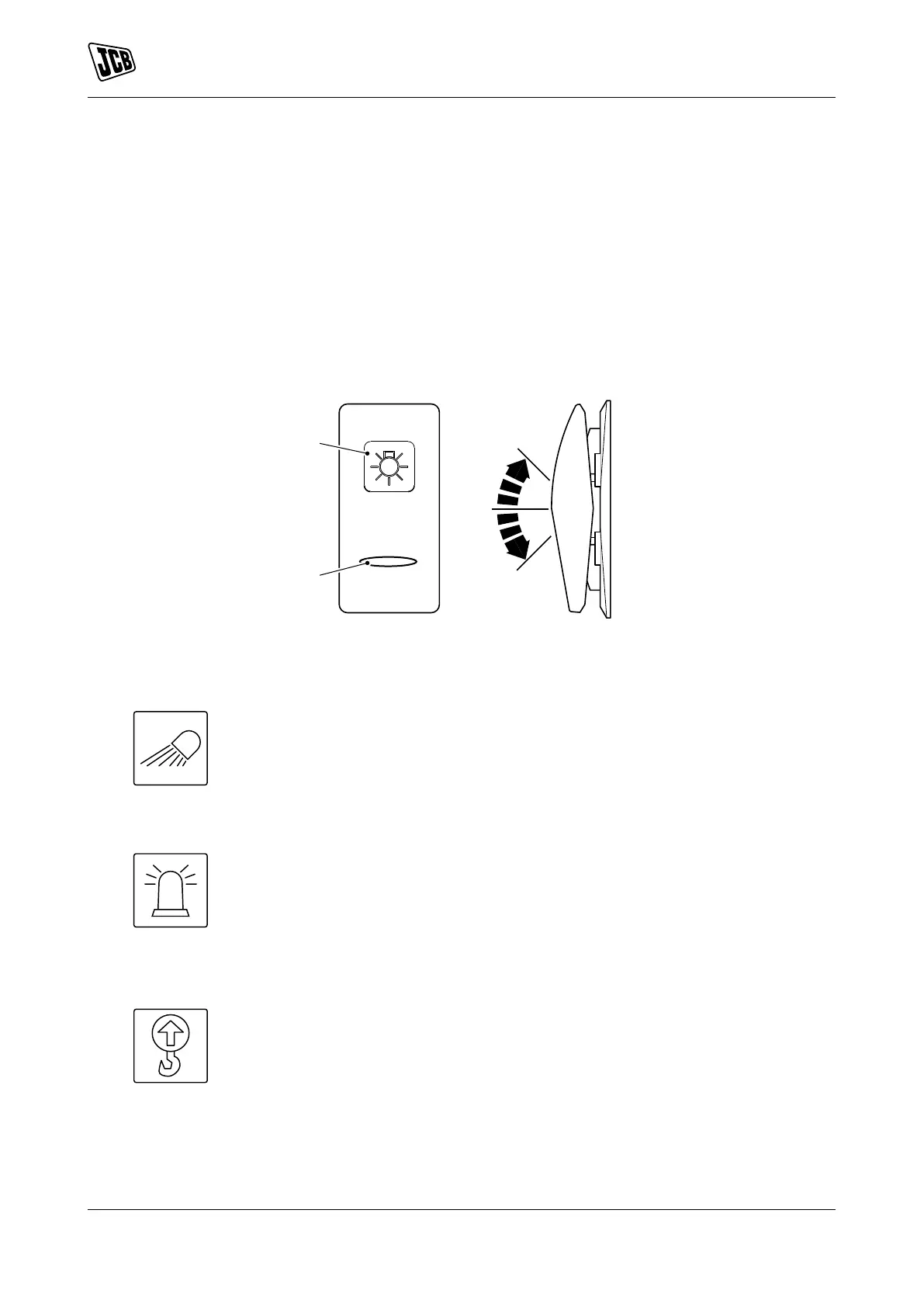
The rocker switches have two or three positions (as shown).
If the switch has a backlight, then the graphic symbol illuminates when the ignition switch or side lights are
in the on position.
The light bar illuminates to show that the switch function is active.
Figure 11.
A Graphic symbol B Light bar
Work Lights
Two or three position rocker switch. The switch functions operate when the ignition
switch is in the on position.
Position : 1 = Off
Position : 2 = Boom work light on
Position : 3 = Boom and cab work lights on (if installed)
Beacon
Two or three position rocker switch. The switch functions operate when the ignition
switch is in the on and off positions.
Position : 1 = Off
Position : 2 = Beacon on
Refer to: Beacon (Page 47).
Overload Warning System
Two position rocker switch. The switch functions operate when the ignition switch is
in the on position.
Position : 1 = Off
Position : 2 = On
Refer to: Overload Warning System (Page 66).



 To Next Page