21
MP1516
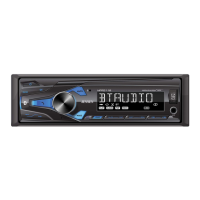
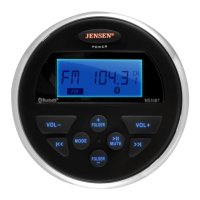
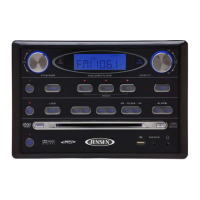
6. PTY (Program Type) Button
Press this button once to show the music type program. Press this button
twice to show the speech type program.
7. SEL (Sound Select) Button
Press this button select the audio function (bass, treble, balance, fade or
loudness) to be adjusted.
8. 3 / RPT (Repeat) Button
Press this button to repeat the current track. Press this button again to cancel
the repeat function.
9. (Decrease Volume) Button
Press this button to decrease the volume.
10. 6 / (Folder Up) Button
Press this button once to advance one folder.
11. 5 / (Folder Down) Button
Press this button once to go back one folder.
12. 4 / RDM (Random Play) Button
Press this button to play all the tracks in random order. Press this button again
to stop random play.
13. 1 - 6 (Preset Radio Memory) Buttons
Six numbered preset buttons store and recall channels for each band.
14. 1 / (CD Pause/Play) Button
Press this button to pause playback. Press this button again to resume
playback.
15. 2 / INT (Introduction Scan) Button
Press this button to play the rst 10 seconds of each track. Press this button
again to resume playback.
16. AF (Alternative Frequencies) Button
Press this button to turn the Alternative Frequencies function on or o.
17. TA (Trac Announcement) Button
Press this button to turn the Trac Announcement function on or o.
18. Clock (Time Clock Display) Button
Press this button to show the clock on the display panel.
19. APS (Auto Preset Scan) Button
Press to activate the radio preset scan. Press and hold to activate the Auto-
Store Tuning feature.
20. Mode Button
Press this button to select radio, auxiliary device or disc play. USB or SD mode
can only be selected when an USB ash memory or SD card is inserted into
the USB port or SD port, respectively.
21. (Power On/O) Button
Press this button to turn the unit ON. Press this button to turn the unit OFF.


 To Next Page