10
VX4010
REMOTE CONTROL
Remote Control Notes
1. Aim the remote control at the remote sensor on the unit.
2.
R
emove the battery or insert a battery insulator if the remote control will not
be used for a month or longer.
3. Do not store the remote control in direct sunlight or in a high temperature
environment. It may not function properly.
4. Under normal operation conditions, battery life is approximately 6 months. If
the remote control does not work, replace the battery.
5.
U
se button-shaped CR2025 lithium batteries only.
6. Do not recharge or disassemble the battery.
7.
D
o not heat the battery or expose the battery to re.
8. To avoid risk of accident, store the battery in a place that children can not
reach.
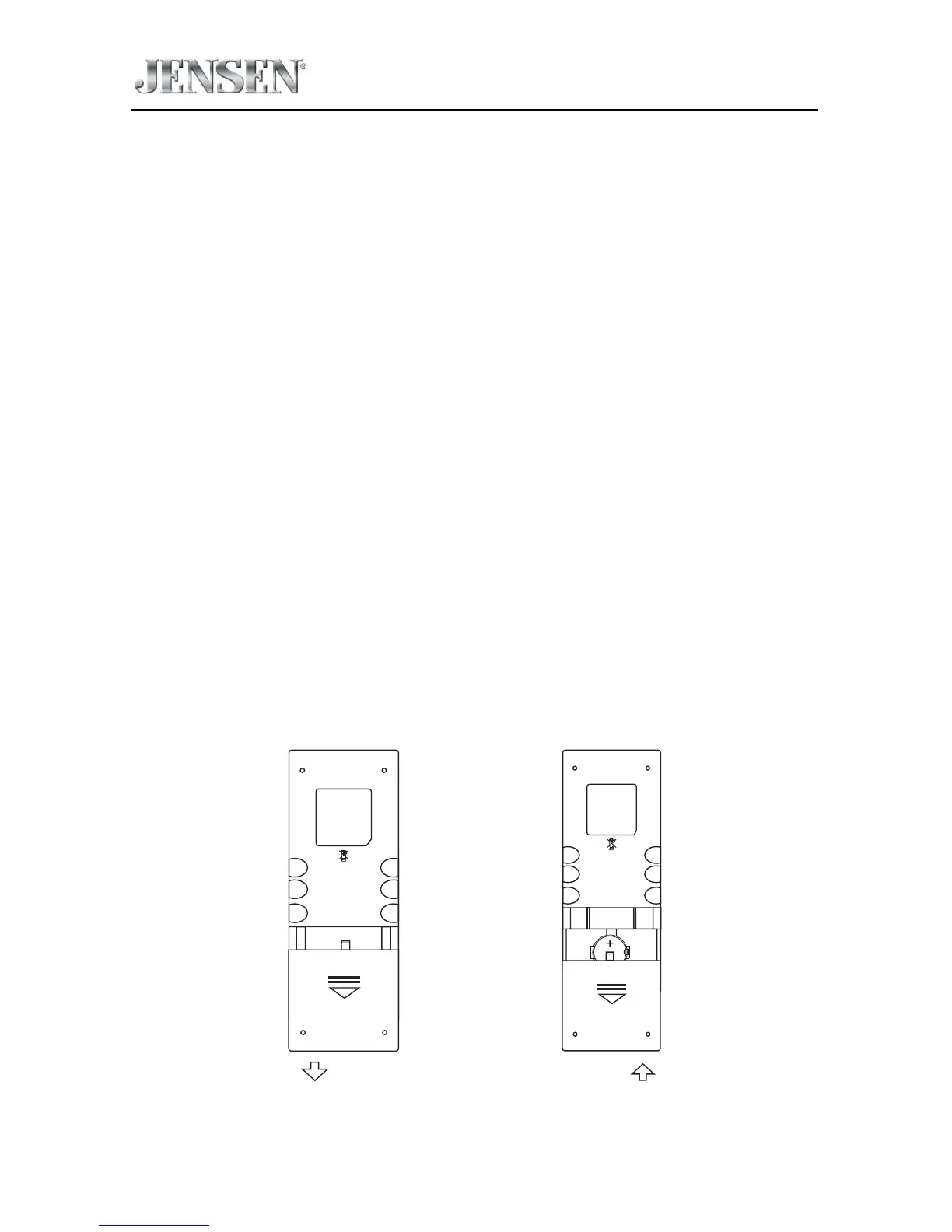
Battery Installation/Removal
1. Slide out the battery compartment cover located on the bottom of the back
of the remote control.
2.
I
nsert a CR2025 lithium battery into the battery tray. Make sure that the
proper polarity (+ or -) is observed.
3. Align the cover tabs with the remote control and slide the cover in until it
locks.
Slide Out



 To Next Page