63
VX4010
8. Touch the “Pair” icon on the unit’s Bluetooth® user interface screen.
9.
A pr
ompt to pair or bond should appear on your mobile phone. Accept the
request and initiate the process.
NOTE: Some mobile phones require a “pass key” or pairing code to connect. If
your phone requires a pass key or pairing code, you will need to enter
this number. The default pairing code for many mobile phones is “0000”.
The default code for the unit is “0000”.
10. A prompt to enter a PIN number or passkey for the unit should appear. The
default passkey for the unit is “0000”.
11.
A
t this point a prompt stating pairing successful should appear. Another
prompt should appear asking connect to the unit, Yes or NO. Touch Yes. The
mobile phone and the unit should connect. The mobile phone should display
a message similar to “Device Connected” and the mobile phone and the unit
are now connected. VX4010 will appear on the mobile phone list of devices.
Managing Incoming Calls
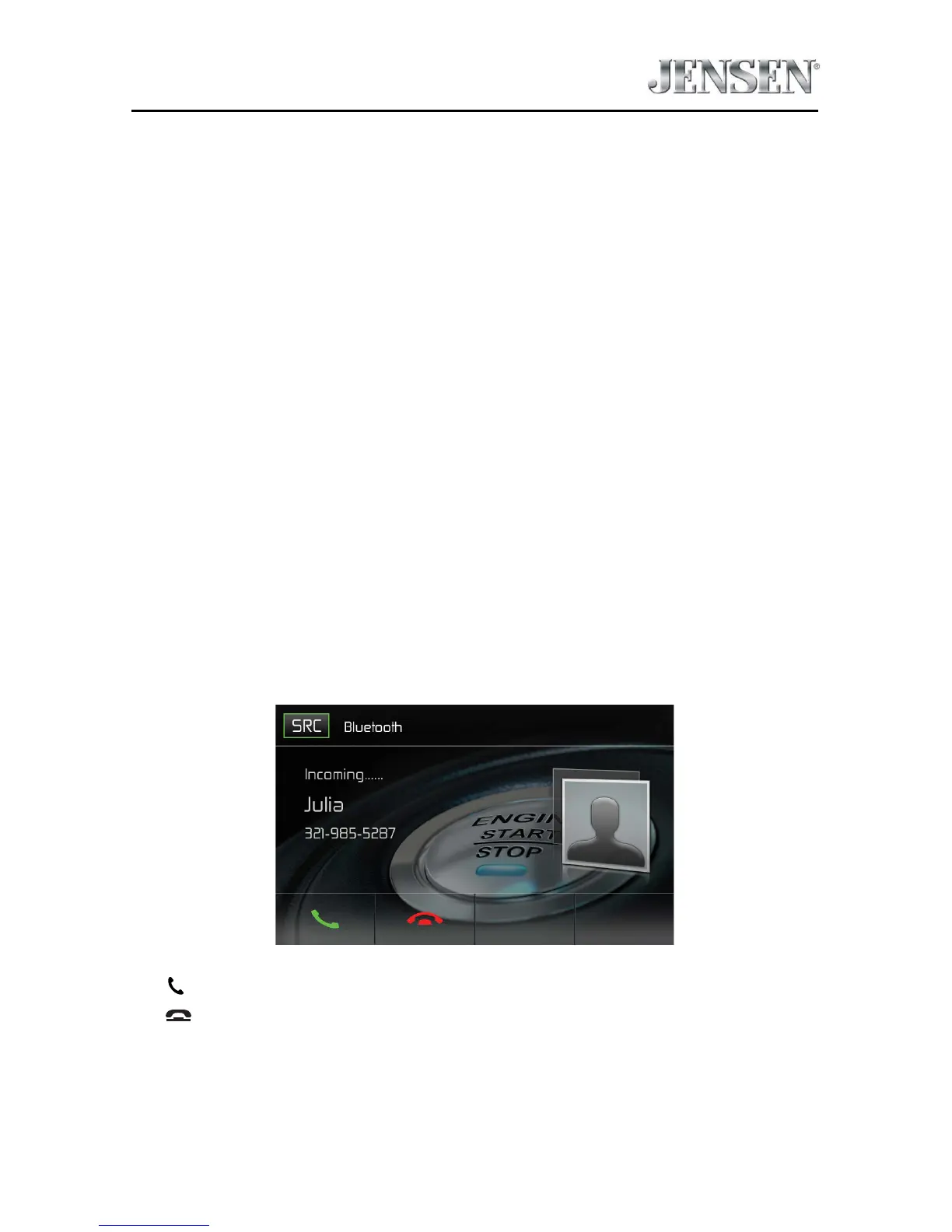
When connected to a Bluetooth® mobile phone, the unit will mute audio output,
pause CD play, and change to the Bluetooth® screen below when a call is received.
The incoming phone number or assigned name for that number will appear on
the screen. An audible tone will sound from the unit and a graphic display will
appear on the front panel.
Bluetooth Incoming Call Screen
1.



 To Next Page