17
VX4010
EXTERNAL DEVICES
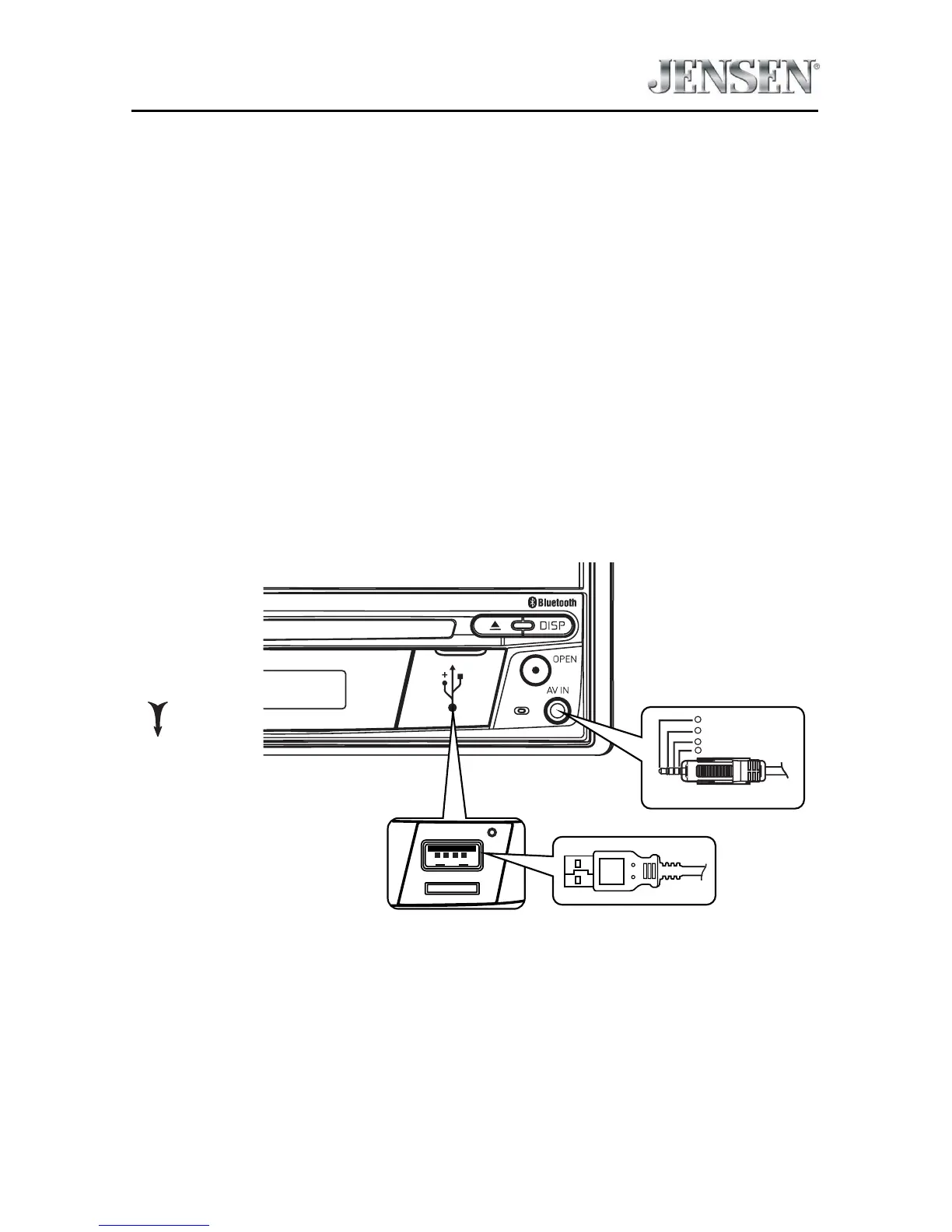
Connecting External Devices
External devices, including a game console, camcorder, navigation unit,
iPod®, Zune®, etc. can be connected to this unit using its front A/V input 3.5mm
jack (AV-IN).
You cannot directly control external devices connected to the A/V input using the
front panel controls or this unit’s remote control.
AV-IN
AV-IN is used for playback of audio/video from an external device connected to
the unit through a 3.5mm jack. The unit can increase or decrease the volume of
the connected device all other controls are done on the connected device.
Select “AV-IN” mode to access auxiliary devices.
3.5mmA/V Cable (not included)
Video
Left Audio
Right Audio
Ground
1
2
3
4
OPEN
USB Cable (not included)
Connecting External Devices



 To Next Page