52
VX4010
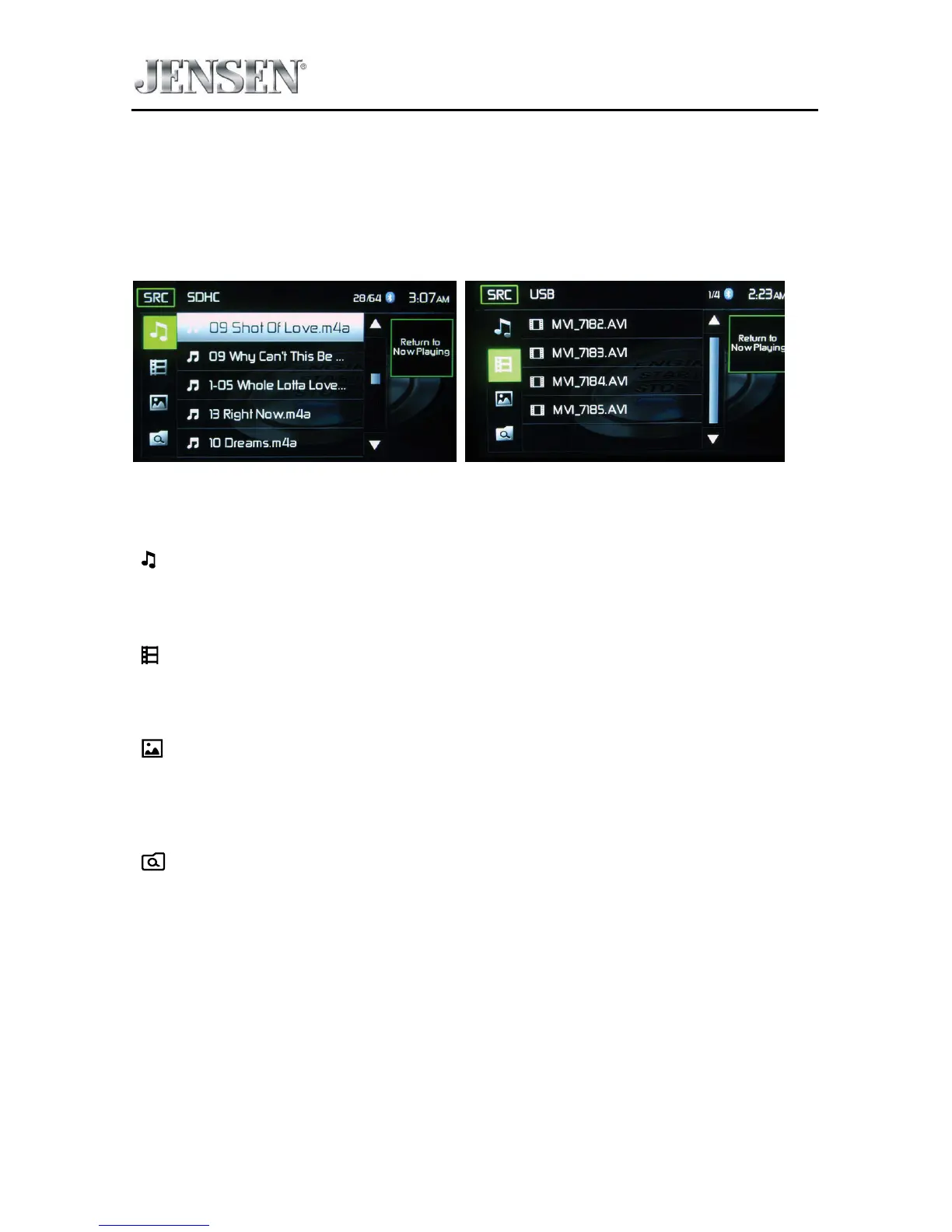
SDHC and USB List
Touching the List icon will display the SD/USB List Screen. The SD/USB List Screen
illustrates the audio and video les present in the SD/USB device. The contents are
divided into folders and various le types. The le types consist of audio and video
les. Touching the folder icon will display the les present in the folder.
SDHC List Screen USB List Screen
SDHC and USB List Screens
( ) Audio Files - Touch the audio le icon to display the audio les. Touch the
audio le icon to select a track. Touch the audio le icon again to conrm and
playback will begin.
( ) Video Files - Touch the video le icon to display the video les. Touch the
video le icon to select a video le. Touch the video le icon again to conrm and
playback will begin.
( ) Image Files (JPEG etc) - Touch the image icon and the following message
will appear:
Use the SD/U
SB to control/select photos. Touch screen to return to the
menu.
( ) Folders - Touch the icon to display the folder/le hierarchy. Touch the folder
icon and the contents of the folder will be displayed. Touch the le’s icon to select
a le. Touch the icon again to conrm and open the le.



 To Next Page