• In all other cases, the position marker may not show your exact GPS position and heading. If roads
are near, the GPS position is locked on the road and aligned to the nearest road to suppress GPS
position errors, and the direction of the icon is aligned to the direction of the road.
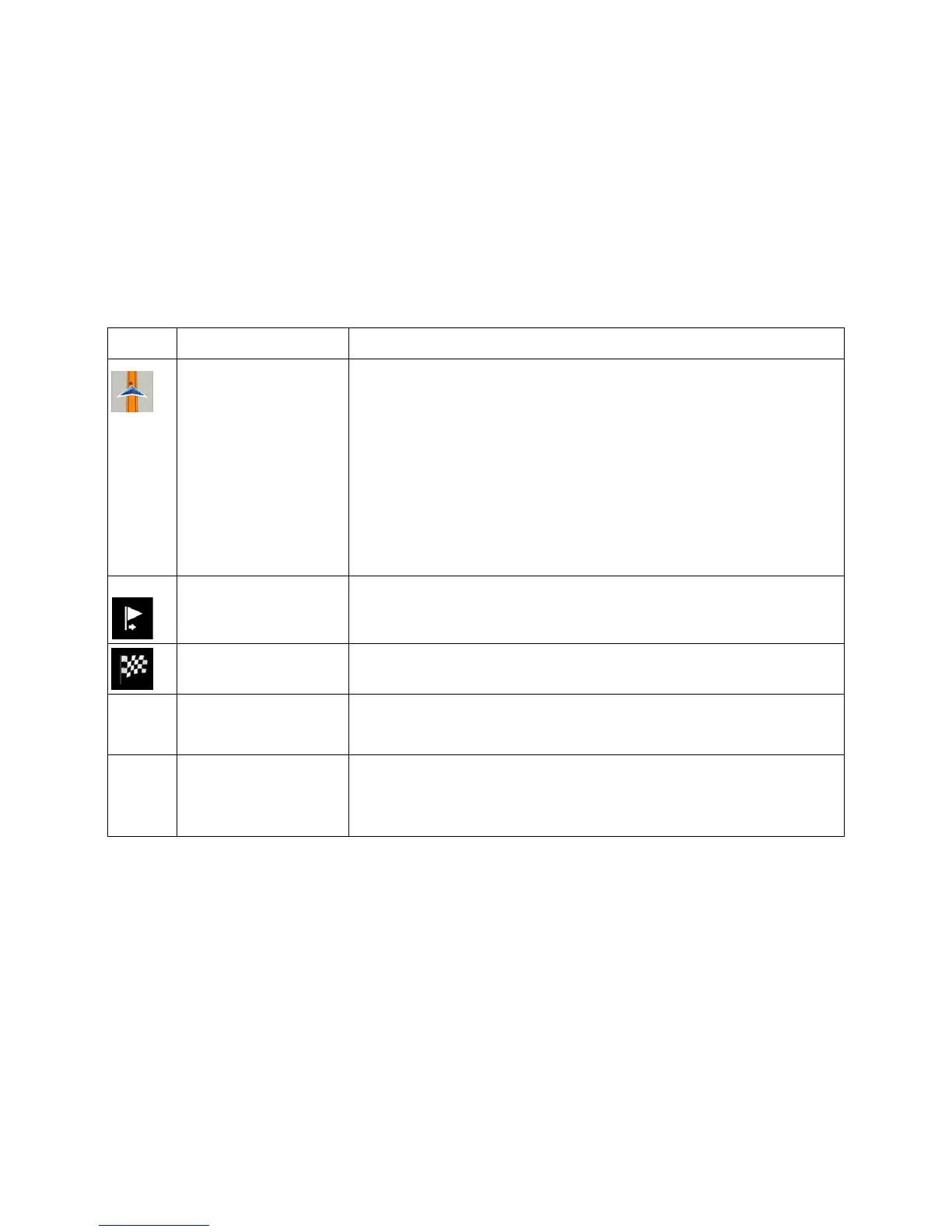
2.3.3 The planned route
The planned route is the currently navigated route. Whenever the destination is set, the route is active
until you delete it, reach your destination or suspend navigation. The VX7020A displays the route in the
following ways:
and starting point
It is your current position displayed on the map.
• In pedestrian mode it is the GPS position.
• If a vehicle is selected for route calculation and roads are near,
the arrow jumps to the nearest road.
• The dot near the arrow shows the exact GPS position.
Normally, if GPS position is available, the route starts from the current
position. If there is no valid GPS position, the VX7020A uses the last
known position as the starting point.
destination)
It is an intermediate destination of the route before reaching the final
destination.
Destination (end point) It is the final destination of the route.
The route always stands out with its color
on the map, both in daytime
and night color modes.
are excluded from the
navigation
You can choose whether you want to use or avoid certain road types
(page
74). However, when the VX7020A cannot avoid such roads,
the route includes them and shows them in a color that is different
from the route color.
15



 To Next Page