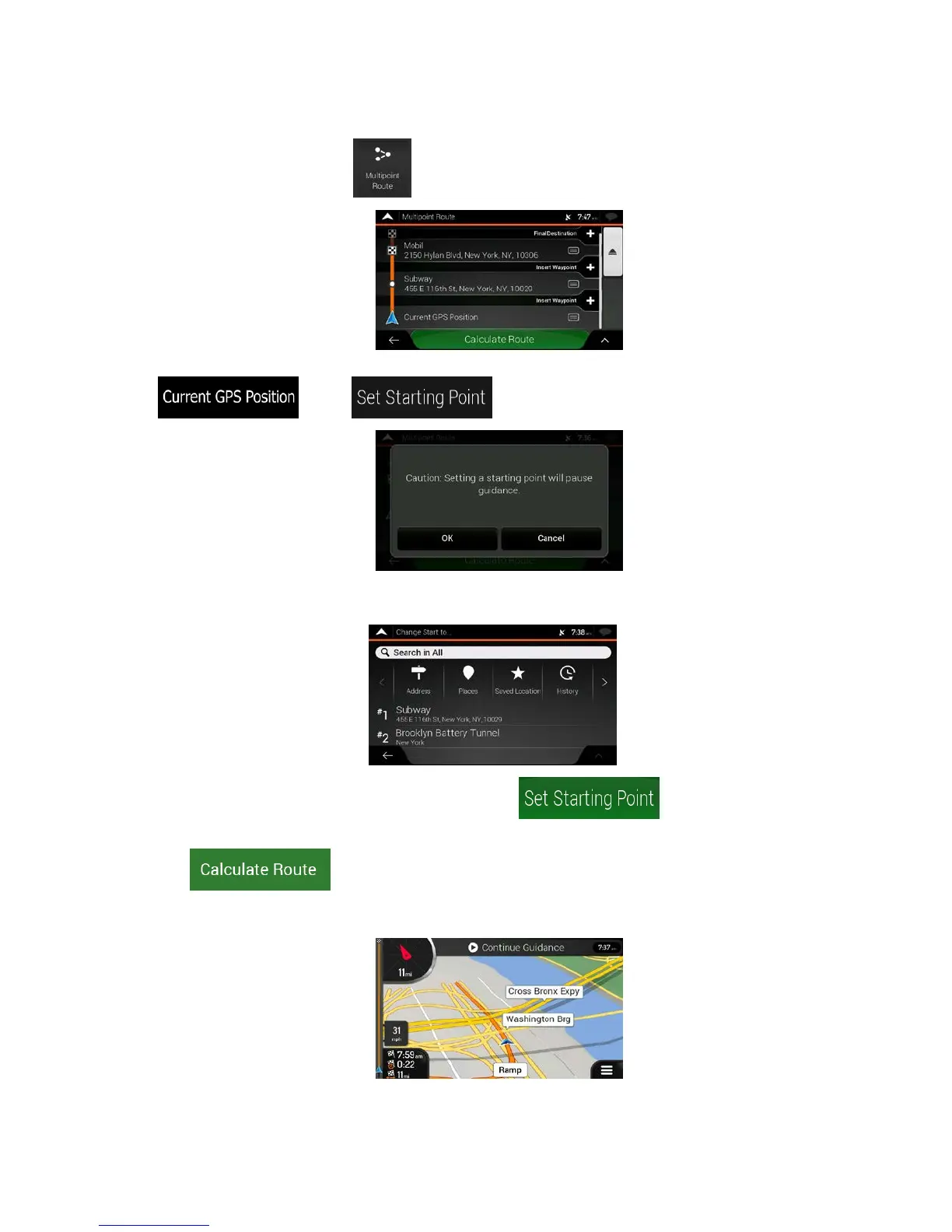
2. In t
he Navigation menu, tap
.
3. The f
irst line from the bottom is the start of the route, normally the current GPS position. Tap
, select , and confirm your action at the warning message.
4. The C
hange Start to... screen appears. Select the starting point of the route the same way you
select a destination.
5. You c
an see the new starting point on the map. Tap
and the Multipoint Route
screen appears where you can continue adding a destination to your route.
6. Tap
to continue. The map returns with a transparent position marker (showing
that there is no GPS reception). If a planned route already exists, it is now recalculated starting
from the selected location.
53



 To Next Page