EN - 20 BA-0006 • 2020-02-08
10 Troubleshooting SynMag 2600/3100/3600/4100/5100
10 Troubleshooting
* Important: the error must be reset using the main ON/OFF switch!
Risk of injury and device damage when handled by unauthorized persons
Improper repair work and modifications to the product may lead to serious injuries and damage to the
device. The product warranty will be rendered invalid if work is carried out on the product by
unauthorized persons.
• Only qualified personnel are permitted to perform work on the device or system.
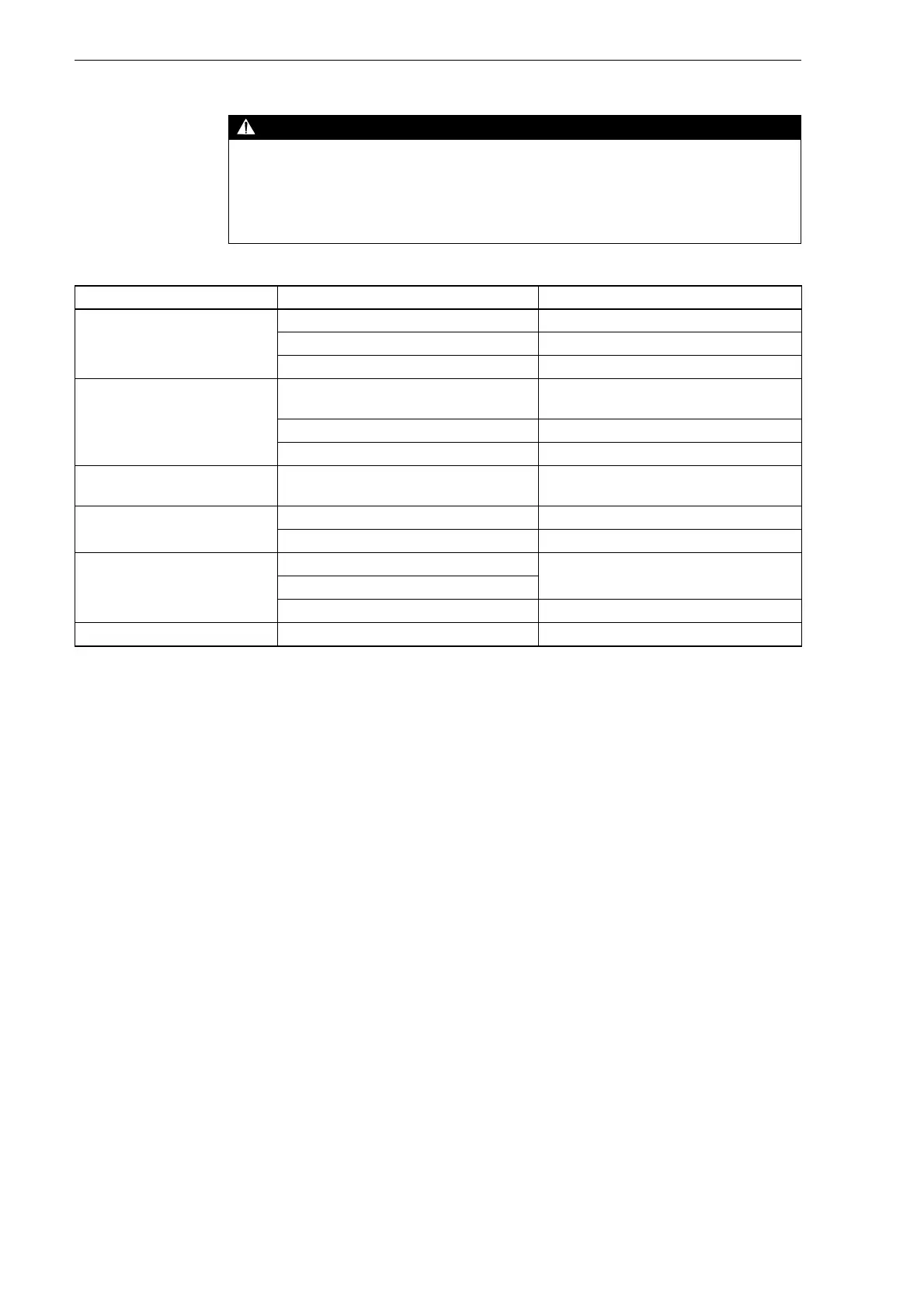
Tab. 10 Troubleshooting
Fault Cause Troubleshooting
Indicator light does not illuminate
when the main switch is on
• Power supply line interrupted • Check the supply line
• Mains fuse defective • Replace the fuses
• Main switch defective • Replace the main switch
Welding process cannot be started
by pressing the torch trigger
• Central connector on the welding torch not
tightened
• Insert and lock the connector
• Control lead defective • Replace the control lead
• Electrical control system defective • Replace the electrical control system
No welding current, wire feeder
motor running
• Earth cable interrupted • Replace the earth cable
Overheating LED illuminates • Duty cycle exceeded • Allow the machine to cool down
• Insufficient ventilation • Ensure good cooling
Cooling circuit LED illuminates.
Error 1 (only on
SynMag 3600/4100/5100)*
• Flow control has activated • Top up the cooling water
• Too little cooling water in the container
• Welding torch’s hoses are not connected • Connect the hoses
LED fault, error 2 • Internal control system defective • Notify the JÄCKLE & ESS service team


 To Next Page