EasyManua.ls Logo

Jet ProShop II - User Manual

Jet ProShop II
40 pages
Print Icon
To Next Page IconTo Next Page
Loading...
Operating Instructions and Parts Manual
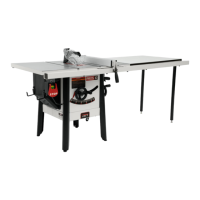
ProShop II
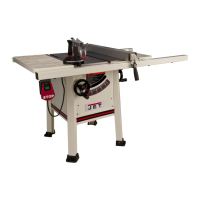
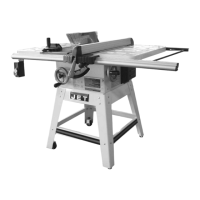
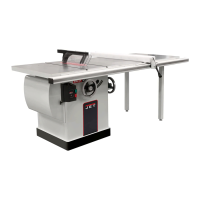
10-inch Table Saw
Model JPS-10TSL
shown with cast wings, 52” rail set, and extension table
JPW Tool Group Hong Kong Limited
98 Granville Road, Tsimshatsui East, Kowloon, Hong Kong, PRC Part No. M-725000K-RU
www.jettools.com Edition 4 2/2023
Copyright © 2018 JET
Импортёр в РФ: ООО «ИТА Технолоджи»
105082, Москва, Переведеновский пер., д. 17
www.jettools.ru
Made in Taiwan / Сделано на Тайване

Questions and Answers

  • T
    Travis HillAug 12, 2025
    What to do if Jet ProShop II Saw blade is not square?
    • T
      Terry SmithAug 13, 2025
      If the blade of your Jet Saw isn't square with the miter slot, or the fence isn't square to the blade, it could be because the blade is warped and needs replacement. Alternatively, the table top might not be parallel to the blade, requiring adjustment, or the fence isn't parallel to the blade, also requiring adjustment.
  • J
    Joe SanchezAug 16, 2025
    Why Jet ProShop II blade does not reach 90 degrees?
    • J
      Jason ParkAug 17, 2025
      If the blade of your Jet Saw does not reach 90 degrees, the 90 degree stop is likely out of adjustment. Try adjusting the 90 degree stop.
  • R
    Rebecca WilliamsAug 20, 2025
    Why does my Jet Saw motor blow fuses?
    • S
      Stephanie ArmstrongAug 20, 2025
      If the motor of your Jet Saw causes fuses or circuit breakers to blow, it could be due to several reasons. Check the line cord or plug for damaged insulation and shorted wires. Also, inspect all connections on the motor for loose or shorted terminals or worn insulation. Finally, ensure that you have the correct fuses or circuit breakers installed.
  • Y
    ywestAug 25, 2025
    What to do if Jet ProShop II Saw motor stalls and blows fuses?
    • T
      Tammy CortezAug 25, 2025
      If your Jet Saw motor stalls, resulting in blown fuses or a tripped circuit, consider the following: * Reduce the load on the motor. * Inspect the motor connections for loose or shorted terminals, or worn insulation. * Correct any low voltage conditions. * Ensure the correct fuses or circuit breakers are installed.
  • C
    Cody AyalaAug 27, 2025
    Why is my Jet Saw motor overheating?
    • S
      Stephanie HamiltonAug 27, 2025
      If your Jet Saw motor overheats, it may be due to the motor being overloaded. Try reducing the load on the motor. Another possible cause is restricted air circulation. Clean the motor fan with compressed air to restore normal air circulation.
  • N
    Nathaniel FlynnSep 1, 2025
    How to troubleshoot a Jet ProShop II Saw motor that will not start?
    • B
      Bethany HallSep 1, 2025
      If your Jet Saw motor won't start, there are a couple of things to check. First, ensure the power line has the proper voltage. Second, inspect all lead connections on the motor for loose or open connections.
  • A
    Aaron WardSep 4, 2025
    Why does my Jet ProShop II slow down when cutting?
    • D
      Daniel DavisSep 4, 2025
      If your Jet Saw slows down while operating, it could be due to applying too much pressure to the workpiece. Try feeding the workpiece more slowly. Another possible cause is a loose belt; in this case, you should tighten it.
  • C
    Christine PetersSep 8, 2025
    Why is my Jet ProShop II making a loud noise?
    • E
      Erika McintyreSep 8, 2025
      A loud, repetitive noise coming from your Jet Saw could be due to several reasons. Inspect the keys and setscrews on the pulley; replace or tighten them if necessary. Another cause could be the motor fan hitting the cover; tighten the fan or shim the cover. Lastly, the drive belt might be defective, so consider replacing it.

Summary

IMPORTANT SAFETY INSTRUCTIONS

General Safety Warnings

Broad safety advice covering work area, electrical, and personal conduct.

Specific Safety Warnings for Table Saws

Detailed safety rules specific to table saw operations and components.

Specifications

Setup and assembly

Blade installation;replacement

Detailed guide for safely changing the saw blade.

Electrical connections

GROUNDING INSTRUCTIONS

Critical safety guidelines for proper electrical grounding of the tool.

Adjustments

Riving knife alignment

Ensuring the riving knife is correctly aligned with the saw blade.

Operations

Kickbacks

Understanding the causes and prevention methods for dangerous kickback events.

Safety devices

Troubleshooting JPS2 ProShop II

Jet ProShop II Specifications

General IconGeneral
BrandJet
ModelProShop II
CategorySaw
LanguageEnglish

Related product manuals