73
TwinForce™ Series Waterblast Unit
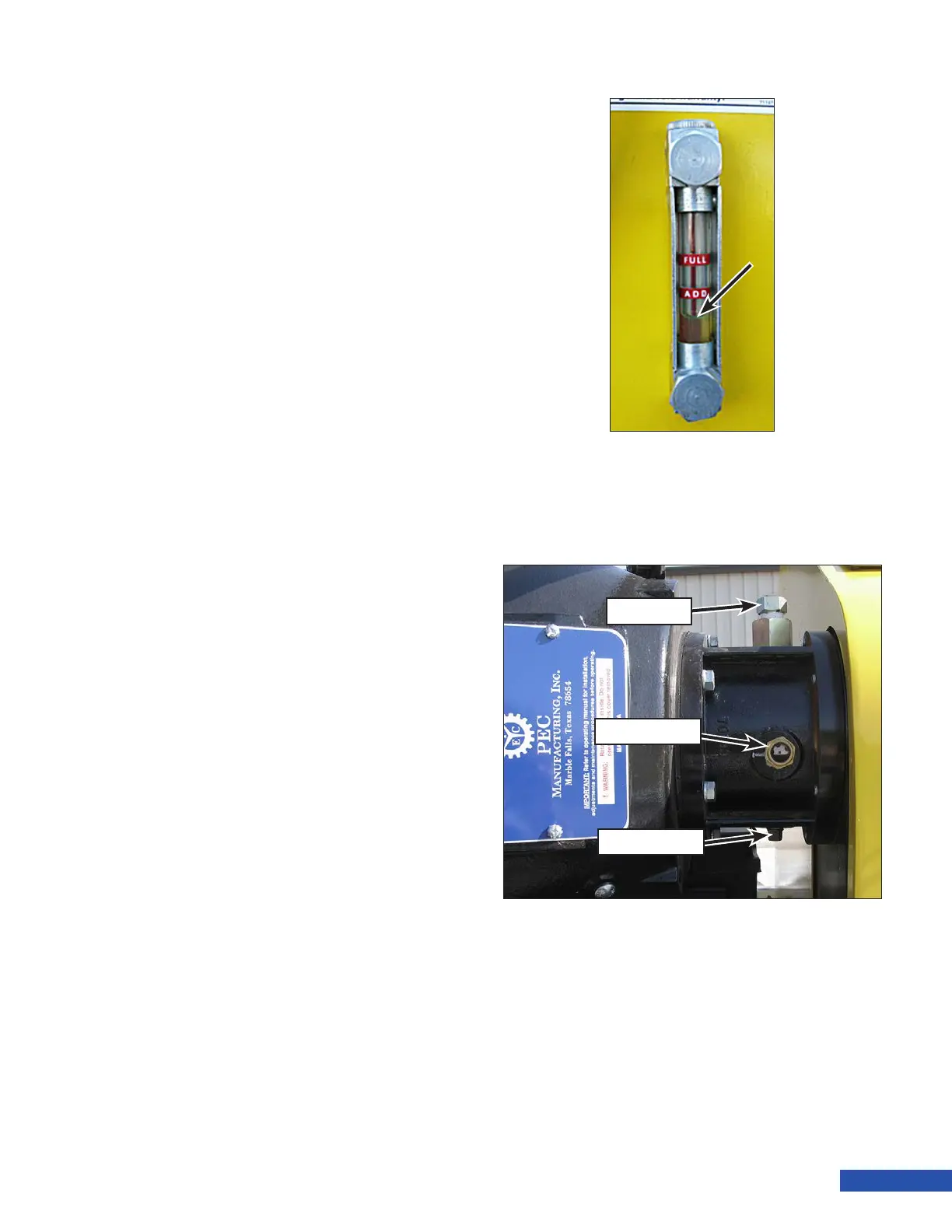
Figure 135: Typical Oil Level for Recently Operated Pumps.
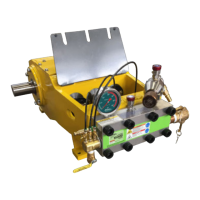
Breather
Figure 136: PTO.
Sight Gauge
Drain Plug
Changing the Power End Oil
1. With the engine off, remove the drain plug
(Figure 136) from the oil drain valve lo-
cated on the back of the power end case.
2. Place a container below the valve large
enough to capture the oil. Refer to the oil
capacities listed below.
3. Install an extension hose/pipe to extend
the drain past the trailer frame, if desired.
4. Open the ball valve to drain the oil.
5. After the oil has drained from the case,
close the ball valve and install the plug.
6. Remove the back cover plate and inspect
the magnets at the bottom of the pump
for metal shavings or lings. Clean the
magnet. If excessive shavings or lings
were present, inspect the crankshaft jour-
nal bearings.
7. Install the back cover plate.
8. Add 80W/90 gear oil through the ll plug.
• 3000 Series Pumps: 5 gal. (22 L)
• 3600/4200 Series Pumps: 9 gal. (34 L)
9. Install the ll plug when done lling.
Checking PTO Oil level
1. With the engine off and clutch disen-
gaged, check the oil level in the PTO sight
gauge (Figure 135). The oil should be
approximately half way up on the sight
gauge.
a. If oil is needed, remove the breather
and add 10W40 synthetic oil through
the open port until the oil level begins
to show in the sight gauge. Continue
adding oil slowly once visible in the
site gauge so as not to overll. The oil
is slow to drain into the reservoir.
b. Install the breather.


 To Next Page