Page 19
John Bean BFH 1000 Operators Manual
6.3 SCAN MODE SELECTION
The BFH 1000 can be operated in 2 automatic scan modes and one manual mode. Default factory setting
is the OPTIMA mode. The BFH 1000 can easily be set to PROFILING mode if OPTIMA functionality is
not required or wanted for every balance job. To access PROFILING OR OPTIMA modes, depress the
F6 key for approximately 3 seconds. The mode will change with each depression. Pressing the F6 key
momentarily activates the OPTIMA procedure.
PROFILING mode is used when wheels only need to be balanced and the operator does not want to
monitor the ride performance of the wheel and includes:
- Rim profiling to get rim data including ALU wheel weight position
- Spoke count when ALU mode is detected
- Balancing
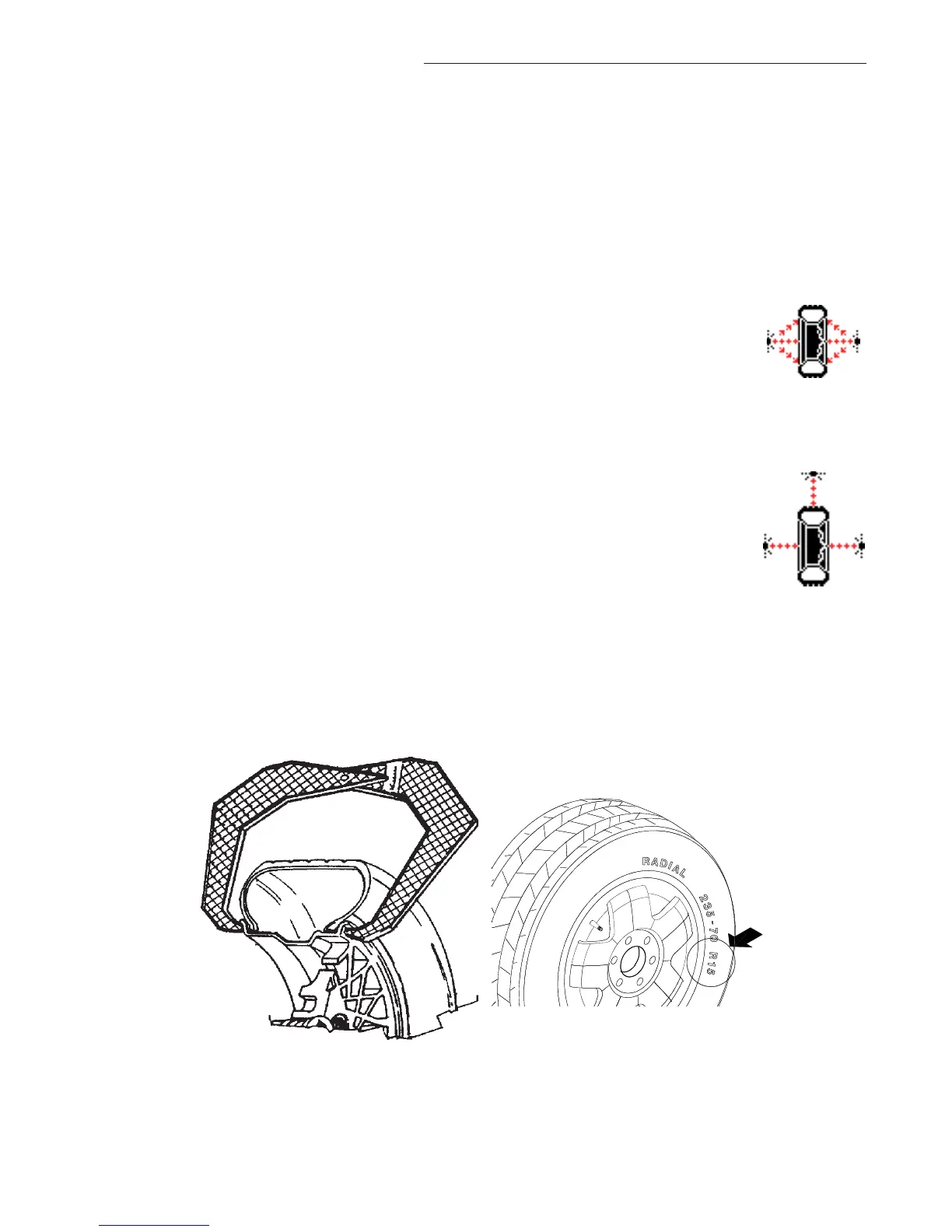
The PROFILING mode is indicated by the following symbol that is visible in informa-
tion box 3 in the left upper corner of the screen.
OPTIMA mode is used for checking the ride performance of the wheel and includes:
- Rim profiling to get rim data including ALU wheel weight position
- Spoke count when ALU mode is detected
- Balancing
- Radial tire run out
- Left radial rim run out
- Left lateral rim run out
- Right lateral rim run out
- Right radial rim run out
The OPTIMA mode is indicated by the following symbol that is visible in information box 3 in the left upper
corner of the screen.
Manual Parameter Entry - Read the rim diameter marked on the sidewall of the tire (Figure 20). Enter
the stated rim diameter by pressing and holding the diameter button and rotating the wheel assembly
until the desired value is displayed.
Figure 19 Figure 20


 To Next Page