John Bean BFH 1000 Operators Manual
Page 25
8.3 BFH 1000 Geometric Matching
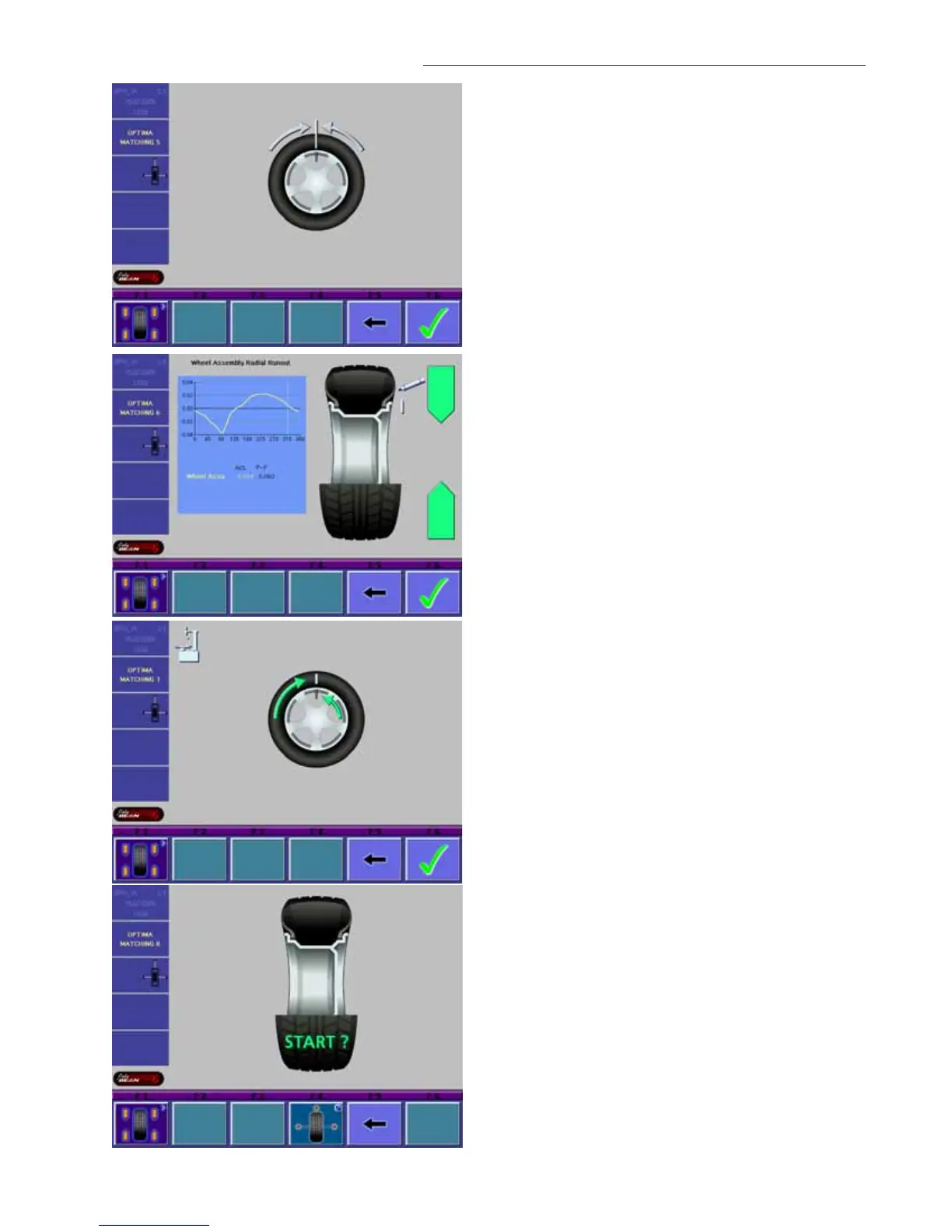
Select softkey “F5” to continue to the matching process if
desired. See Figure 27.
Rotate the assembly so the valve stem is located at top
dead center. Press “F6”, to continue. See Figure 28.
Rotate the assembly so the arrows are both GREEN, as
shown in Figure 29. Mark the tire at top dead center. Se-
lect “F6” to continue.
Remove the Wheel assembly from the balancer and break
the bead using a tire changer. Rotate the tire on the rim so
the mark and valve stem are lined up. See Figure 30.
Reinflate the tire to specifications.
Mount the assembly back onto the balancer as before.
Select “Start” See Figure 31.
Figure 28
Figure 29
Figure 30
Figure 31


 To Next Page