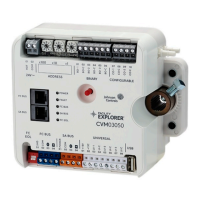
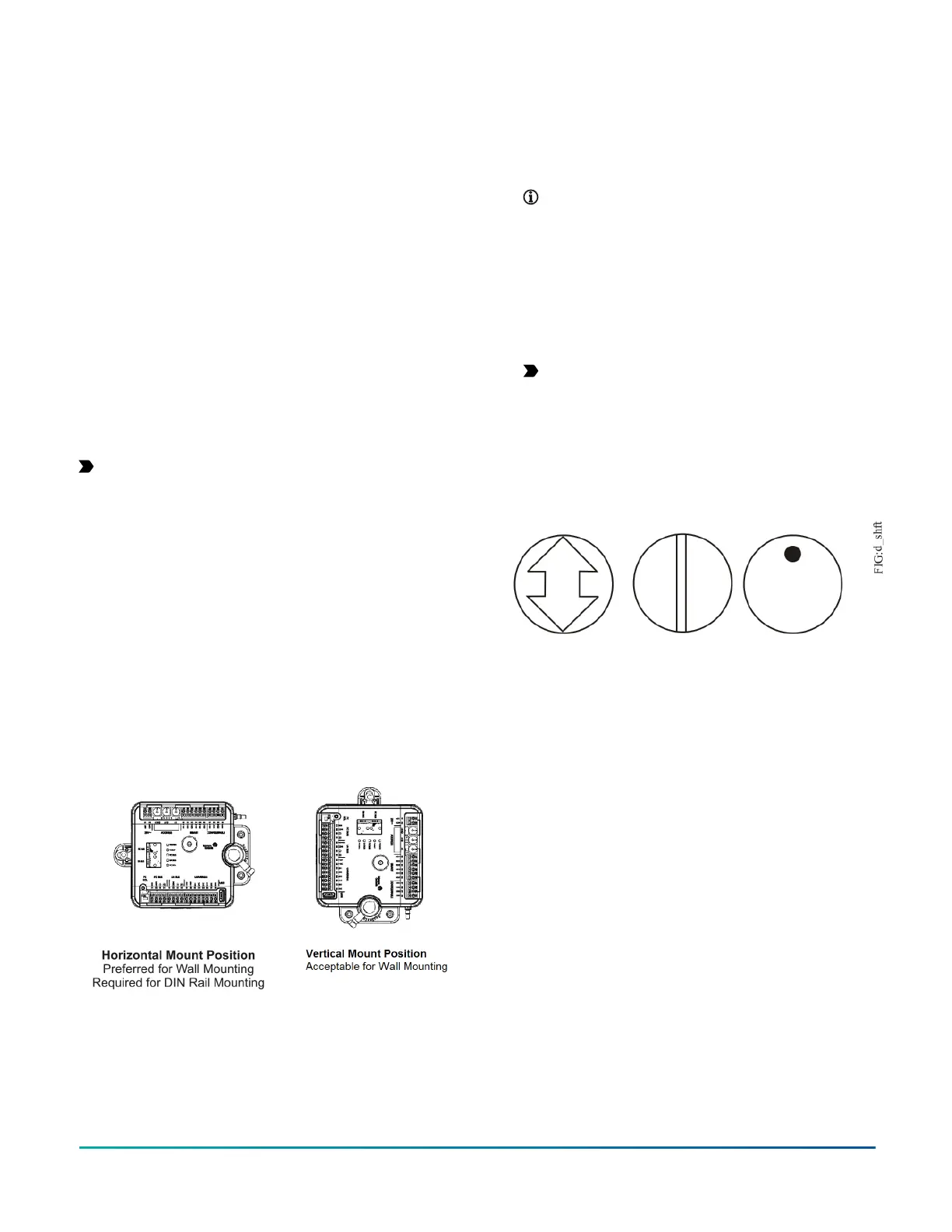
Important: When the air supply to the VAV box is
below 10°C (50°F), make sure that any condensation
on the VAV box, particularly on the damper shaft,
does not enter the CVM electronics. Mount the
CVM vertically above the damper shaft to allow any
shaft condensation to fall away from the controller.
Additional measures may be required in some
installations.
On panel or enclosure mount applications, observe these
additional guidelines:
• Do not install the CVM in an airtight enclosure.
• Mount the CVM so that the enclosure walls do not
obstruct cover removal or ventilation through the
controller.
• Mount the CVM so that the power transformer and
other devices do not radiate excessive heat to the
controller.
Figure 3: Controller mounting positions
To mount the CVM controllers, complete the following
steps:
1. Set all the switches on the equipment controller to
their known settings.
2. Place the CVM controller in the proper mounting
position on the damper shaft so that the wiring
connections are easily accessible. Make sure
the controller base is parallel to the VAV box
(perpendicular to the damper shaft). If needed, use
a spacer to offset tipping of the controller caused by
the shaft bushings.
Note: Use the alignment marks to center
the captive spacer to ensure sufficient CVM
movement in either direction.
3. Secure the self-drilling No.10 screw through the
captive spacer with a power screwdriver and 100mm
(4in.) extension socket. Otherwise, use a punch to
mark the position of the shoulder washer, and then
drill a hole into the VAV box using a 3.5mm (9/64in.)
drill bit. Insert the mounting screw and tighten
against the spacer.
Important: Do not overtighten the screw, or
the threads may strip. If mounting to the VAV
box, make sure the screws do not interfere with
damper blade movement.
4. Locate the damper position using the typical marking
on the end of the damper shaft as shown in the
figure below.
Figure 4: Typical damper end shaft icons
5. Note the direction, clockwise (CW) or
counterclockwise (CCW), required to close the
damper. Grasp the damper shaft firmly with pliers,
and either manually close the damper for 90° boxes
or manually open the damper for 45° or 60° boxes.
6. Push down and hold the Manual Override button
and turn the CVM controller coupler until it contacts
the mechanical end-stop at either the full-closed (90°
boxes) or full-open (45° and 60° boxes) position.
7. If the damper for a 90° box closes CCW, rotate the
coupler to the CCW mechanical limit. If the damper
for a 90° box closes CW, rotate the coupler to the CW
mechanical limit. The open end-stop is automatically
set for 90° boxes. For 45° and 60° boxes, you must
provide hard stops at both full-closed and full-open
damper positions. If you install the CVM controller
at the full-open position, the controller provides the
open stop for 45° and 60° boxes. The closed damper
seal provides the full-closed stop.
Note: The integrated actuator has a stroke
time of 60 seconds for 90° of travel. The stroke
time is the amount of time (in seconds) that it
takes the actuator to move from the fully closed
to fully opened position or from fully open to
fully closed position. For proper operation, the
actuator stroke time must be configured in the
CCT application based on the actual time it takes
the actuator to drive the damper. The default
setting is 60 seconds (for 90° VAV boxes). For
45° and 60° VAV boxes, the actuator stroke time
must be adjusted. Refer to Controller Tool Help
(LIT-12011147) for instructions on setting the
actuator stroke time in the application.
8. All models are compact in size and are easily installed
on VAV boxes. The models have either a round shaft
up to 13 mm in diameter or a 10 mm square shaft.
Tighten the square coupler bolt to the shaft using an
8 mm (5/16 in.) wrench or 10 mm (3/8 in.) 12-point
socket. Tighten to 10.5 to 11.5 N·m (95 to 105 lb·in).
9. Loop the pneumatic tubing (supplied by field
personnel) to include a trap for condensation. Attach
the needed length of tubing (supplied and installed
by field personnel) to the dual port fitting on the CVM
controller and the other ends of the tubing to the
pressure transducer in the VAV box application .
F4-CV Series VAV Terminal Equipment Controllers Installation Guide 3



 To Next Page
 Loading...