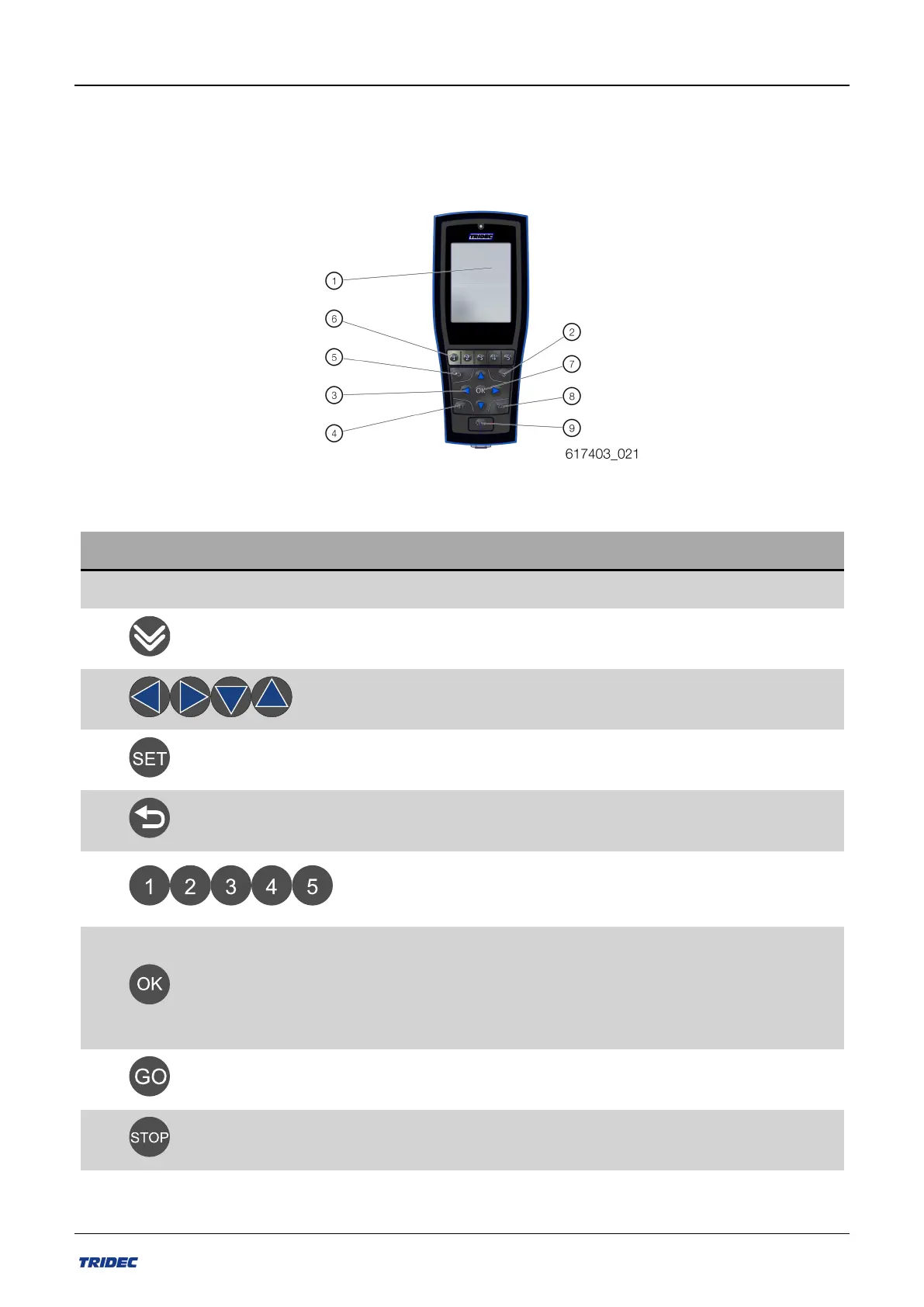
2.1 Function keys
In addition to a screen, the remote control also has a number of keys. Use these keys to
activate functions or to select menus.
Figure 2-3
No. Item Description
1 Screen
2 Navigateto thenext pagein themenu.
3 Activateselected functions.
4 Select "System info" or activateautomatic functions.
5 Go back to previous page
6
Order-specific menus arelinked to thenumeric keys.
7
n Turn the remote control on and off.
n Go back to the previous menu in the menu
structure.
n Confirmation of message.
8 Select "Setting" orrestart theEF-Ssystem.
9
This button has no function with the EF-S
Keys on the remote control.
Part no.: 162014 EN-1
12
Release 07/2020
User manual 2300 EF-S system



 To Next Page