EasyManua.ls Logo

jost TriDec EF-S - Pictograms

jost TriDec EF-S
92 pages
Print Icon
To Next Page IconTo Next Page
To Previous Page IconTo Previous Page
Loading...
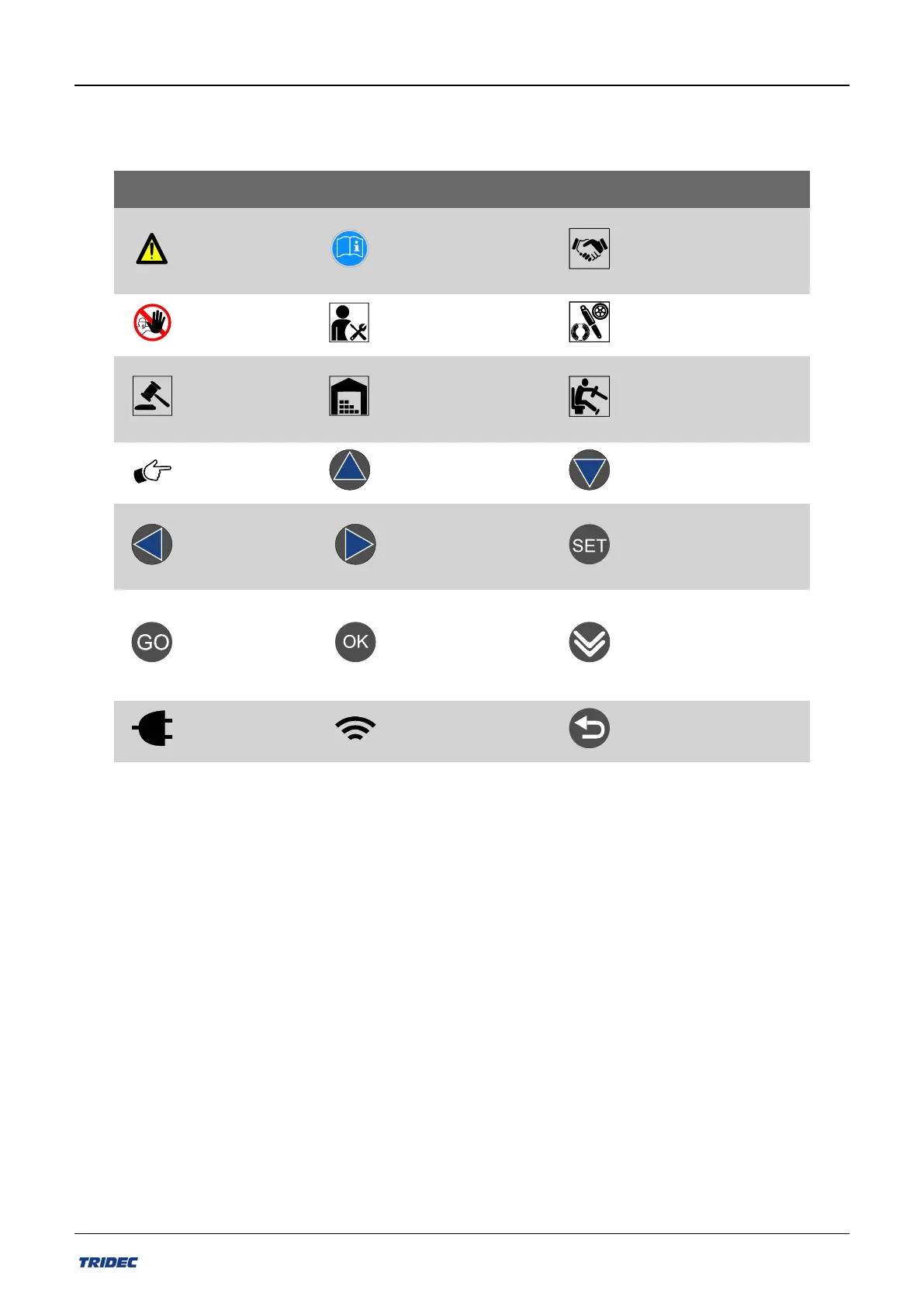
7.1 Pictograms
The following pictograms are used in this user guide:
Description Description Description
Important mes-
sage!
Read thisinform-
ation beforeyou
start!t!
Deliveryinformation.
Important
restriction!
Mounting inform-
ation
Parts information.
Requirements
set by
TRIDEC.
Information about
storage
Information about
dailyuse!
Tip
Activates selected
functions
Activates selected
functions
Activates selec-
ted functions
Activates selected
functions
Selection ofmenu
"System info" oractiv-
ation offunctions
Button on
remotecontrol
with multiple
functions.
Button on remote
controlwith multiple
functions.
Next pagein the
menu
Connected to
power source
Bluetooth con-
nection active
Go back to previous
page
Tabel-5 Pictogrammen
Part no.: 162014 EN-1
73
Release 07/2020
User manual 2300 EF-S system

Related product manuals