4 Messages
An explanation of the messages that may be displayed on the remote control’s screen is
given below.
4.1 Types of messages
The messages that can be displayed on the screen during operation can be divided into
three different categories.
n Information messages:
Thesemessages indicatewhich processes arerunning.
n Warning messages:
Thesemessages indicateproblems in theEF-Ssystem which
must berectified as quicklyas possiblebytheservicework-
shop. Theycan bedeleted from thescreen bypressing the
button.Theorangewarning light is lit untiltheproblemhas
been rectified.
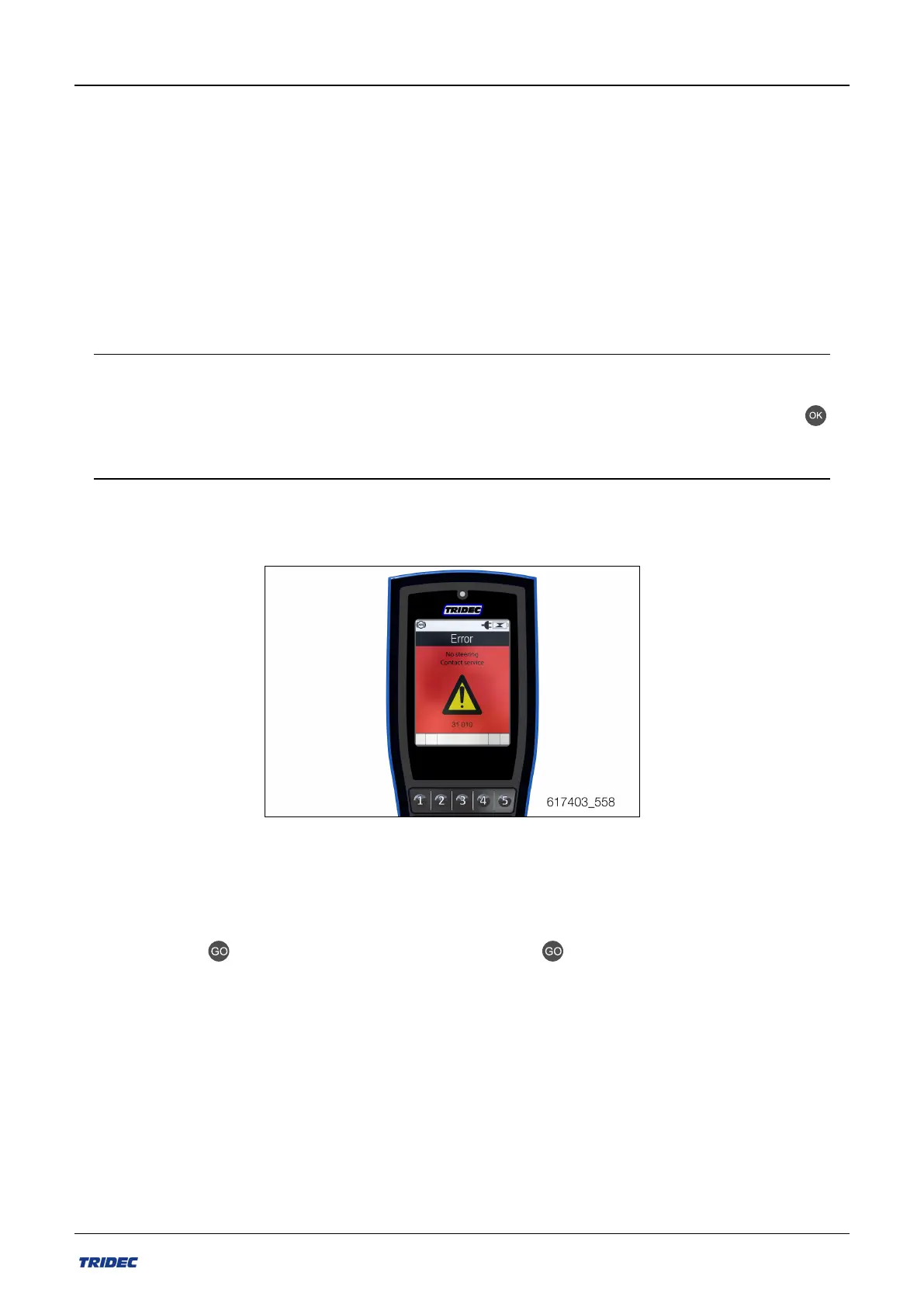
n Error messages:
Thesemessages indicateproblems in theEF-Ssystem which
must berectified immediatelybytheserviceworkshop.These
messages (see Figure 4-1)cannot bedeleted from thescreen.
Figure 4-1
If an error message is displayed on the screen, restart the system. Doing so sometimes
deletes the message. The EF-S system can be restarted in three different ways:
n
Using the button on the remote control. The button is only active if an error
message (see Figure 4-1) is displayed on the screen.
n Using the main switch on the generator box. This turns off the power supply.
n By rotating the ignition switch to the “0” position. Allow the system to shut down
and then restart it.
Part no.: 162014 EN-1
54
Release 07/2020
User manual 2300 EF-S system


 To Next Page