14
LED
L1-L5 flicker simultaneously
SET
Press "SET" button once
LED
sequence from L5 to L1
Indicator lights will be on in
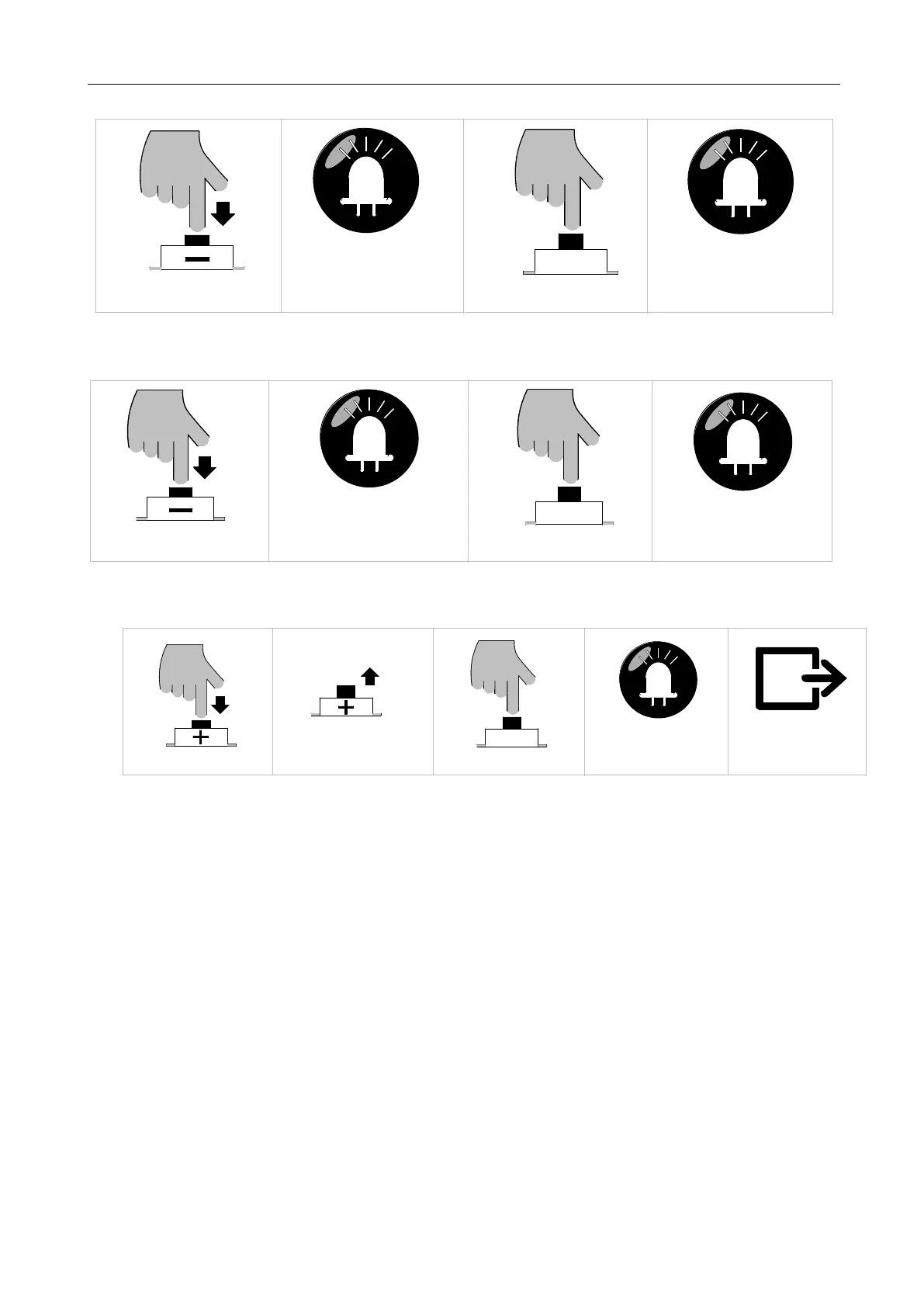
Press "—" button for 3 sec
2. Gate Closing Limit Position Setting:
Press “—” button to close
LED
at the closing limit position
Release "—" button after arriving
SET
Press “SET” button once
LED
in sequence from L1 to L5
Indicator lights will be on
3. Gate Opening Limit Position Setting:
Press “+” button to open
SET
Press “SET” button once
LED
L1-L5 will be on for 1 sec
Release “+” button after reaching
the opening limit position
Save and exit automatically
Figure 14
5.3.2 Travel Setting Tips:
During the travel setting process, users can check the travel limit position settings though the
indicator lights status. (Table 1 Travel Setting Tips)



 To Next Page