19
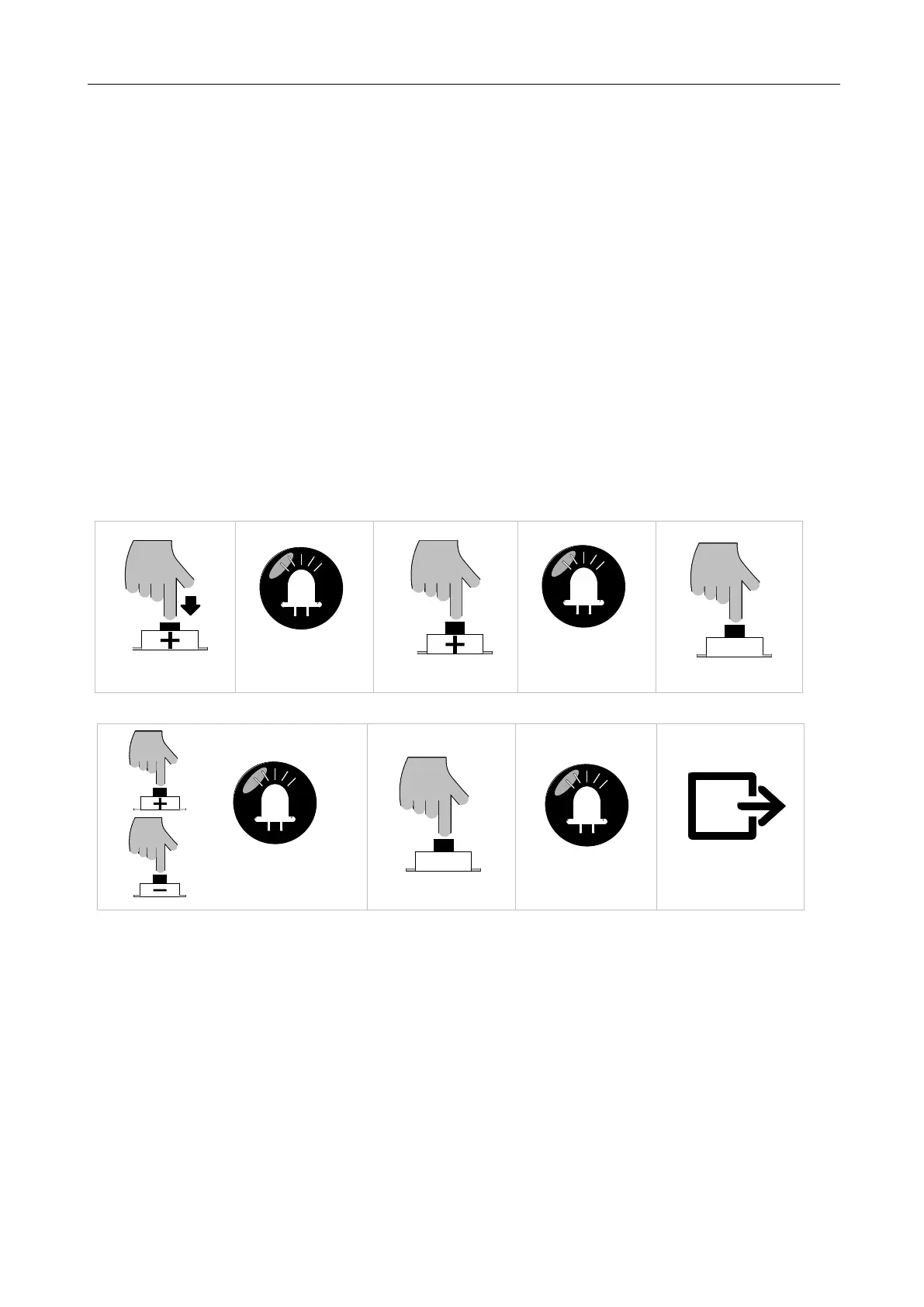
1. Press and hold “+” button for 3 sec. to enter into remote control management mode.
Indicator
light L1 will be always on.
2. Press “+” button twice to select pedestrian mode function option. Indicator light L3 will be
always on
3. Press “SET” button once to enter into pedestrian mode setting. Indicator light L1 on
(activated), L1 off (disabled)
4. The setting of activated or disabled for pedestrian mode can be realized through operating “-”
and “+” buttons.
5. Press “SET” button once to save pedestrian mode setting and automatically exit. Indicator
lights L1-L5 will be on for one sec.
B. Operation Graphic Illustration:
Press "+" button for 3 sec
SET
Press "SET" button once
LED
L1 will be on
Press "+" button twice
LED
L3 will be on
SET
Press "SET" button once
LED
Press "+" or "—" button to set:
L1 on (activated), L1 off (disabled)
Save and exit automatically
LED
L1-L5 will be on for one sec
Figure 20
5.4.4 Remote Control Delete (L4)
This operation will delete all the remote controls saved on the control board.
A. Operation Instruction:
1. Press and hold “+" button for 3 sec. to enter into remote control management mode.
Indicator
light L1 will be on.
2. Press “+" button three times to select remote control delete option. Indicator light L4 will be



 To Next Page