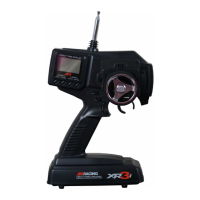
Press the SEL key to select which channel you wish to
adjust. Press the + or - key to adjust the value. Note: To
adjust the travel in one direction only, move the selected
channel’s input (e.g., steering wheel) in the direction you
choose to change (right turn, left turn).
That’s it — you’re ready to go!
Step 5. Press the UP or DOWN key until the cursor aligns
with TRVL ADJ. (travel adjust).
Step 6. Now press the MODE LIIST key. Your screen
should look like this:
3
Index
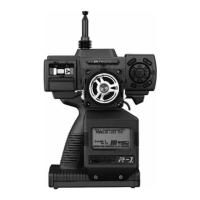
Control Identification 4
Display Switch 4
Transmitter Module 5
Installing the Batteries 6
D.S.C.
(Direct Servo Control) 6
Receiver Hook-Up 7
The Key Pad 7
General Information About
Programming the R-1 8
Beeping Confirmation 8
Two-Speed Scrolling 8
Contrast Adjustment of the Display 8
Digital Trims 8
Battery Alarm 8
Warning Alarm 8
Back-Up Error 8
Normal Display 9
System Mode 1 0
Function Mode 1 1
System Mode Functions
Reverse Switch 14
Function Select 15
Trim Rate 16
Model Name 17
Data Reset 18
Modulation 19
Fail-Safe 20
Transfer 22
Programmable Mix 1 and 2 24
Tx Mode 25
Function Mode Functions
Dual Rate/Exponential 26
Sub-Trim 27
Travel Adjust 28
Throttle Hold 29
Throttle Curve 30
Speed Adjust 32
Advanced Braking System (A.B.S.) 33
Idle Up 35
Quick Throttle 36
Timer 37
Model Select 40
Position 41
Data Sheet 4 2
Warranty Information 4 3
[TRVL ADJ]
ST. THRO
∞L 100% F 100%
∞R 100% B 100%
AUX.
+ 100%
- 100%


 To Next Page
 Loading...