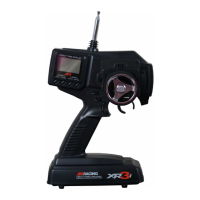
Note: Trim positions will appear here if D.T. display is
turned on in Tx Mode; ABS will appear here if it
is turned on.
When the normal display is shown, pressing the MODE
LIST key will access the Direct Mode. Then, by pressing the
UP or DOWN key, the menus in function list are accessible.
Each time the UP or DOWN key is pressed, it advances to
the next programming feature. Depending on what mode
you’re in, pressing the MODE LIST key several times will
bring up the function list that displays all the available
menus in function mode on a single screen (see page 11).
These can be scrolled through using the UP or DOWN key
to move the cursor and accessed by pressing the MODE
LIST key.
9
Normal Display
When the power switch is turned on, the normal display
appears.
TX11.0v PPM
MODEL 1
Integ-T
0:00
å∂◊å~ç´∂ ©®åπ˙^ç ∫ µc µ^≈^~©
Transmitter
Voltage
Model Number
Integral Time
Model Name
(if programmed)
Modulation
Type
Steering Tension
Steering Tension is adjustable via the recessed screw just
behind the idle up switch (see page 4 and 16). Turning the
screw clockwise increases the steering tension.

 To Next Page
 Loading...