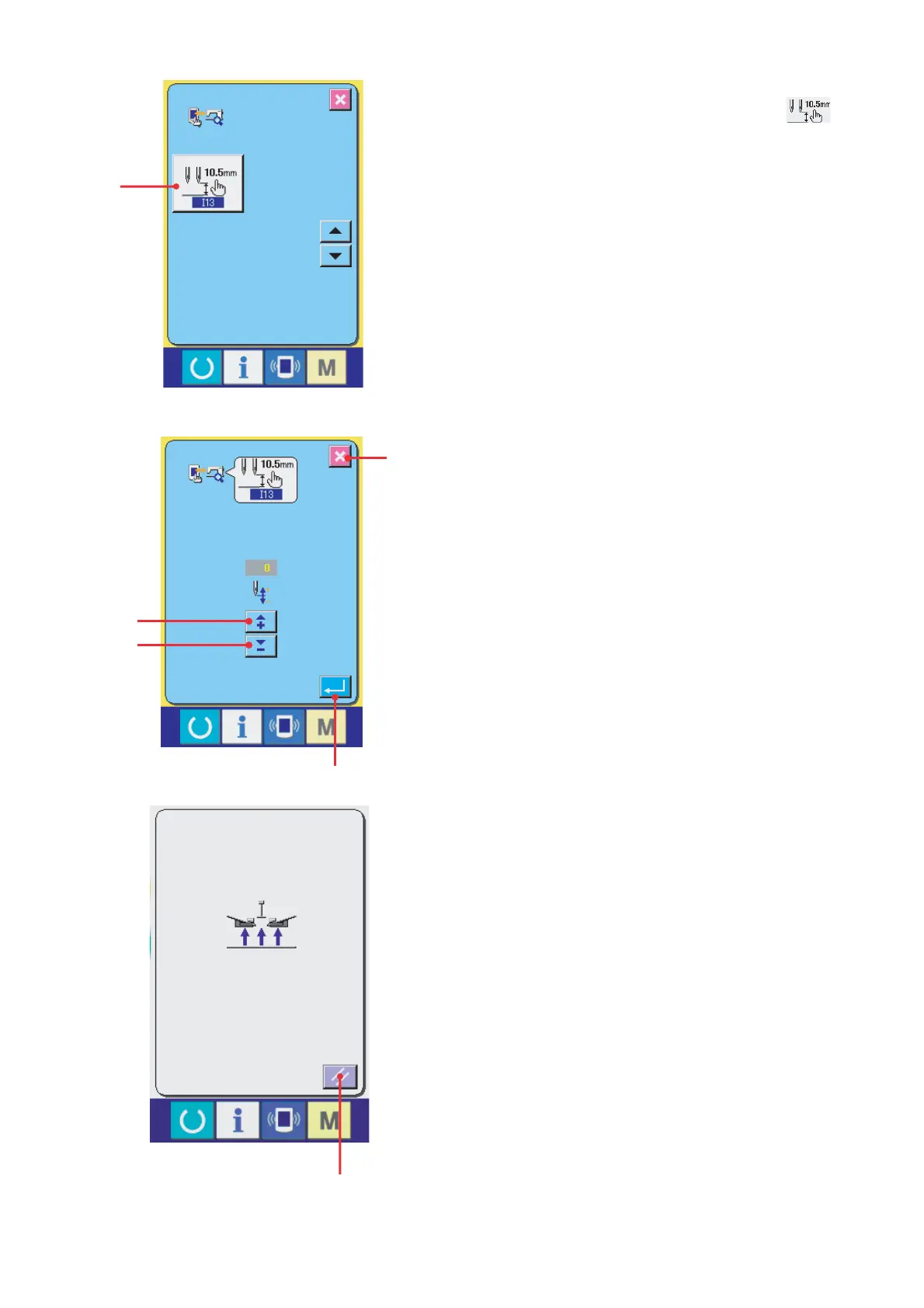
(13) I13 head stop angle adjustment
Press the head stop angle adjustment button A
of the check program menu screen and display the
head stop angle adjustment screen.
– 133 –
With the B button, the upper stop angle is increased
by one degree. (10 degrees max.)
With the C button, the upper stop angle is decreased
by one degree. (-10 degrees minimum.)
With the D button, a menu is recovered.
With the E button, setting is canceled and a menu is
recovered.
A
D
B
C
E
F
After the parameters have been set up, turn OFF
the power supply once and turn it ON again.
When the reset button F is pressed in the screen at
left, it moves above the needle. In this state, measure
the needle bar height.


 To Next Page
 Loading...