– 72 –
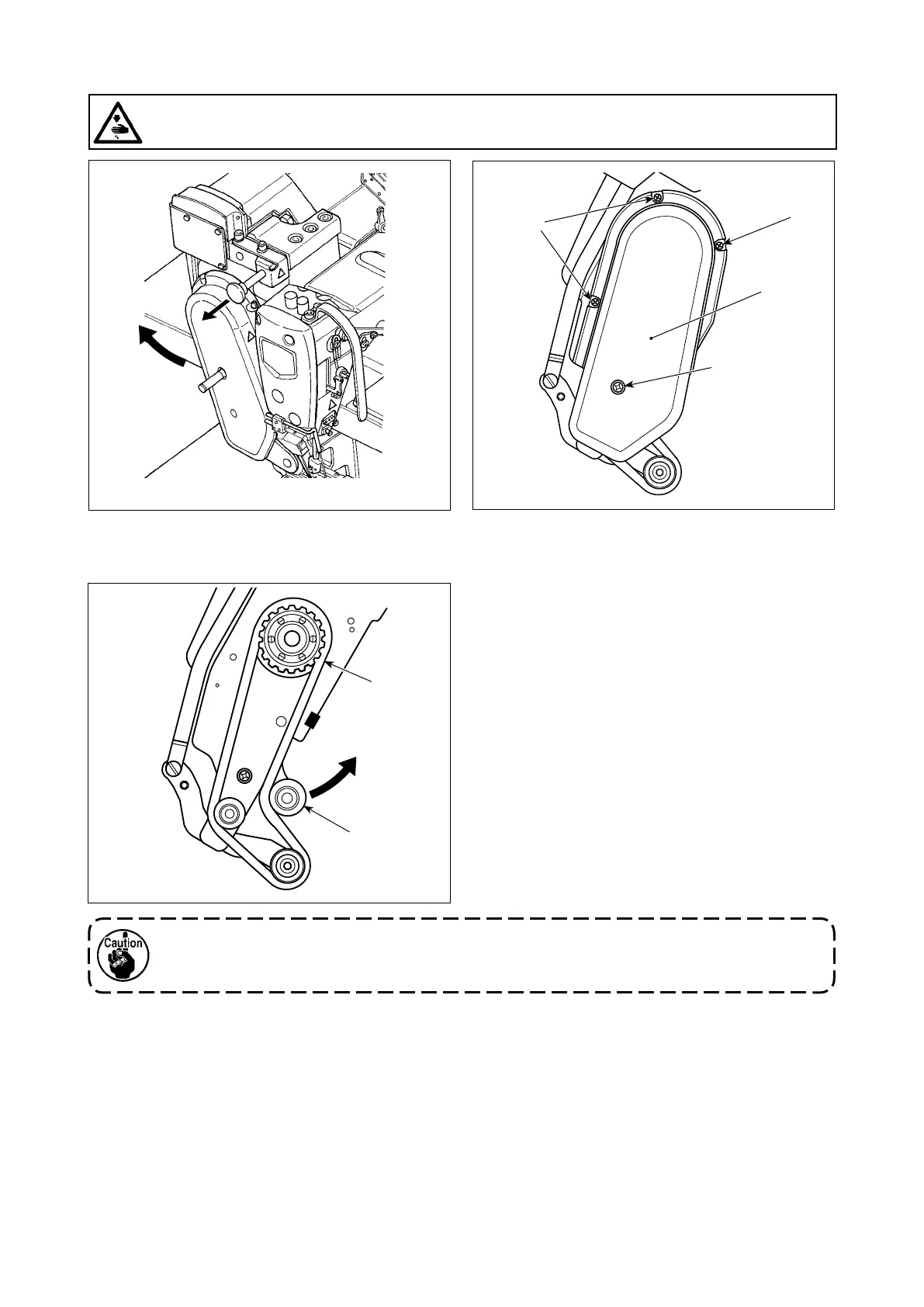
5-3. Changing the cloth puller belt
❶
❶
❷
❶
❸
❹
WARNING :
Turn OFF the power before starting the work so as to prevent accidents caused by abrupt start of the
sewing machine.
2) Loosen cloth puller belt cover setscrews ❶. Then,
detach cloth puller belt cover ❷.
3) Pull up tension pulley ❸ in the direction of the
arrow to loosen cloth puller belt ❹ until it can be
detached.
4) Attach new cloth puller belt. Then, attach cloth
puller belt cover ❷.
With respect to the time for changing the cloth puller belt, change it with a new one when the cloth
belt puller slips or you observe malfunction (cracks, abrasion, etc.) in appearance.
1) Raise the cloth puller.


 To Next Page
 Loading...